Adobe Substance 3D Collection: dành cho ai? Khi nào cần?
Substance 3D Collection ~15 triệu/năm gồm Painter, Designer, Sampler, Stager, Modeler - bộ công cụ chuẩn ngành cho game artist, product designer, archviz. Phân tích chi tiết khi nào nên đầu tư, so sánh Blender/Maya, và workflow tích hợp với All Apps.
TL;DR
Substance 3D Collection ~15tr/năm dành cho: game artist (texture PBR), product designer (visualization sản phẩm), archviz (interior/exterior 3D), motion designer cần 3D asset cho AE. Khác Blender (DCC tool) và Maya (animation full): Substance chuyên về texturing, materials, lighting. Không thay thế nhau, thường dùng kèm. All Apps có Substance 3D Assets giới hạn - cần Collection đầy đủ để work pro. Studio 3D cần Enterprise tier cho team. TND là Adobe Certified Reseller, hoá đơn VAT điện tử TT 78 đầy đủ.
Substance 3D Collection gồm những app nào?
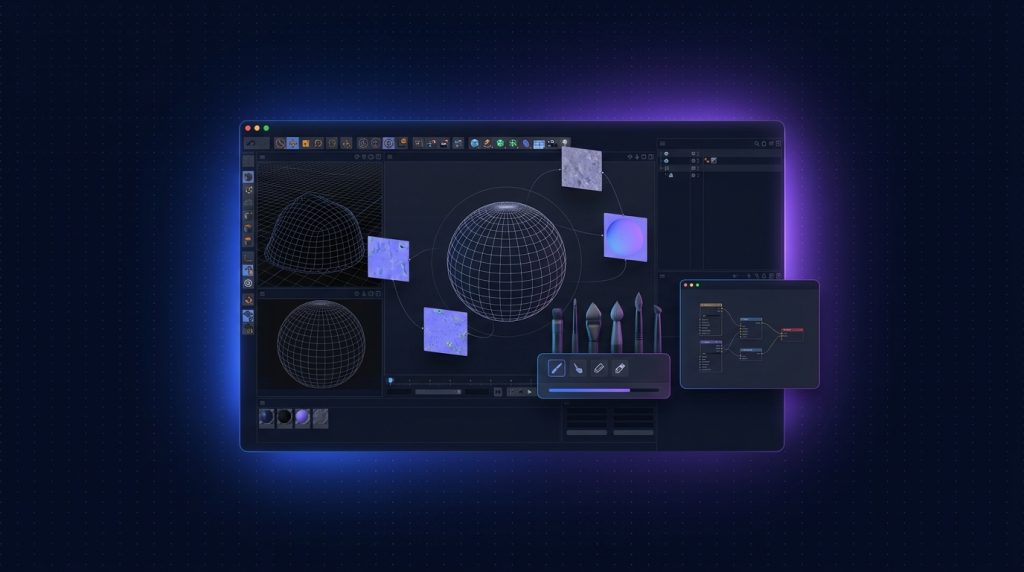
1. Substance 3D Painter
App nổi tiếng nhất, dùng để paint texture PBR (Physically Based Rendering) trực tiếp lên model 3D. Chuẩn ngành cho game asset (Ubisoft, EA, CDPR, Naughty Dog đều dùng), film VFX, archviz. Tính năng:
- Paint texture trên mesh 3D với layer system như Photoshop
- Smart materials tự động react với normal map (rust trong khe, dust trên đỉnh)
- Smart masks dựa trên geometry, curvature, ambient occlusion
- Export PBR map cho mọi engine: Unreal, Unity, Octane, V-Ray, Arnold
- Tích hợp Adobe Substance 3D Assets (10000+ material miễn phí)
2. Substance 3D Designer
App tạo material procedural - texture không phụ thuộc resolution, có thể tweak parameter. Dùng để build custom material từ đầu. Phù hợp:
- Technical artist game studio (tạo material reusable cho team)
- Texture artist VFX
- Material designer cho product visualization
Học Designer mất thời gian nhất vì node-based workflow phức tạp, nhưng power cực cao.
3. Substance 3D Sampler
Chụp ảnh material thực tế (gỗ, gạch, vải) → biến thành PBR material complete (diffuse + normal + roughness + height). Như "AI photogrammetry" cho material. Tính năng:
- Input từ 1 ảnh duy nhất → auto generate PBR map
- Multi-angle input (3-10 ảnh) cho material chính xác hơn
- HDR environment capture
- Material variations từ 1 sample
4. Substance 3D Stager
Như "Photoshop cho 3D scene" - import model + material, set lighting, camera, render output. Workflow đơn giản hơn Blender/Maya rất nhiều. Phù hợp:
- Product designer làm marketing visualization
- E-commerce 3D render
- Packaging designer làm mockup 3D
- Designer 2D muốn thêm 3D vào workflow mà không học DCC tool
5. Substance 3D Modeler
App mới nhất (2023+), modeling clay-like với VR support. Dùng để sculpt concept ban đầu, không thay Maya/Blender cho production model. Phù hợp:
- Concept artist sculpt nhanh ý tưởng
- Industrial designer concept product
- VR-native modeling (cần VR headset)
Phép toán giá: lựa chọn nào?
| Phương án | Chi phí năm | Bao gồm |
|---|---|---|
| All Apps Individual | ~18.5 triệu | 20+ app + Substance 3D Assets (limited) |
| Substance 3D Collection standalone | ~15 triệu | 5 Substance apps + 30/tháng asset download |
| Substance 3D Texturing (chỉ Painter + Sampler) | ~10 triệu | 2 app, ít hơn |
| All Apps + Substance 3D Collection | ~33.5 triệu | Toàn bộ ecosystem Adobe + 3D |
| All Apps Teams + Substance 3D Teams | ~27.5 + ~18tr/user | Cho team 3D pro với 1TB storage |
Substance 3D Collection standalone không phải lựa chọn tối ưu nếu bạn cũng cần Photoshop, Illustrator, Premiere - vì các app này không có trong Substance bundle. Combo "All Apps + Substance 3D Collection" ~33.5tr/năm là phổ biến cho 3D artist pro.
Ai cần Substance 3D Collection?
1. Game artist (cần nhất)
Substance 3D Painter là chuẩn ngành tuyệt đối cho texture game. Studio AAA, indie, mobile game đều dùng. Workflow điển hình:
- Model trong Maya/Blender/ZBrush
- UV unwrap
- Bake map (normal, AO, curvature, ID)
- Texture trong Substance Painter
- Export PBR map cho Unreal/Unity
2. Product designer / industrial designer
Visualization sản phẩm cho marketing, e-commerce, packaging mockup. Substance 3D Stager + Painter là combo lý tưởng. Render output chất lượng commercial-ready.
3. Archviz (architectural visualization)
Designer interior/exterior cần texture realistic cho material (gỗ, đá, vải, kim loại). Substance 3D Sampler cực hữu ích - chụp ảnh material thực tế tại site → biến thành PBR map dùng trong V-Ray/Corona/Lumion.
4. Motion designer cần 3D asset
Motion designer làm 3D trong Cinema 4D / Element 3D / After Effects 3D thường cần texture chất lượng cao. Substance 3D Assets (10000+ material) là goldmine - saved hours so với tự làm.
5. VFX artist film
Texture asset cho compositing, set extension, digital double. Substance Painter + Designer là chuẩn pipeline VFX house.
"Tôi từng dùng Photoshop để paint texture cho game asset - workflow tệ hại, không support PBR. Chuyển sang Substance Painter là khác biệt đêm-ngày, productivity tăng 5x." - 3D artist tại game studio indie ở Hà Nội.
Ai KHÔNG cần Substance 3D Collection?
- Graphic designer 2D thuần (logo, brand identity, print)
- Video editor không làm motion 3D
- Photographer không làm composite 3D
- UI/UX designer (trừ khi làm AR/VR)
- Content creator social media (Express là đủ)
Substance vs Blender vs Maya: khác biệt
| Tiêu chí | Substance 3D | Blender | Maya |
|---|---|---|---|
| Giá | ~15tr/năm | Miễn phí | ~50tr/năm |
| Modeling | Stager + Modeler (basic) | Full DCC | Full DCC (chuẩn film) |
| Texturing PBR | Excellent (chuẩn ngành) | Tốt (built-in) | Cần plugin (Substance bridge) |
| Animation rigging | Không | Có | Cực mạnh (chuẩn film) |
| Rendering | Stager (basic) | Cycles + Eevee | Arnold (chuẩn film) |
| Sculpting | Modeler (basic) | Sculpt mode (tốt) | Tốt |
| Use case | Texturing + materials | All-in-one | Film/animation pipeline |
Substance KHÔNG thay thế Blender/Maya - chúng bổ sung cho nhau. Workflow chuẩn:
- Model trong Blender/Maya/ZBrush
- UV unwrap trong Blender/Maya
- Texture trong Substance Painter
- Material library trong Substance Designer
- Render trong Blender Cycles / V-Ray / Arnold
Tích hợp với All Apps
Substance 3D Collection tích hợp tốt với phần còn lại của Adobe:
- Photoshop: Substance Material Pack format (.sbsar) load trực tiếp vào Photoshop để paint 3D layer.
- Dimension: import Substance material cho 3D mockup (Dimension đã chuyển thành Substance Stager).
- After Effects: import 3D asset từ Substance Stager qua Cinema 4D bridge.
- Illustrator: map vector lên 3D model trong Substance.
- Adobe Stock 3D: 10000+ asset có thể edit trong Substance.
Yêu cầu phần cứng
Substance 3D Painter
- CPU: Intel i7 hoặc Ryzen 7 trở lên
- RAM: 16GB minimum, 32GB recommend
- GPU: RTX 3060 (8GB VRAM) trở lên cho texture 4K
- Storage: SSD NVMe, project file 5-30GB/asset
Substance 3D Designer
- Tương tự Painter, ưu tiên CPU mạnh cho graph processing
Substance 3D Stager
- GPU mạnh nhất (render preview real-time)
- RTX 4070 trở lên cho ray tracing real-time
Storage cho 3D artist: tại sao cần Teams trở lên?
3D artist cần dung lượng cực cao:
- 1 high-poly model ZBrush: 1-5 GB
- 1 game asset folder (mesh + texture 4K + LOD): 500MB-2GB
- 1 archviz scene complete: 5-50 GB
- 1 Substance Painter project: 2-10 GB
- Texture library 4K/8K: 50-500 GB
3D artist pro thường có 500GB-3TB working file. Với All Apps Individual 100GB là không khả thi. Nên dùng:
- All Apps Teams 1TB/user - cho 3D artist solo
- Teams + Cloud Storage Add-on - cho artist cần 2-3TB
- Enterprise tier ~32tr/user/năm - cho studio 10+ 3D artist với storage scalable
Xem chi tiết: Teams vs Individual và tối ưu storage cho công ty thiết kế.
Substance 3D Assets: thư viện kèm theo
Khi mua Substance 3D Collection, bạn được:
- 30 asset download/tháng từ thư viện 10000+ material, 3D model, IBL environment
- Adobe Stock 3D access (giới hạn)
- Sketchfab integration cho asset download
Với All Apps Individual, bạn chỉ có giới hạn vài asset/tháng, không có Painter/Designer/Sampler/Stager đầy đủ. Cần Collection để có full ecosystem.
Học Substance: roadmap nhanh
- Tuần 1-2: Substance Painter cơ bản - UI, layer system, smart material, basic texturing.
- Tuần 3-4: Bake map workflow (normal, AO, curvature), texturing game asset đầu tiên.
- Tuần 5-6: Substance Designer cơ bản - node-based, build simple procedural material.
- Tuần 7-8: Stager + Sampler cho product visualization.
- Tháng 3+: Designer advanced - substance graph nâng cao, atlas generator, material variation.
Resource học: Adobe Substance Academy (miễn phí), YouTube channel "FlippedNormals", "Substance 3D Magazine", Pluralsight, Wingfox.
Tại sao mua tại Adobe Certified Reseller?
- License gốc Adobe, activate qua Adobe ID trong 30 phút
- Substance 3D Assets pool đầy đủ (30 asset/tháng)
- Hoá đơn VAT điện tử TT 78 đầy đủ - quan trọng cho game studio doanh nghiệp khai chi phí
- Hỗ trợ tiếng Việt, training onboarding nếu cần
- Volume discount cho team Substance ≥5 user
FAQ
Substance 3D có cho phép thương mại hoá output không?
Có. Mọi texture, material, asset bạn tạo ra trong Substance đều thuộc sở hữu bạn, được phép dùng commercial.
Substance 3D Assets có thể bán lại không?
Asset từ thư viện Adobe có license sử dụng nhưng không được bán lại. Asset bạn tự tạo trong Substance Designer thì hoàn toàn của bạn.
Substance trên Mac M-series có chạy native không?
Có. Substance Painter, Designer, Stager, Sampler đều hỗ trợ Apple Silicon native từ 2022.
Có nên mua Substance 3D lifetime không?
Substance trước đây có bản lifetime (qua Steam) nhưng đã ngừng từ 2019 khi Adobe mua lại Allegorithmic. Hiện chỉ có subscription qua Adobe.
Kết luận
Substance 3D Collection ~15tr/năm dành cho 3D artist chuyên nghiệp: game artist, product designer, archviz, motion designer cần 3D, VFX artist. Không thay thế Blender/Maya, mà bổ sung - chuyên về texturing và materials với chất lượng PBR chuẩn ngành. Với 3D artist solo, combo "All Apps 18.5tr + Substance 15tr = 33.5tr/năm" là setup phổ biến. Với studio 3D team, dùng Teams hoặc Enterprise để có dung lượng + Admin Console + collaboration.
Báo giá Substance 3D Collection + All Apps
TND là Adobe Certified Reseller - license genuine, activate qua Adobe ID trong 30 phút. Hoá đơn VAT điện tử TT 78 đầy đủ cho doanh nghiệp + agency.
TND là Adobe Certified Reseller, cung cấp bản quyền Adobe chính hãng cho doanh nghiệp, kích hoạt trên tài khoản chính chủ và xuất hóa đơn VAT. Tra cứu TND trên Adobe Partner Finder.
Bài viết liên quan về bản quyền
- Mua Adobe bản quyền chính hãng tại TND: tài khoản teams và hóa đơn
- Adobe for Teams khác Adobe cá nhân: quản lý license qua Admin Console
- Mua Adobe Photoshop bản quyền riêng lẻ: giá và cách kích hoạt
TND cung cấp phần mềm bản quyền chính hãng cho doanh nghiệp Việt từ năm 2009, xuất hóa đơn VAT điện tử, hỗ trợ kích hoạt và tư vấn license bằng tiếng Việt. Văn phòng tại Hải Phòng, Hà Nội và TP. Hồ Chí Minh.