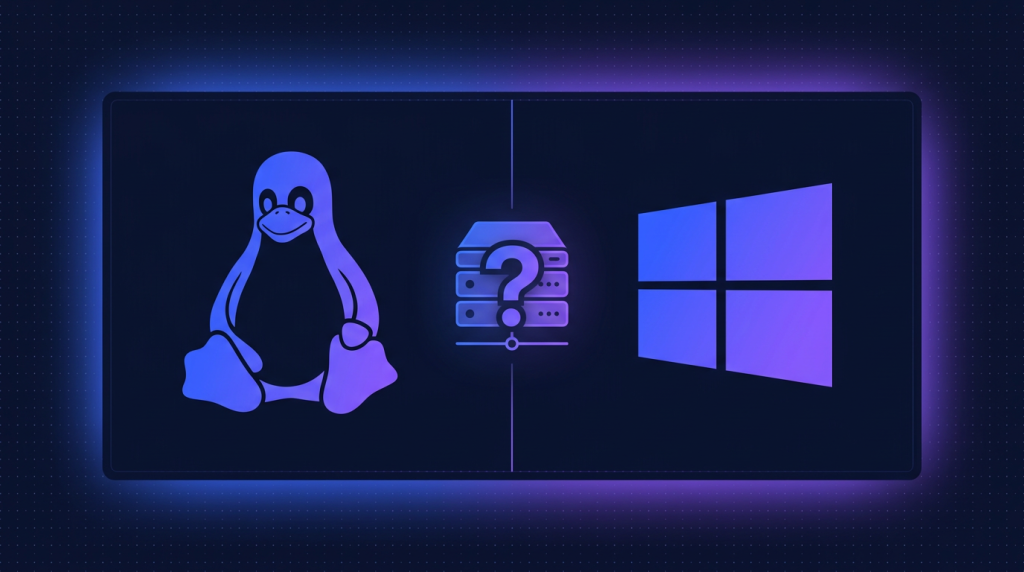
SQL Server trên VPS Linux vs Windows Server: nên chọn loại nào?
SQL Server 2022 hỗ trợ Ubuntu 22.04, RHEL 9, SLES 15. So sánh chi phí, hiệu năng, công cụ quản lý, và bộ tính năng còn thiếu trên Linux so với Windows Server - chọn đúng OS để tối ưu license và vận hành.
TL;DR
SQL Server 2022 chạy được trên Linux (Ubuntu/RHEL/SLES) với hầu hết tính năng tương đương Windows, license SQL Server không đổi giá theo OS. Linux tiết kiệm ~5-15M chi phí Windows Server license/server và tối ưu memory ~10%. Windows Server vẫn cần thiết nếu dùng SSAS, MSDTC distributed transaction, Active Directory authentication tích hợp sâu, hoặc workload BI Reporting Services. TND có sẵn VPS và Dedicated Server cho cả 2 nền tảng.
1. SQL Server 2022 trên Linux - đã trưởng thành chưa?
Microsoft công bố SQL Server on Linux từ 2017 và liên tục cải tiến. Đến SQL Server 2022, ngang tầm với Windows về 85-90% tính năng core engine. Đối với workload OLTP, DW, mixed thông thường - Linux và Windows cho hiệu năng gần như tương đương, đôi khi Linux nhanh hơn ~5-10% do overhead OS thấp hơn.
Các distro được Microsoft chính thức hỗ trợ SQL Server 2022:
- Ubuntu Server 20.04 LTS, 22.04 LTS
- Red Hat Enterprise Linux (RHEL) 8, 9
- SUSE Linux Enterprise Server (SLES) 12 SP5, 15 SP3+
- Container: chính thức image trên Microsoft Container Registry
SQL Server trên Linux KHÔNG phải là "phiên bản giảm tính năng" - về core engine, cùng codebase với Windows. Khác biệt chủ yếu ở các tính năng ngoài engine (BI services, một số HA scenario).
2. Tính năng tương đương Windows vs Linux
| Tính năng | Windows | Linux |
|---|---|---|
| SQL Server Engine (OLTP, query) | CÓ | CÓ |
| T-SQL, stored procedures | CÓ | CÓ |
| SQL Server Agent | CÓ | CÓ (từ 2017 CU4) |
| AlwaysOn Availability Group | CÓ (WSFC) | CÓ (Pacemaker cluster) |
| Failover Cluster Instance (FCI) | CÓ | CÓ (Pacemaker) |
| Transparent Data Encryption (TDE) | CÓ | CÓ |
| Always Encrypted with Enclaves | CÓ (VBS + SGX) | CÓ (Intel SGX only) |
| Polybase | CÓ | CÓ |
| Replication | CÓ | CÓ (Snapshot, Transactional) |
| Full-Text Search | CÓ | CÓ |
| Distributed Transaction (MSDTC) | CÓ | Hạn chế (linked server cross-platform) |
| SQL Server Analysis Services (SSAS) | CÓ | KHÔNG |
| SQL Server Reporting Services (SSRS) | CÓ | KHÔNG |
| SQL Server Integration Services (SSIS) | CÓ (đầy đủ) | Hạn chế (scale-out worker) |
| Active Directory authentication | CÓ (native) | CÓ (qua adutil + Kerberos) |
3. So sánh chi phí - Linux thắng ở mặt nào?
License SQL Server (Standard hay Enterprise) không đổi giá theo OS. Tức Standard Core 2-Core Pack ~95M dù bạn cài trên Windows hay Linux. Chi phí khác biệt nằm ở license OS:
| Chi phí | Windows Server | Linux Ubuntu/RHEL |
|---|---|---|
| OS license | Windows Server Standard ~15M, Datacenter ~70M | Ubuntu FREE, RHEL Subscription ~10-15M/năm |
| SQL Server license | Như nhau | Như nhau |
| RDP / management overhead | RDP CALs có thể cần thêm | SSH free |
| RAM overhead OS | ~3-5GB Windows OS | ~500MB-1GB Linux OS |
Tiết kiệm thực tế trên bài toán 4-core server
- Linux Ubuntu + SQL Standard 4-core: 0 + 190M = 190M
- Windows Server Std + SQL Standard 4-core: ~15M + 190M = 205M
- RHEL + SQL Standard 4-core (subscription năm 1): ~12M + 190M = 202M
- Tiết kiệm Linux Ubuntu vs Windows: ~15M (8%)
Với server lớn (24+ core), tiết kiệm Linux có thể lên đến 50-70M nếu so Datacenter Edition Windows. Cộng thêm tiết kiệm RAM (3-5GB), Linux phù hợp khi tối ưu chi phí.
4. Hiệu năng - benchmark thực tế
Theo các benchmark public (TPC-E, custom workload) và test nội bộ TND:
- OLTP transaction throughput: Linux nhỉnh hơn Windows 3-8% trên cùng phần cứng
- DW analytic query: ~tương đương, đôi khi Windows nhanh hơn ~2-5% do tối ưu IO subsystem trên Windows lâu năm
- Backup speed: Linux nhanh hơn ~5-10% do filesystem ext4/XFS hiệu quả hơn NTFS
- Startup time: Linux nhanh hơn đáng kể (~10-20 giây vs Windows ~30-45 giây)
Tuning Linux kernel cho SQL Server
# 1. Disable Transparent Huge Pages (cải thiện latency)
echo never > /sys/kernel/mm/transparent_hugepage/enabled

# 2. Set swappiness thấp (SQL không thích bị swap)
sysctl -w vm.swappiness=10

# 3. Bật mssql-conf optimizations
sudo /opt/mssql/bin/mssql-conf set memory.memorylimitmb 16384
sudo /opt/mssql/bin/mssql-conf set network.tcpport 1433

# 4. Disk: dùng noatime, defer mount option
# /etc/fstab:
# UUID=xxx /var/opt/mssql ext4 defaults,noatime,nodiratime 0 2

# 5. Restart SQL
sudo systemctl restart mssql-server
5. Công cụ quản lý cross-platform
SQL Server Management Studio (SSMS) chỉ chạy trên Windows. Nhưng để quản lý SQL trên Linux từ Windows / macOS, có các options:
- SSMS: chạy trên Windows, connect remote tới SQL Linux qua port 1433
- Azure Data Studio: cross-platform (Windows, macOS, Linux), VS Code-based
- sqlcmd: CLI tool, có cả Windows và Linux
- mssql-cli: CLI hiện đại với autocomplete, syntax highlight
- DBeaver: universal DB client
# Connect từ Linux client lên SQL Server Linux/Windows
sqlcmd -S sql.tnd.vn,1433 -U sa -P 'YourPassword' -Q "SELECT @@VERSION"

# mssql-cli (interactive, đẹp hơn)
mssql-cli -S sql.tnd.vn -U sa
# > SELECT name, database_id FROM sys.databases;
6. Khi NÊN dùng Windows Server?
- Cần SSAS / SSRS / Power BI Report Server: chỉ Windows
- SSIS phức tạp với 3rd-party components: Windows ổn định hơn
- Distributed Transaction qua MSDTC: chỉ Windows native
- Tích hợp Active Directory sâu (SQL service account, Kerberos delegation): Windows dễ hơn
- BI workload tích hợp Office (Excel + SSAS cube): Windows-first
- Hệ sinh thái Microsoft khác (SharePoint, Exchange) trên cùng infra: đồng bộ tốt hơn
7. Khi NÊN dùng Linux?
- Workload thuần OLTP / DW không cần SSAS/SSRS: Linux tiết kiệm
- Container hoá (Docker, Kubernetes): Linux container nhỏ hơn, deploy nhanh hơn
- Hạ tầng đa số Linux: đồng nhất stack, tooling Ansible/Terraform
- App stack đã Linux (Node.js, Python, Go, Java microservices): đỡ phải bridge Windows
- Cost-sensitive SMB: tiết kiệm Windows Server license
- CI/CD automation: Linux pipeline đơn giản hơn
8. Cài đặt SQL Server 2022 trên Ubuntu 22.04
# 1. Import Microsoft GPG key
curl -fsSL https://packages.microsoft.com/keys/microsoft.asc
  | sudo gpg --dearmor -o /usr/share/keyrings/microsoft.gpg

# 2. Add repo
curl -fsSL https://packages.microsoft.com/config/ubuntu/22.04/mssql-server-2022.list
  | sudo tee /etc/apt/sources.list.d/mssql-server-2022.list

# 3. Install
sudo apt update
sudo apt install -y mssql-server

# 4. Setup (chọn edition Express/Developer/Standard/Enterprise/Web)
sudo /opt/mssql/bin/mssql-conf setup

# 5. Install command-line tools
sudo apt install -y mssql-tools18 unixodbc-dev
echo 'export PATH=$PATH:/opt/mssql-tools18/bin' >> ~/.bashrc
source ~/.bashrc

# 6. Open firewall
sudo ufw allow 1433/tcp

# 7. Test
sqlcmd -S localhost -U sa -P 'YourStrongPassword!' -C -Q "SELECT @@VERSION"
9. AlwaysOn AG trên Linux - Pacemaker thay WSFC
Trên Windows, AG dùng Windows Server Failover Cluster (WSFC) để manage failover. Trên Linux, dùng Pacemaker + Corosync - bộ cluster manager open-source phổ biến.
# Cài Pacemaker + Corosync trên Ubuntu
sudo apt install -y pacemaker corosync pcs fence-agents resource-agents

# Cài mssql-server-ha extension
sudo apt install -y mssql-server-ha

# Bật AlwaysOn permit
sudo /opt/mssql/bin/mssql-conf set hadr.hadrenabled 1
sudo systemctl restart mssql-server

# Sau đó tạo AG bằng T-SQL như Windows
# CREATE AVAILABILITY GROUP [AG_Prod] WITH (CLUSTER_TYPE = EXTERNAL) ...
Pacemaker mature và stable, nhưng learning curve cao hơn WSFC nếu team chưa từng dùng. Nếu team thuần Windows → ưu tiên Windows AG.
10. Lựa chọn hạ tầng và license tại TND
TND có sẵn cả 2 môi trường để host SQL Server:
- Dedicated Server - Windows hoặc Linux, NVMe storage, ECC RAM, phù hợp production SQL Standard/Enterprise
- Cloud VPS - flexible scaling, snapshot, image template SQL Server có sẵn
TND là nhà cung cấp phần mềm bản quyền chính hãng tại Việt Nam, cung cấp license SQL Server 2022 Standard, Enterprise, CAL genuine - dùng được trên cả Windows Server và Linux, xuất hoá đơn VAT điện tử Thông tư 78 đầy đủ cho doanh nghiệp.
Đọc thêm: Standard vs Enterprise, AlwaysOn AG setup, Backup & Restore best practice.
Triển khai SQL Server trên VPS Linux hay Windows?
TND đại lý Microsoft SQL Server tại Việt Nam - license genuine cho Standard, Enterprise, CAL. Hoá đơn VAT điện tử TT 78 đầy đủ cho doanh nghiệp.
TND cung cấp phần mềm bản quyền chính hãng cho doanh nghiệp Việt từ năm 2009, xuất hóa đơn VAT điện tử, hỗ trợ kích hoạt và tư vấn license bằng tiếng Việt. Văn phòng tại Hải Phòng, Hà Nội và TP. Hồ Chí Minh.
Cần báo giá Windows Server bản quyền?
Bảng giá Standard, Datacenter, bản 32 nhân và toàn bộ CAL / RDS CAL cho 2019, 2022, 2025, kèm cách tính đủ license theo số nhân CPU và số người dùng.