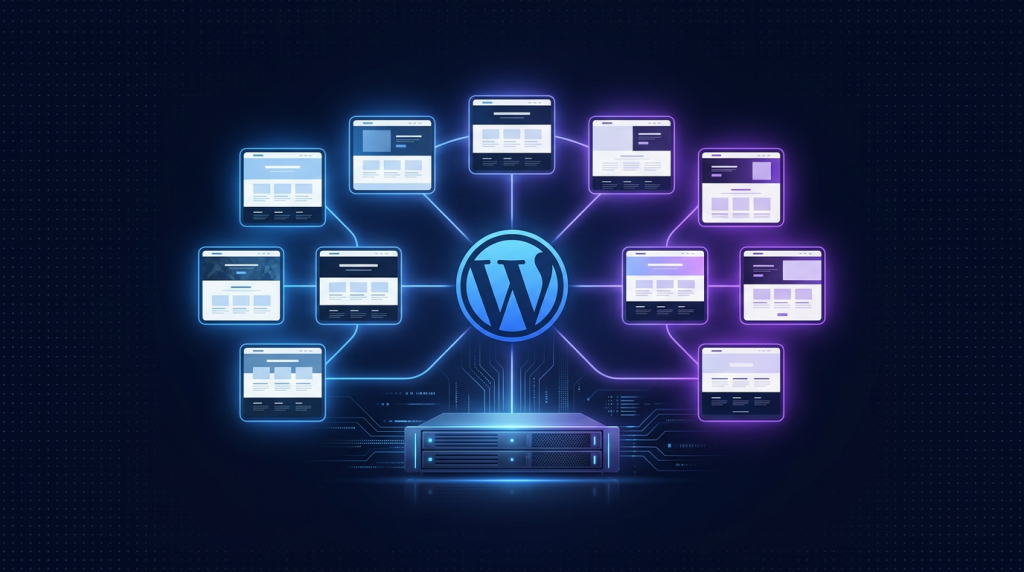
- WordPress Multisite cho phép 1 WP install host hàng trăm site, share core, theme, plugin, user. Lý tưởng cho agency và freelance.
- Cloud VPS 80 (4GB RAM, 799k/tháng) đủ host 10-30 site low traffic (5k-10k pageview/site/tháng).
- Subdomain (site1.your-domain.com) hoặc Subdirectory (your-domain.com/site1). Mapping domain riêng cho mỗi site qua plugin.
- Backup centralized 1 lệnh, plugin update đồng loạt, theme custom share giữa các site.
- Tiết kiệm 80% hosting cost so với từng site dùng shared hosting riêng.
Agency làm web bán hàng cho 10-30 khách hàng, mỗi khách trả 100-200k/tháng hosting. Nếu thuê shared hosting riêng cho mỗi site, cost cao và maintenance nightmare (update plugin 30 lần, backup 30 lần, fix lỗi PHP 30 lần). WordPress Multisite giải bài này: 1 codebase, 1 database (table prefix riêng per site), 1 dashboard quản lý tất cả. Setup 1 lần, maintenance 1/10 effort.
Mình đang chạy WP Multisite cho 3 agency Việt Nam, tổng 65 site khách hàng, trên 2 VPS Cloud TND 80. Cost hosting trung bình 35k/site/tháng, profit margin cao hơn nhiều shared hosting riêng lẻ. Bài này hướng dẫn full setup, mapping domain, performance, security, backup.
1. Multisite vs Single-site multiple instance
| Tiêu chí | Multisite | Multiple Single-site |
|---|---|---|
| Core WP files | 1 codebase | N codebase |
| Database | 1 DB, prefix riêng | N database riêng |
| Update WP/plugin | 1 lần all-site | N lần |
| Theme/plugin install | Super Admin centralized | Mỗi site riêng |
| User | Share cross-site | Riêng biệt |
| Custom plugin/theme | Phải compatible MU | Bất kỳ plugin/theme |
| Migrate site ra | Khó (cần plugin import/export) | Dễ (1 site = 1 DB) |
| RAM share | Hiệu quả 1 PHP-FPM pool | Cần pool riêng |
Multisite thắng khi agency host site na ná nhau (cùng theme base, cùng set plugin). Single-site thắng khi mỗi client cần plugin/theme khác biệt.
2. Cài WordPress Multisite từ đầu
# Cloud VPS 80 (4GB RAM)
dnf install nginx mariadb-server php83 php83-php-fpm
    php83-php-mysqlnd php83-php-gd php83-php-curl php83-php-zip
    php83-php-mbstring php83-php-xml php83-php-intl certbot -y

systemctl enable --now nginx mariadb php83-php-fpm

# Setup database
mysql_secure_installation
mysql -e "CREATE DATABASE wp_multisite; CREATE USER 'wpuser'@'localhost' IDENTIFIED BY 'strong_pass'; GRANT ALL ON wp_multisite.* TO 'wpuser'@'localhost'; FLUSH PRIVILEGES;"

# Download WordPress
cd /var/www
wget https://wordpress.org/latest.tar.gz
tar xzf latest.tar.gz
mv wordpress multisite
chown -R nginx:nginx multisite/
3. Config wp-config.php cho Multisite
// Sau khi install single-site đầu tiên, thêm vào wp-config.php
define('WP_ALLOW_MULTISITE', true);

// Trong WP Admin: Tools -> Network Setup -> chọn Subdomain hoặc Subdirectory -> Install

// Sau khi setup, WP gen 2 đoạn code add vào wp-config.php và .htaccess:
define('MULTISITE', true);
define('SUBDOMAIN_INSTALL', true);
define('DOMAIN_CURRENT_SITE', 'multisite.your-domain.com');
define('PATH_CURRENT_SITE', '/');
define('SITE_ID_CURRENT_SITE', 1);
define('BLOG_ID_CURRENT_SITE', 1);

// Wildcard subdomain DNS
// A record *.multisite.your-domain.com -> VPS IP

// Nginx config wildcard
server {
    server_name multisite.your-domain.com *.multisite.your-domain.com;
    root /var/www/multisite;
    index index.php;
    location / {
        try_files $uri $uri/ /index.php?$args;
    }
    location ~ .php$ {
        fastcgi_pass unix:/var/run/php-fpm/www.sock;
        include fastcgi_params;
        fastcgi_param SCRIPT_FILENAME $document_root$fastcgi_script_name;
    }
}
4. Tạo site mới qua Super Admin
- Login WP Admin với Super Admin account
- My Sites -> Network Admin -> Sites -> Add New
- Site Address: client1 (sẽ thành client1.multisite.your-domain.com)
- Site Title, Admin Email (user new tự tạo nếu chưa có)
- Add Site
Site mới tạo trong 5 giây. Theme và plugin enabled trên Network sẵn cho site mới. Admin client login với credential riêng, không thấy site khác.
5. Mapping domain riêng cho mỗi site
Client muốn dùng domain riêng client1.com thay vì client1.multisite.your-domain.com. Setup:
- Network Admin -> Sites -> Edit site client1 -> tab "Sites" -> thay đổi Site Address thành client1.com
- Client trỏ A record client1.com tới IP VPS (hoặc CNAME tới multisite.your-domain.com)
- Nginx config: thêm server block cho client1.com, root cùng /var/www/multisite
- Certbot Let's Encrypt: certbot --nginx -d client1.com -d www.client1.com
- WP auto resolve subsite từ Host header
Caddy đơn giản hơn nhiều: dùng on-demand TLS, tự issue cert khi domain trỏ tới VPS:
# Caddyfile
{
    on_demand_tls {
        ask https://multisite.your-domain.com/api/check-domain
    }
}

multisite.your-domain.com, *.multisite.your-domain.com {
    root * /var/www/multisite
    php_fastcgi unix//var/run/php-fpm/www.sock
    file_server
}

# On-demand cho client domain
https:// {
    tls {
        on_demand
    }
    root * /var/www/multisite
    php_fastcgi unix//var/run/php-fpm/www.sock
    file_server
}
6. Plugin must-use cho Multisite
- WP Super Cache hoặc W3 Total Cache: cache page reduce DB load
- Wordfence Security: firewall, malware scan all-site
- UpdraftPlus Premium: backup site theo lịch, push lên R2/S3
- Yoast SEO Premium: SEO per site
- Multisite User Management: assign user role per site dễ
- WP Multisite User Sync: sync user giữa sites
- Network Plugin Auditor: monitor plugin enable per site
7. Performance: cache và CDN
# Nginx fastcgi cache
fastcgi_cache_path /var/cache/nginx levels=1:2 keys_zone=WORDPRESS:100m max_size=1g inactive=60m;

server {
    set $skip_cache 0;
    if ($request_method = POST) { set $skip_cache 1; }
    if ($query_string != "") { set $skip_cache 1; }
    if ($request_uri ~* "/wp-admin/|/wp-login.php") { set $skip_cache 1; }
    if ($http_cookie ~* "wordpress_logged_in") { set $skip_cache 1; }

    location ~ .php$ {
        fastcgi_cache WORDPRESS;
        fastcgi_cache_bypass $skip_cache;
        fastcgi_no_cache $skip_cache;
        fastcgi_cache_valid 200 60m;
        # ...
    }
}
Combine với Cloudflare free CDN: cache static asset (CSS, JS, image) trên edge global. Origin VPS chỉ phục vụ HTML dynamic. Latency cho user toàn cầu giảm 70%.
8. Backup centralized
#!/bin/bash
# /opt/scripts/backup-multisite.sh
DATE=$(date +%F)
BACKUP_DIR=/backup/multisite

# Backup DB toàn bộ
mysqldump -u wpuser -p'strong_pass' wp_multisite | gzip > $BACKUP_DIR/db-$DATE.sql.gz

# Backup uploads (chỉ uploads, không backup wp-core)
tar czf $BACKUP_DIR/uploads-$DATE.tar.gz /var/www/multisite/wp-content/uploads/

# Push lên R2
rclone copy $BACKUP_DIR r2:backup-multisite/ --include "*-$DATE.*"

# Retention 30 ngày local
find $BACKUP_DIR -name "*.gz" -mtime +30 -delete
Cron daily 2h sáng. Khôi phục site đơn lẻ: restore từ DB dump (table prefix wp_2_, wp_3_...) và uploads/sites/{id}/.
9. Security best practice
- Disable file editing trong dashboard: define('DISALLOW_FILE_EDIT', true)
- Force HTTPS: define('FORCE_SSL_ADMIN', true)
- Disable XML-RPC nếu không dùng (tránh brute force)
- Limit login attempts: Wordfence hoặc Limit Login Attempts
- 2FA cho Super Admin (Wordfence 2FA hoặc Authy)
- Hide WP version, hide login URL bằng plugin WPS Hide Login
- Restrict plugin install: chỉ Super Admin được install plugin, sub-site admin chỉ enable/disable
10. Theme và plugin management
Network Admin -> Themes/Plugins:
- Network Enable: theme/plugin available cho mọi site
- Network Activate: tự bật cho tất cả site (mandatory)
- Per-site enable: sub-site admin tự bật theme/plugin từ list approved
Agency pattern: enable 5-10 theme premium + 20 plugin core. Sub-site admin chọn theme và plugin từ list, không install thêm. Maintain dễ.
11. Cost per site và pricing model
| Setup | Số site | Cost/tháng | Cost/site |
|---|---|---|---|
| Cloud VPS 40 (2GB) | 5-10 site | 399k | 40-80k |
| Cloud VPS 80 (4GB) | 10-30 site | 799k | 27-80k |
| Cloud VPS 160 (8GB) | 30-50 site | 1.590k | 32-53k |
| Cloud VPS 240 (16GB) | 50-100 site | 2.390k | 24-48k |
Charge client 150-300k/tháng/site, profit margin 70-80%. Agency sống khoẻ với 30-50 client recurring.
12. Tách site ra single-site khi cần
Khi client grow lớn, cần plugin custom không compatible MU, hoặc muốn full control: export ra single-site:
# Export 1 sub-site
wp super-cache flush --url=client1.com
wp export --user=admin --post_type=any --url=client1.com --dir=/tmp/

# Setup WP single-site mới trên VPS khác
# Import XML, copy uploads/sites/{id}/* sang wp-content/uploads/

# Hoặc dùng plugin All-in-One WP Migration với extension Multisite
Migration tốn 2-4 giờ tuỳ site size. Downtime < 1 giờ khi switch DNS.
13. Monitor và scale
- Uptime Kuma monitor mỗi site URL, alert khi down
- New Relic free tier hoặc Datadog Lite cho APM (latency, throughput)
- htop hằng ngày check CPU/RAM, scale VPS khi > 70% sustained
- MariaDB slow query log: identify query nặng, optimize index
- Cloudflare Analytics: bandwidth, request, cache hit ratio
14. Quirk và pitfall
- Plugin không compatible MU: test kỹ trên staging trước khi enable Network.
- Upload size limit per site: set qua define('WP_MAX_UPLOAD_FILE_SIZE', '50M').
- SuperAdmin có quyền truy cập mọi site: cẩn thận với account compromised.
- Migration plugin (UpdraftPlus, Duplicator) hỗ trợ Multisite paid version only.
- MariaDB table count cao (30 site x 12 table = 360+ table): cần tune InnoDB buffer.
15. Workflow onboarding client mới
- Tạo subsite từ Network Admin (1 phút)
- Apply theme template chuẩn (theme starter có sẵn page about, contact, blog)
- Enable plugin set chuẩn (cache, SEO, security)
- Setup mapping domain client.com
- Tạo admin account cho client, hướng dẫn 30 phút
- Bàn giao
Onboarding 1 site mới ~30 phút thay vì 3-4 giờ setup single-site từ đầu. Scale agency dễ.
16. Bài học sau 3 năm chạy Multisite agency
- Multisite tiết kiệm thời gian khủng khiếp cho agency size 10-50 client.
- Choose theme và plugin set chuẩn từ ngày đầu, đừng để mỗi client cần tool khác nhau.
- Backup hằng đêm là bắt buộc. 1 lần hack ảnh hưởng tất cả 30 site.
- Đầu tư caching nghiêm túc (FastCGI + Cloudflare), khác biệt cost VPS rõ rệt.
- Client communication: explain trade-off Multisite (rẻ nhưng kém flexible) ngay từ đầu.
17. Database optimization cho Multisite lớn
30+ site x 12 table = 360+ table trong cùng 1 database. MariaDB tune đúng cách:
# /etc/my.cnf.d/multisite.cnf
[mysqld]
innodb_buffer_pool_size = 1G
innodb_log_file_size = 256M
innodb_flush_log_at_trx_commit = 2
max_connections = 200
query_cache_type = 1
query_cache_size = 64M
table_open_cache = 4000
table_definition_cache = 2000

# Slow query log
slow_query_log = 1
slow_query_log_file = /var/log/mariadb/slow.log
long_query_time = 1
Phân tích slow query weekly bằng mysqldumpslow, optimize index cho query thường gặp.
18. Tự động hoá billing client
Tích hợp WHMCS hoặc Stripe Subscription để billing client tự động:
- Client signup qua landing page, chọn plan (Basic 150k, Pro 300k, Premium 500k)
- Stripe charge thẻ hằng tháng
- Webhook subscription.created -> auto provision sub-site trong Multisite
- Webhook subscription.deleted -> auto suspend/delete sub-site
- Client dashboard self-service: change plan, billing history
Workflow này biến agency thành SaaS hosting service, scale unlimited. Mình áp dụng cho 1 client agency, từ 30 site manual lên 80 site tự động sau 6 tháng.
19. Sandbox staging trước khi deploy production
Mỗi sub-site có sub-site staging riêng (staging.client1.your-domain.com). Workflow:
- Client request thay đổi feature mới
- Clone production sub-site sang staging (plugin WP Staging hoặc manual)
- Dev và client test trên staging
- Approve, push staging -> production
- Backup production trước, rollback ngay nếu fail
Pattern này tránh client phàn nàn "tự dưng site bị hỏng sau update". Trust building lâu dài quan trọng.
20. Tổng kết cho freelancer và agency Việt Nam
WordPress Multisite là setup tối ưu cho agency Việt Nam có 10-100 client web bán hàng nhỏ. Investment ban đầu 1-2 ngày setup, sau đó scale dễ dàng từ 10 lên 100 site mà không tăng nhân lực tỷ lệ thuận. Combine với Cloud VPS TND giá rẻ, peering ISP Việt Nam tốt, agency cost hosting dưới 30k/site/tháng, charge client 150-300k/tháng, profit margin 80%+. Đây là model agency mạnh nhất 2026 cho ngách web bán hàng nhỏ và vừa Việt Nam. Đầu tư đúng workflow onboarding, support, backup sẽ giúp business sustainable và scale nhanh.
VPS chạy WordPress Multisite cho agency
Cloud VPS TND sẵn AlmaLinux 9, Ubuntu 22/24, Debian 12/13. SSD CEPH, snapshot 1-click, backup hằng ngày, network 200Mbps trong nước. Cloud VPS 80 (4GB RAM, 799k) đủ host 10-30 WP site khách hàng, scale lên Cloud VPS 160-240 cho 50-100 site.
Xem 8 cấu hình Cloud VPS →FAQ
Multisite có hỗ trợ WooCommerce không?
Có, WooCommerce compatible Multisite. Mỗi sub-site có shop riêng, order riêng, product riêng. Chỉ cần đảm bảo plugin payment gateway compatible. Stripe và VNPay hỗ trợ tốt Multisite.
Có chia VPS cho mỗi site riêng được không?
Không, Multisite share 1 codebase và 1 DB. Nếu cần isolation, chạy Multiple Single-site trên Docker/Coolify thay vì Multisite. Trade-off: Multisite rẻ và centralized, Multiple Single-site flexible nhưng tốn maintenance hơn.
SEO của Multisite có ảnh hưởng nhau không?
Không, Google rank mỗi sub-site như site riêng nếu mỗi sub-site có domain hoặc subdomain riêng. Subdirectory hơi share authority hơn (your-domain.com/client1) nên hợp cho site cùng brand, không cho client riêng.
Multisite có chậm hơn single-site không?
Không đáng kể với caching đúng. WP query thêm 1-2 join để resolve site_id, vài ms latency. Cache page với FastCGI/Cloudflare bypass DB hoàn toàn, performance bằng single-site.
Mapping domain qua plugin nào tốt?
WP 4.5+ có built-in domain mapping, không cần plugin. Đơn giản thay đổi Site Address trong Network Admin. Cho UX tốt hơn, dùng plugin "Multiple Domain Mapping on Single Site" hoặc "WP Domain Mapping" để map multiple domain per site.
Khi sẵn sàng scale lớn hơn 100 site, cân nhắc multi-server architecture: load balancer + 2-3 web nodes + shared NFS/CEPH cho wp-content/uploads + MariaDB cluster Galera. Setup này phức tạp hơn nhưng support được 500-1000 site trên hardware bình thường. Đây là level Enterprise WordPress hosting, có thể là direction tiếp theo cho agency tăng trưởng nhanh.