
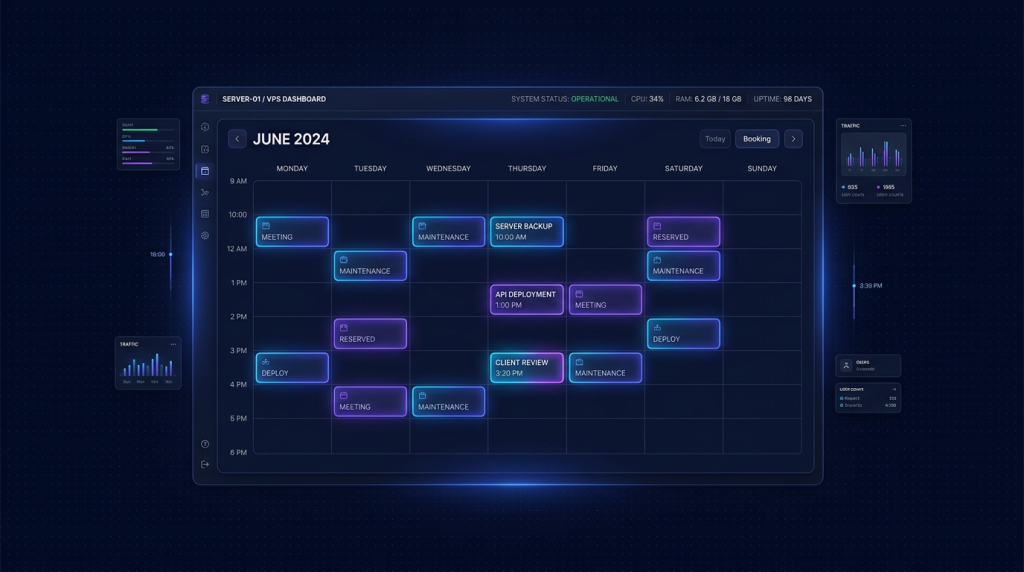
Freelancer VN bán dịch vụ consulting, design, dev contract cần lịch booking pro. Calendly free chỉ 1 event type, paid tier 12-15 USD/tháng. Cal.com là open source thay thế: unlimited event type, custom domain, no Calendly branding, free khi self-host trên VPS 199k/tháng.
Khác biệt lớn nhất: URL booking là book.yourname.com hoặc cal.yourdomain.com - trông chuyên nghiệp hơn calendly.com/yourname. Khách hàng tin tưởng hơn khi thấy domain riêng.
Bài này hướng dẫn deploy Cal.com trên Cloud VPS TND 4GB Ubuntu 24.04, sync Google Calendar, tích hợp Stripe + Zoom, branding theo style cá nhân.
1. So sánh Cal.com vs Calendly
| Tiêu chí | Cal.com self-host | Calendly free | Calendly Pro |
|---|---|---|---|
| Event type | Unlimited | 1 | Unlimited |
| Custom domain | Có | Không | Có (paid) |
| Branding của bạn | Full control | Có Calendly logo | Remove logo |
| Payment integration | Có (Stripe) | Không | Có |
| Team booking | Có | Không | Có (Team tier) |
| Pricing | 199k VPS/tháng | 0 | ~300k/tháng |
| Data ownership | Toàn quyền | Calendly cloud | Calendly cloud |
2. Yêu cầu hệ thống
- VPS 4GB RAM (Cal.com nặng do Next.js + Postgres + Prisma).
- Domain trỏ DNS về VPS, có SSL.
- SMTP gửi mail confirmation (Resend, Postmark, Mailgun).
- Google Cloud project cho Calendar API.
- (Optional) Stripe account cho payment.
3. Cài Docker và prepare
curl -fsSL https://get.docker.com | shsudo usermod -aG docker $USER mkdir -p /opt/calcom && cd /opt/calcomgit clone https://github.com/calcom/docker.git .4. Tạo file .env
cp .env.example .envnano .env# /opt/calcom/.envNEXT_PUBLIC_LICENSE_CONSENT=agreeLICENSE= NEXT_PUBLIC_WEBAPP_URL=https://cal.yourdomain.comNEXTAUTH_URL=https://cal.yourdomain.comNEXTAUTH_SECRET=$(openssl rand -hex 32)CALENDSO_ENCRYPTION_KEY=$(openssl rand -hex 32) # DatabasePOSTGRES_USER=calcomPOSTGRES_PASSWORD=strong_pwdPOSTGRES_DB=calcomDATABASE_URL=postgresql://calcom:strong_pwd@database:5432/calcom # Email[email protected]EMAIL_SERVER_HOST=smtp.resend.comEMAIL_SERVER_PORT=587EMAIL_SERVER_USER=resendEMAIL_SERVER_PASSWORD=re_xxx # LocaleNEXT_PUBLIC_DEFAULT_LOCALE=vi # Google CalendarGOOGLE_API_CREDENTIALS={"web":{"client_id":"...","client_secret":"...","redirect_uris":["https://cal.yourdomain.com/api/integrations/googlecalendar/callback"]}}5. Start với Docker Compose
docker compose pulldocker compose up -d docker compose logs -f calcom_webLần đầu khởi động mất 3-5 phút do build Prisma client + migrate DB. Khi log báo "Ready on http://0.0.0.0:3000" là OK.
6. Caddy reverse proxy + SSL
# /etc/caddy/Caddyfilecal.yourdomain.com { reverse_proxy 127.0.0.1:3000 encode gzip request_body { max_size 50MB }} sudo systemctl reload caddyTrỏ DNS cal.yourdomain.com -> IP VPS. Caddy auto cấp Let Encrypt SSL trong 30 giây.
7. Setup account và event type đầu tiên
- Truy cập https://cal.yourdomain.com, click Sign up.
- Verify email từ Resend SMTP.
- Onboarding wizard: timezone Asia/Ho_Chi_Minh, working hours 9-18.
- Tạo event type đầu tiên: "30 phút Consulting", URL cal.yourdomain.com/yourname/consulting.
- Thêm description, buffer time, location (Zoom/Meet auto).
8. Connect Google Calendar
- Settings -> Calendars -> Connect Google.
- OAuth login, authorize Cal.com đọc/ghi calendar.
- Chọn primary calendar để Cal.com check busy slots.
- Chọn destination calendar để insert event mới.
- Cal.com tự sync 2 chiều - không double booking.
9. Tích hợp Zoom/Google Meet auto link
Apps Store -> Zoom (hoặc Google Meet) -> Install. Sau khi authorize:
- Mỗi event type có thể chọn location = Zoom hoặc Google Meet.
- Khi khách book, Cal.com tự tạo Zoom meeting, gửi link trong email confirmation.
- Không phải tạo link tay từng lần.
10. Stripe payment cho paid consultation
- Apps -> Stripe -> Connect Stripe account.
- Trong event type "Consulting 60 phút", set price = 500000 VND (Stripe quy đổi).
- Khách book phải thanh toán qua Stripe trước, sau đó mới confirm slot.
- Stripe charge 2.9% + fixed fee.
11. Custom branding
- Settings -> Appearance: upload logo, set brand color, dark/light mode.
- Settings -> Profile: upload avatar, viết bio, link social.
- Custom domain: book.yourname.com riêng cho mỗi user/team (Premium feature).
12. Workflow automation
# Workflows -> Create new# Trigger: 24 hours before event# Action: Send SMS reminder to attendee# Template: "Nhắc lịch: bạn có cuộc họp lúc {time} ngày mai với {host}. Link: {link}" # Trigger: Event canceled# Action: Send refund Stripe + email apology # Trigger: New booking# Action: Webhook POST tới n8n flow -> add row Google Sheets CRM13. Backup data Cal.com
# Cron daily backupcat > /usr/local/bin/calcom-backup.sh << 'SCRIPT_END'#!/bin/bashset -eTS=$(date +%Y%m%d-%H%M)cd /opt/calcom docker compose exec -T database pg_dump -U calcom calcom | gzip > /tmp/calcom-$TS.sql.gz rclone copy /tmp/calcom-$TS.sql.gz r2:my-bucket/calcom-backup/rm /tmp/calcom-$TS.sql.gzSCRIPT_END# Note: heredoc syntax dùng để minh họa script bash chmod +x /usr/local/bin/calcom-backup.shecho '0 3 * * * /usr/local/bin/calcom-backup.sh' >> /etc/crontab14. Use case freelancer VN
- Designer: book.yourname.com/design-review 30 phút free + design-deep-dive 90 phút 1tr VND.
- Developer: code-audit 60 phút 2tr, mentor-call 30 phút 500k.
- Coach/consultant: discovery 15 phút free, full-session 60 phút.
- Team studio: round-robin booking - khách book bất kỳ slot, system assign ngẫu nhiên 1 trong 3 designer.
FAQ
Cal.com có miễn phí thật sự khi self-host không?
Core hoàn toàn free MIT license. Vài enterprise feature (SSO SAML, audit log) cần Enterprise license paid. Cho freelancer và team nhỏ thì free đủ dùng.
VPS RAM tối thiểu cho Cal.com là bao nhiêu?
4GB recommend. Cal.com Next.js + Prisma + Postgres ăn ~2GB RAM. Cài thêm Redis sẽ tăng RAM. VPS 2GB chạy được nhưng lag khi nhiều booking.
Có app mobile cho Cal.com không?
Có app native iOS/Android trong store. PWA responsive cũng dùng OK trên mobile browser. Admin nên dùng desktop để config phức tạp.
Sync 2 chiều với Google Calendar có miễn phí không?
Có. Google Calendar API free hoàn toàn với quota generous (1M request/ngày). Đủ cho freelancer cá nhân thoải mái.
Có thể custom email confirmation template không?
Có. Settings -> Email templates. Edit HTML, dùng variable {{attendee_name}}, {{event_time}}, {{meet_link}}. Hỗ trợ tiếng Việt đầy đủ.
Customer support khi gặp vấn đề thì sao?
Community Discord, GitHub Issues active. Self-host không có ticket support paid, nhưng community trả lời nhanh. Hoặc trả Cal.com Pro tier để dùng cloud + support.