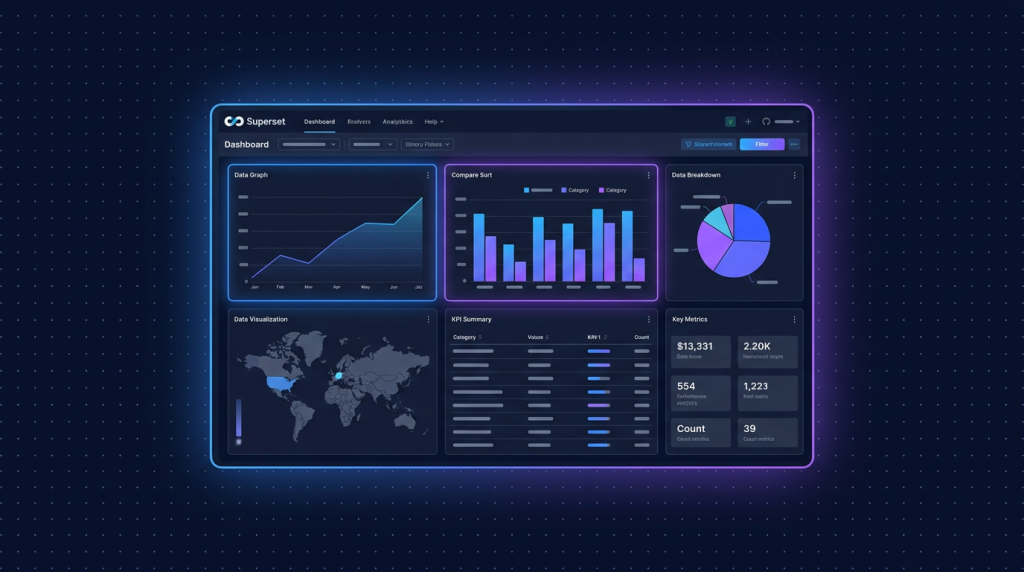
- Apache Superset là BI tool open source của Airbnb (giờ Apache project), 60k+ star, 50+ chart type, SQL Lab mạnh.
- Mạnh hơn Metabase về visualization và scale, complex hơn cho non-tech. Stack Python + React.
- Chạy trên Cloud VPS 80 (4GB RAM, 799k/tháng) đủ cho team 30 user và database 100GB.
- Kết nối 40+ database (Postgres, MySQL, BigQuery, Snowflake, ClickHouse, Druid, Pinot).
- Embed dashboard public/private, RBAC chi tiết, alert email Slack khi metric vượt threshold.
Startup grow lên có nhiều data source: Postgres app, BigQuery analytics, Clickhouse event, Redshift warehouse. Cần BI tool mạnh visualize đa nguồn. Metabase đơn giản nhưng giới hạn chart type và scale. Looker đắt. Superset open source, mạnh ngang Looker, free self-host.
Mình deploy Superset cho 4 startup VN trong 2025: 2 e-commerce, 1 fintech, 1 SaaS B2B. Tổng 15 dashboard production, 80+ chart, 200+ saved SQL query. Bài này hướng dẫn setup full stack, build dashboard đầu tiên, RBAC, alert, và best practice production.
1. Superset vs Metabase vs Redash
| Tiêu chí | Superset | Metabase | Redash |
|---|---|---|---|
| Stack | Python Flask + React | Clojure (JVM) | Python Flask + React |
| Chart types | 50+ | 25+ | 20+ |
| SQL editor | SQL Lab (mạnh) | SQL Editor (đơn giản) | Query Editor |
| RAM idle | 1GB | 1.2GB | 500MB |
| Learning curve | Khó | Dễ | Trung bình |
| Multi-tenant | Có (Row Level Security) | Pro/Enterprise | Có |
| Embed dashboard | Có (advanced) | Có (basic) | Public link |
| Alert | Có built-in | Có built-in | Có |
| License | Apache 2.0 | AGPL | BSD-2-Clause |
Superset win về visualization và scale. Metabase win về UX cho non-tech. Redash đơn giản nhất, hợp data engineer.
2. Cài Superset Docker Compose
cd /opt
git clone --depth=1 --branch 4.1.0 https://github.com/apache/superset.git
cd superset

# Copy env mẫu
cp docker/.env-non-dev .env

# Edit .env
nano .env
# .env
SUPERSET_SECRET_KEY=your_random_32_char_secret_key
POSTGRES_USER=superset
POSTGRES_PASSWORD=superset_secure_password
POSTGRES_DB=superset
DATABASE_URL=postgresql+psycopg2://superset:superset_secure_password@db:5432/superset
ADMIN_USERNAME=admin
ADMIN_FIRST_NAME=Admin
ADMIN_LAST_NAME=User
[email protected]
ADMIN_PASSWORD=strong_admin_password# Start stack
docker compose -f docker-compose-non-dev.yml up -d
docker compose -f docker-compose-non-dev.yml logs -f supersetStack gồm: superset web, superset-worker (Celery), superset-init (migration), postgres, redis. Lần đầu start mất 3-5 phút migrate DB và create admin.
3. Caddy reverse proxy
bi.your-domain.com {
    reverse_proxy 127.0.0.1:8088 {
        flush_interval -1
    }
    encode gzip
    header X-Frame-Options "SAMEORIGIN"
}
4. Connect database production
- Login bi.your-domain.com với admin/password
- Data -> Databases -> + Database -> Choose Postgres
- Display Name: "Prod Analytics"
- SQLAlchemy URI: postgresql://readonly:[email protected]:5432/proddb
- Test Connection, Save
QUAN TRỌNG: tạo user readonly trong Postgres trước (SELECT only, statement_timeout 30s), không bao giờ dùng admin password cho Superset.
5. SQL Lab: query và save
-- SQL Lab editor
SELECT
  date_trunc('day', created_at) AS day,
  COUNT(*) AS signups,
  COUNT(*) FILTER (WHERE referrer LIKE '%google%') AS from_google
FROM users
WHERE created_at >= NOW() - interval '30 days'
GROUP BY 1
ORDER BY 1;
Run query, xem result table. Save as Dataset để dùng cho chart, hoặc Save Query để chia sẻ với team. SQL Lab có autocomplete, syntax highlight, format, copy as CSV/JSON.
6. Tạo chart đầu tiên
- Charts -> + Chart -> chọn Dataset đã save
- Chọn visualization type: Line, Bar, Pie, Big Number, Pivot Table, Heatmap, Sankey, Treemap, Map, etc.
- Drag column vào Metrics, Dimensions, Filters
- Apply, preview chart
- Save Chart với tên rõ ràng "Daily Signups by Source"
Superset có 50+ chart type, từ basic (line, bar) đến advanced (chord diagram, sunburst, geo heatmap). Mỗi chart type có config options chi tiết.
7. Build dashboard nested
- Dashboards -> + Dashboard
- Drag chart từ sidebar vào canvas
- Resize, arrange grid layout
- Add Markdown component cho title, description, divider
- Tab component để tách dashboard nhiều section
- Filter Box: filter cross-chart theo dimension (date range, category, country)
- Save Dashboard, share link với team
Filter cross-chart là feature mạnh: 1 dashboard với 20 chart, filter 1 dropdown, tất cả chart update theo. Tránh duplicate chart cho mỗi filter.
8. RBAC: role và permission
Superset có Role-Based Access Control mạnh:
- Admin: full access mọi thứ
- Alpha: tạo dashboard, chart, dataset; không quản lý user
- Gamma: chỉ xem dashboard đã share, không sửa
- Sql Lab: dùng SQL editor
- Public: anonymous user, read-only public dashboard
Custom role: Settings -> List Roles -> Add. Assign permission chi tiết: can_read on Dashboard, can_write on Chart, etc.
9. Row Level Security (RLS)
Cho multi-tenant SaaS, mỗi tenant chỉ thấy data của họ trên dashboard chung:
- Settings -> Row Level Security -> Add
- Name: "Tenant filter"
- Filter Type: Regular
- Tables: orders, users, products
- Roles: TenantA, TenantB
- Clause: tenant_id = '{{ current_user_name() }}'
User TenantA login chỉ thấy row có tenant_id = "tenanta". 1 dashboard, 100 client xem cùng layout nhưng data khác nhau. Saving development time đáng kể.
10. Alert và Reports
- Settings -> Alerts & Reports -> + Alert
- Name: "Daily revenue drop"
- Database, SQL: SELECT total_revenue FROM daily_revenue WHERE date = CURRENT_DATE
- Trigger: Value < threshold (vd 100M VND)
- Schedule: cron "0 9 * * *" (9h sáng hằng ngày)
- Recipients: email [email protected], Slack #alerts channel
- Save, test trigger
Reports khác: chạy schedule, send dashboard screenshot mỗi sáng đầu giờ cho ban giám đốc. Workflow chuyên nghiệp tốn 5 phút setup.
11. Embed dashboard vào app khác
// Embed Superset dashboard vào React app
import { embedDashboard } from '@superset-ui/embedded-sdk'

embedDashboard({
  id: "abc-dashboard-uuid",
  supersetDomain: "https://bi.your-domain.com",
  mountPoint: document.getElementById("dashboard-container"),
  fetchGuestToken: () => fetchGuestTokenFromBackend(),
  dashboardUiConfig: {
    hideTitle: true,
    filters: { expanded: false }
  }
})
Backend gen guest token cho user authenticate sẵn, không cần login Superset riêng. UX seamless cho client xem dashboard nhúng vào portal của họ.
12. Cache result để dashboard load nhanh
# superset_config.py
RESULTS_BACKEND = RedisCache(host='redis', port=6379, key_prefix='superset_results')
DATA_CACHE_CONFIG = {
    'CACHE_TYPE': 'RedisCache',
    'CACHE_DEFAULT_TIMEOUT': 60 * 60,    # 1 hour
    'CACHE_KEY_PREFIX': 'superset_data_',
    'CACHE_REDIS_HOST': 'redis',
    'CACHE_REDIS_PORT': 6379,
}

CACHE_CONFIG = {
    'CACHE_TYPE': 'RedisCache',
    'CACHE_DEFAULT_TIMEOUT': 60 * 5,
    'CACHE_KEY_PREFIX': 'superset_',
    'CACHE_REDIS_HOST': 'redis',
    'CACHE_REDIS_PORT': 6379,
}
Cache query result trong Redis, dashboard load lại trong giờ cache không tốn query DB. Critical cho dashboard truy cập nhiều user concurrent.
13. Database connection list nên có
- Postgres app: data primary, user behavior, transaction
- ClickHouse event: pageview, click, custom event analytics
- Snowflake/BigQuery warehouse: data lake với dbt transformed
- Redis: realtime metric, queue length, cache stats
- Google Sheets: data manual ops team nhập
- CSV files: upload ad-hoc data cho exploration
Connect tất cả vào Superset, dashboard cross-database, join data từ nhiều nguồn trong 1 view.
14. Optimization performance dashboard nặng
- Cache query (Redis backend).
- Materialized view trong DB cho query phức tạp aggregate.
- Limit row trong chart filter "Row Limit" 1000-10000, không load 100k+ vào browser.
- Tách dashboard nặng thành nhiều tab, lazy load.
- Async query: enable LongRunningQueryHandler cho query > 60s.
- Worker scale: tăng số Celery worker khi nhiều user concurrent.
15. Backup metadata Superset
# Dump Postgres superset metadata
docker exec superset_db pg_dump -U superset superset
  | gzip > /backup/superset-meta-$(date +%F).sql.gz

# Hoặc export specific dashboard
docker exec superset superset export-dashboards -f /tmp/dashboards.zip
docker cp superset:/tmp/dashboards.zip /backup/

# Restore
docker cp /backup/dashboards.zip superset:/tmp/
docker exec superset superset import-dashboards -p /tmp/dashboards.zip
Cron daily backup, push lên R2. Test restore quarterly để tránh surprise khi disaster.
16. Bài học sau 1 năm chạy Superset production
- Learning curve cao cho non-tech, dev/data eng nhanh. Train workshop 2 buổi cho team.
- SQL Lab là feature mạnh nhất, dev hay query ad-hoc trong đó hơn psql.
- Cache là king cho dashboard fast. Redis cache 1h là sweet spot.
- RLS phức tạp, test kỹ trước khi rollout multi-tenant.
- Update Superset version cẩn thận, đôi khi có breaking change major version.
17. Custom CSS branding cho dashboard
Dashboard nhìn pro với brand riêng. Settings -> CSS Templates -> Add:
/* Custom branding */
.dashboard-header { background: linear-gradient(135deg, #0B1230, #1B2247); color: white; }
.chart-title { font-family: 'Inter', sans-serif; font-weight: 600; }
.echarts-tooltip { background: #1B2247 !important; color: #fff !important; }

/* Number formatting Việt Nam */
.metric-value { font-variant-numeric: tabular-nums; }
.kpi-card { border-radius: 12px; box-shadow: 0 4px 12px rgba(0,0,0,0.08); }
Apply CSS Template vào dashboard cụ thể. Client/customer cảm thấy dashboard "made for them" thay vì generic.
18. Annotation Layer cho event đặc biệt
Đánh dấu sự kiện trên chart time-series (deploy, marketing campaign, lễ tết):
- Settings -> Annotation Layers -> Add: "Marketing Events"
- Bảng SQL: SELECT date, event_name FROM marketing_events
- Trong chart line "Daily Signups", Settings -> Annotations -> Add Marketing Events layer
- Chart hiện vertical line đánh dấu "Black Friday Campaign", "Holi 2026", etc
Quan trọng cho retrospective: 1 nhìn thấy spike traffic có phải do campaign hay tự nhiên.
19. Public dashboard cho marketing
Public stat về growth, user count, MRR cho marketing/transparency (như Buffer/Baremetrics):
# Tạo Public role với permission can_read on Dashboard "Public Metrics"
# Settings -> List Roles -> Public -> Add Permission

# Dashboard URL public không cần login:
# https://bi.your-domain.com/superset/dashboard/public-metrics/
# Embed iframe vào landing page company
Build trust với prospect, kêu gọi đầu tư, recruit talent. Free marketing channel hiệu quả.
20. Integration với Slack: alert đẹp
# superset_config.py
SLACK_API_TOKEN = "xoxb-..."

# Alert config trong UI
Type: Slack
Recipients: #data-alerts
Channel: U123456789  # user ID for DM
Message template:
  *{{ alert_name }}*
  Value: {{ value }}
  Threshold: {{ threshold }}
  Dashboard: {{ url }}
Alert Slack có format đẹp, link trực tiếp tới chart trong Superset. Team click 1 cái thấy ngay context.
21. SQL macros cho query reusable
-- Jinja template trong SQL Lab
SELECT
  date_trunc('{{ time_grain('day') }}', created_at) AS day,
  COUNT(*) AS signups
FROM users
WHERE created_at BETWEEN '{{ from_dttm.strftime('%Y-%m-%d') }}' AND '{{ to_dttm.strftime('%Y-%m-%d') }}'
GROUP BY 1;

-- Custom macro reusable
SELECT * FROM {{ tenant_table('orders') }}
WHERE created_at >= '{{ last_n_days(30) }}';
Define macro trong superset_config.py, dùng cross-chart. DRY principle cho SQL, dễ maintain.
22. Migration từ Metabase sang Superset
- Export queries từ Metabase (Settings -> Database -> Inspector)
- Recreate datasets trong Superset
- Map chart type Metabase -> Superset equivalent
- Rebuild dashboard layout (không có auto convert)
- Re-train team trên Superset 1 buổi workshop
- Parallel run 2 tool 1 tháng, sau đó decommission Metabase
Mình migrate 1 client từ Metabase sang Superset trong 2025, tổng 30 dashboard. Tốn 2 tuần effort, nhưng visualization và scale tốt hơn rõ rệt.
23. Async query cho query siêu nặng
# superset_config.py
SQL_LAB_ASYNC_TIME_LIMIT_SEC = 600    # 10 min
SQL_MAX_ROW = 100000
SQLLAB_CTAS_NO_LIMIT = True
RESULTS_BACKEND_USE_MSGPACK = True

FEATURE_FLAGS = {
    'SQLLAB_BACKEND_PERSISTENCE': True,
    'ENABLE_TEMPLATE_PROCESSING': True,
    'GLOBAL_ASYNC_QUERIES': True,
}
Query dài hạn (vd full-year aggregate) chạy background Celery worker, result push WebSocket về browser. User không phải đợi tab open, có thể đóng và xem result trong History.
24. Tổng kết cho startup tăng trưởng
Apache Superset là BI tool mạnh nhất hiện tại trong open source, ngang Tableau/Looker về tính năng nhưng free. Trade-off: learning curve cao hơn Metabase, setup phức tạp hơn. Cho startup giai đoạn product-market fit và scale (100+ user, 50+ dashboard, multi-tenant), Superset là lựa chọn tốt nhất. Mình recommend bắt đầu với Metabase nếu team nhỏ và non-tech, migrate sang Superset khi grow đến mức cần visualization phức tạp và RBAC chi tiết. Cả 2 tool đều open source, không lock-in, có thể migrate đôi chiều dễ dàng. Đầu tư đúng cách thì data team không còn là bottleneck, dashboard self-service giúp PM/sales/marketing tự lấy insight.
VPS chạy Apache Superset BI cho startup
Cloud VPS TND sẵn AlmaLinux 9, Ubuntu 22/24, Debian 12/13. SSD CEPH, snapshot 1-click, backup hằng ngày, network 200Mbps trong nước. Cloud VPS 80 (4GB RAM, 799k) đủ chạy Superset + Postgres + Redis cho team 30 user.
Xem 8 cấu hình Cloud VPS →FAQ
Superset có miễn phí không?
Có, Apache 2.0 license hoàn toàn free self-host. Preset.io (managed Superset cloud) tính phí 25 USD/user/tháng. Cho team có VPS sẵn, self-host miễn phí dùng tốt.
So với Metabase thì khi nào nên dùng Superset?
Superset khi cần: visualization phức tạp (heatmap, sankey, map), SQL Lab cho data engineer, RLS multi-tenant, scale 100+ user concurrent. Metabase khi cần UX dễ cho non-tech, click-and-go dashboard nhỏ team 5-20 user.
VPS bao nhiêu RAM đủ cho Superset?
Tối thiểu 2GB (Cloud VPS 40). Production 4GB+ (Cloud VPS 80). Big team scale 8GB+ (Cloud VPS 160). Postgres metadata thường ăn 500MB-1GB, Superset web 1GB, worker 500MB, Redis 200MB.
Superset có support tiếng Việt UI không?
UI mặc định tiếng Anh. Có translation tiếng Việt community contribute, chưa đầy đủ 100%. Most team Việt Nam dùng UI English vì terminology data thường English standard.
Có integrate với dbt được không?
Có, dùng dbt-superset CLI sync model dbt -> dataset Superset, metric definitions consistent. Workflow: dbt model trong git -> dbt build -> sync sang Superset, dashboard query model dbt.
25. Bài học cuối cho team data Việt Nam
Sau nhiều dự án Superset production, mình rút ra: 80% giá trị của BI tool nằm ở việc dashboard design và data model chuẩn, 20% còn lại là tool choice. Cho dù dùng Superset/Metabase/Tableau, nếu dashboard rối, metric không định nghĩa rõ, RLS lỏng lẻo thì team không trust số liệu, BI mất ý nghĩa. Đầu tư vào data engineering (dbt transformation, schema chuẩn, naming convention), training team đọc chart đúng cách, governance dashboard (review trước approve public) sẽ giúp BI thật sự thúc đẩy decision making. Superset là tool tuyệt vời nhưng chỉ là phương tiện, mục tiêu cuối cùng là culture data-driven trong công ty Việt Nam.