
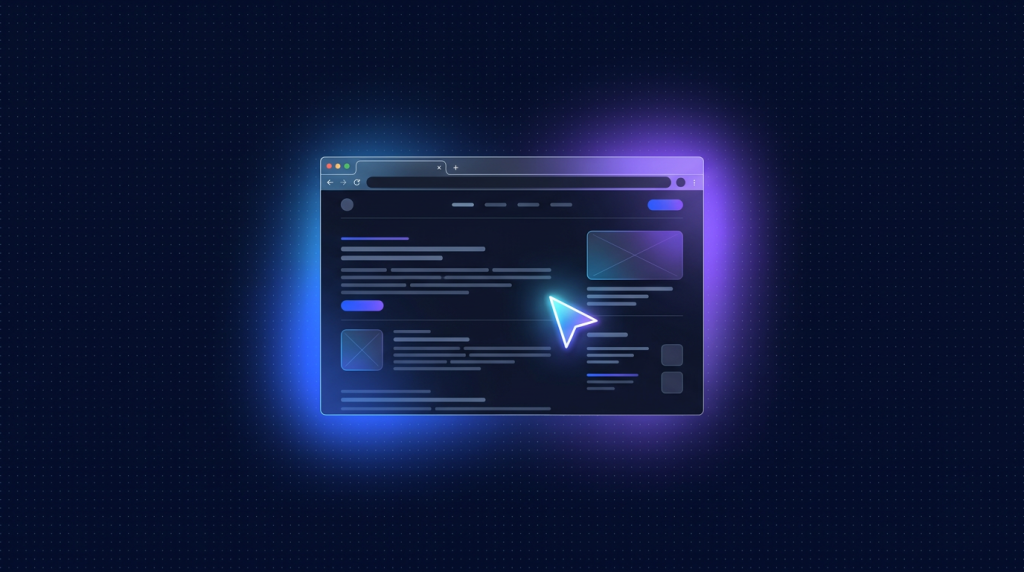
- Browser-use là Python framework để LLM (Claude, GPT, Gemini) điều khiển trình duyệt chrome thực sự, làm các task web phức tạp.
- Khác Selenium hay Playwright thuần: LLM tự đọc DOM, quyết định click gì, gõ gì, không cần selector cứng.
- Setup trên VPS 4GB RAM: Python 3.11+, Playwright Chromium, browser-use library, API key Anthropic.
- Use case thực tế: scrape data sau login, auto monitor giá, fill form, submit báo cáo, crawl JS-heavy site.
- Chi phí token Claude: mỗi task 5-15k token (~0.01-0.05 USD/task). Rẻ hơn dev viết script Playwright nhiều lần.
Scrape web với Playwright thuần đòi hỏi viết selector chính xác. Khi site đổi layout, script gãy. Khi site có Cloudflare turnstile, Hcaptcha, hay React render động, selector lại càng khó. Browser-use là một framework Python mới ra mắt 2024, kết hợp LLM với browser automation: bạn mô tả task bằng ngôn ngữ tự nhiên, LLM tự đọc DOM, tự quyết định bước tiếp theo, tự xử lý popup, captcha (qua 2captcha API), redirect.
Bài này hướng dẫn deploy browser-use trên VPS Việt Nam, kết nối với Claude Sonnet hoặc Claude Haiku làm bộ não, viết 3 task mẫu (monitor giá sàn S, scrape Linkedin sau login, submit form contact hàng loạt). Test trên Cloud VPS 50 với Ubuntu 24.04 và Python 3.11.
Browser-use khác Playwright/Selenium ở đâu?
| Tiêu chí | Playwright thuần | Browser-use + LLM |
|---|---|---|
| Cách lập trình | Selector + sequential code | Mô tả task bằng tiếng Anh/Việt |
| Khi site đổi UI | Script gãy, phải sửa | LLM tự thích nghi |
| Captcha/anti-bot | Cần plugin riêng | LLM nhận biết và bỏ qua/dùng service |
| Chi phí mỗi task | 0 (sau khi viết script) | 0.01-0.05 USD token |
| Tốc độ | 1-5 giây | 10-60 giây (cần inference) |
| Phù hợp | Volume cao, ổn định | Adaptive, low volume, exploratory |
Browser-use thắng ở task phi cấu trúc, đa biến, ít lặp. Playwright thuần thắng ở task lặp lại hàng ngàn lần, mỗi lần giống nhau. Hai công cụ bổ sung nhau.
Yêu cầu hệ thống
- VPS tối thiểu 2 vCPU, 4 GB RAM, 30 GB SSD (Chromium ngốn RAM).
- Python 3.11+ (3.12 ổn nhất).
- Anthropic API key hoặc OpenAI/Gemini key.
- Cloud VPS 50 là đủ. Không cần GPU vì LLM gọi API cloud.
Bước 1: Cài Python và dependencies
sudo apt update
sudo apt install -y python3.12 python3.12-venv python3-pip
python3.12 -m venv ~/venv-bu
source ~/venv-bu/bin/activate
pip install --upgrade pip
pip install browser-use==0.1.40 anthropic playwright python-dotenv
Bước 2: Cài Chromium headless qua Playwright
playwright install chromium
playwright install-deps chromium
install-deps cài thư viện hệ thống cần thiết (libnss, libatk, libxkbcommon, fonts). Quan trọng cho VPS Linux không có sẵn GUI library.
Bước 3: Tạo .env với API key
ANTHROPIC_API_KEY=$YOUR_CLAUDE_KEY
# Hoặc
OPENAI_API_KEY=$YOUR_OPENAI_KEY
# Hoặc
GOOGLE_API_KEY=$YOUR_GEMINI_KEY
Browser-use auto-detect provider dựa trên env var có sẵn. Khuyến nghị Claude Sonnet vì hiểu UI nổi bật hiện tại.
Task mẫu 1: Hỏi giá iPhone trên sàn S
import asyncio
from browser_use import Agent
from langchain_anthropic import ChatAnthropic

async def main():
    agent = Agent(
        task="Vào sàn S, tìm 'iphone 15 pro 256GB', "
             "lấy 3 listing đầu tiên có giá thấp nhất, "
             "trả về JSON với name, price, shop_name, link.",
        llm=ChatAnthropic(model_name="claude-3-5-sonnet-20241022"),
    )
    result = await agent.run()
    print(result)

asyncio.run(main())
Chạy:
python price-monitor.pyBrowser-use mở Chromium headless, agent vào sàn S, search, scroll, click. Sau 30-60 giây trả về JSON. Mỗi task tốn khoảng 5-10k token Claude, chi phí 0.02 USD.
Task mẫu 2: Login Linkedin và scrape post từ feed
import asyncio
import os
from browser_use import Agent, Browser, BrowserConfig
from langchain_anthropic import ChatAnthropic

async def main():
    browser = Browser(config=BrowserConfig(
        headless=False,  # debug khi mới setup, sau bật headless=True
    ))
    agent = Agent(
        task=f"Login linkedin.com với email {os.getenv('LI_EMAIL')} "
             f"và password {os.getenv('LI_PASS')}. "
             f"Sau khi vào feed, lấy 10 post gần nhất, "
             f"trả về danh sách JSON có author, content (200 ký tự đầu), likes.",
        llm=ChatAnthropic(model_name="claude-3-5-sonnet-20241022"),
        browser=browser,
    )
    result = await agent.run()
    print(result)
    await browser.close()

asyncio.run(main())
Lưu ý: scrape Linkedin vi phạm ToS của họ. Chỉ dùng cho tài khoản của bạn, mục đích cá nhân (export post cũ), không scale lên hàng nghìn account để tránh bị ban.
Task mẫu 3: Submit form contact hàng loạt
import asyncio, json
from browser_use import Agent
from langchain_anthropic import ChatAnthropic

leads = json.load(open("leads.json"))
# leads.json: [{"name": "A", "email": "[email protected]", "message": "..."}, ...]

async def submit_one(lead):
    agent = Agent(
        task=f"Vào https://target-site.example.com/contact, "
             f"điền form với name={lead['name']}, email={lead['email']}, "
             f"message={lead['message']}. Submit và confirm thấy success message.",
        llm=ChatAnthropic(model_name="claude-3-5-haiku-20241022"),
    )
    return await agent.run()

async def main():
    results = []
    for lead in leads:
        try:
            r = await submit_one(lead)
            results.append({"lead": lead["email"], "status": "ok"})
        except Exception as e:
            results.append({"lead": lead["email"], "status": str(e)})
        await asyncio.sleep(5)  # rate limit
    print(results)

asyncio.run(main())
Dùng Claude Haiku để giảm chi phí (mỗi lead ~3k token = 0.003 USD). 100 leads = 0.3 USD, rẻ hơn thuê freelancer fill form.
Tối ưu chi phí token
- Dùng Haiku cho task đơn giản: 25 lần rẻ hơn Sonnet, đủ thông minh cho form filling, navigation.
- Limit max_iterations: đặt agent.max_iterations=15 để tránh agent loop vô tận.
- Reuse browser session: không launch chromium mới cho mỗi task, dùng cùng 1 instance.
- Cache cookie sau login: save context state, load lại lần sau, không phải login lại.
- Vision off khi không cần: agent dùng screenshot ăn nhiều token, tắt nếu task không cần.
Reuse browser context để giữ session
from browser_use import Browser, BrowserContext, BrowserConfig

browser = Browser(config=BrowserConfig(
    headless=True,
    persist_session=True,  # lưu cookie, localStorage
    chrome_user_data_dir="./chrome-profile",
))

async def task_with_login():
    context = await browser.new_context()
    # Lần đầu tự login, các lần sau cookie đã có sẵn
    agent = Agent(task="Vào dashboard và lấy stat 30 ngày", browser=browser)
    await agent.run()
Lần đầu chạy, agent login, browser save cookie vào ./chrome-profile. Lần thứ 2 trở đi, agent thấy đã logged in, skip step login. Giảm token và rủi ro Captcha.
Đặt sau queue cho task dài
Browser task có thể 30-120 giây. Không nên gọi sync trong HTTP handler. Dùng Redis + RQ:
# worker.py
from rq import Worker, Queue, Connection
import redis
r = redis.Redis()
with Connection(r):
    Worker(["browser_tasks"]).work()

# main.py
from rq import Queue
import redis
r = redis.Redis()
q = Queue("browser_tasks", connection=r)
job = q.enqueue("tasks.scrape_san_s", "iphone 15", timeout=300)
Frontend submit job, lấy job_id, poll /status. Worker chạy browser-use task background, lưu kết quả về Redis. Scale bằng cách chạy nhiều worker process.
Monitor chi phí qua Langfuse
Langfuse self-host (1 container) cho phép track token usage và latency mỗi LLM call. Wrap ChatAnthropic với Langfuse callback:
from langfuse.callback import CallbackHandler
handler = CallbackHandler(public_key=..., secret_key=..., host="http://langfuse:3000")

agent = Agent(
    task=...,
    llm=ChatAnthropic(model_name="claude-3-5-haiku-20241022",
                      callbacks=[handler]),
)
Vào dashboard Langfuse xem trace từng task: số token, chi phí, screenshot mà agent xem, action mà agent chọn. Quan trọng để debug khi agent fail và tối ưu prompt.
Lỗi thường gặp
- Agent loop và hết token: đặt max_iterations=10-15. Nếu vẫn fail, prompt task rõ ràng hơn.
- Site detect là bot và block: bật stealth mode trong BrowserConfig. Dùng proxy rotation cho task volume cao.
- Captcha: tích hợp 2captcha hoặc anti-captcha service, browser-use có connector sẵn.
- Out of memory: Chromium ngốn RAM. Đóng tab cũ, đặt --max-old-space-size cho Node nếu chạy nhiều worker.
- API rate limit: Anthropic free tier 50 req/phút. Trả phí lên 4000 req/phút.
Use case kinh doanh thực tế
- Affiliate monitoring: hàng ngày check giá 100 sản phẩm trên sàn S, Tiki, sàn L. Tạo bảng so sánh, gửi user nếu có deal giảm 20+ phần trăm.
- Lead generation: scrape tên + email + công ty từ directory công khai (theo luật).
- Auto báo cáo: login vào multiple ad platform (Google Ads, Facebook Ads, TikTok Ads), download báo cáo PDF, merge thành 1 file gửi client.
- QA automation: chạy smoke test theo flow user thật (login, add cart, checkout) mỗi sáng, alert nếu fail.
- Content monitoring: theo dõi competitor blog/social, gửi notification khi có bài viết mới về keyword bạn quan tâm.
FAQ
Browser-use có dùng được với Gemini hay Qwen tự host không?
Có. Browser-use dùng langchain abstraction, thay LLM là dùng được Gemini (ChatGoogleGenerativeAI), OpenAI (ChatOpenAI), Ollama (ChatOllama cho Qwen 14B+). Hiệu năng phụ thuộc model: Claude Sonnet > GPT-4o > Gemini 2.0 Flash > Qwen 14B cho task UI reasoning.
Có thể chạy nhiều browser-use task song song không?
Có. Mỗi task launch 1 Chromium instance, tốn 200-400MB RAM. VPS 4GB chạy được 4-6 task song song an toàn. Nhiều hơn cần VPS RAM lớn hơn hoặc chia ra nhiều worker.
Browser-use có vi phạm pháp luật khi scrape không?
Phụ thuộc nội dung và mục đích. Scrape data public, robots.txt cho phép, không lưu PII (tên, email, số điện thoại) thường an toàn. Scrape sau login với tài khoản của bạn cũng OK. Scrape data có copyright và đem bán lại là sai. Tham khảo luật sở tại trước khi triển khai production.
Khi nào dùng Playwright thuần thay vì browser-use?
Khi task lặp hàng ngàn lần với pattern cố định, site không đổi UI, không có anti-bot phức tạp. Playwright nhanh hơn 10-20x, không tốn token. Browser-use cho task ngắn, đa biến, exploratory.
Browser-use có chạy được trên Docker không?
Có. Image base mcr.microsoft.com/playwright/python:v1.49.0-noble đã có sẵn Chromium + dependencies. Build Dockerfile thêm pip install browser-use, expose worker. Phù hợp deploy cluster scale up khi cần.
Cloud VPS RAM lớn cho browser automation chạy 24/7
Cloud VPS TND sẵn AlmaLinux 9, Ubuntu 22/24, Debian 12/13. SSD CEPH, snapshot 1-click, backup hằng ngày, network 200Mbps trong nước. RAM 4-8GB chứa được 6-12 Chromium instance song song, latency tới API Claude/Gemini thấp.
Xem 8 cấu hình Cloud VPS →