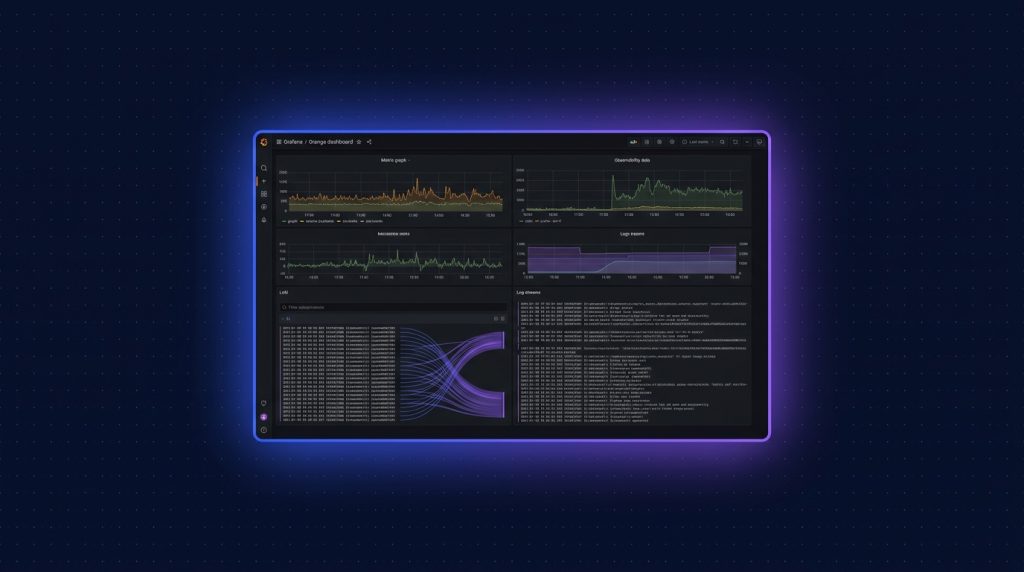
- Loki là log aggregation database của Grafana, nhẹ hơn Elasticsearch 10x, index chỉ label thay vì full text.
- Stack: Promtail (agent ship log) -> Loki (store) -> Grafana (query/visualize) -> Alertmanager (alert).
- VPS Cloud TND 80 (4GB RAM) đủ cho stack chính + retention 30 ngày log từ 10 server.
- LogQL syntax giống PromQL, query tốc độ ms cho 1TB log nhờ index label thông minh.
- Cost: tự host Loki ~ 800k/tháng so với Datadog ~3000 USD/tháng cho cùng volume.
Startup grow lên 5-10 microservice, mỗi service generate hàng GB log mỗi ngày. SSH vào từng server tail log không scale. Datadog rẻ 0.10 USD/GB ingested, 100GB/ngày là 300 USD/tháng (~7.5 triệu). Elasticsearch nặng RAM và phức tạp setup. Loki giải bài này: nhẹ, đơn giản, miễn phí, query tốc độ vector DB.
Mình đã setup Loki stack cho 6 startup VN trong 2024-2025, tổng 30+ server, 200GB log/ngày, query latency dưới 200ms. Bài này hướng dẫn full setup, query LogQL, alert, và best practice.
1. Loki vs Elasticsearch vs Datadog
| Tiêu chí | Loki | Elasticsearch | Datadog Logs |
|---|---|---|---|
| License | AGPL | SSPL/Elastic | SaaS proprietary |
| RAM cho 100GB/ngày | 2-4GB | 16-32GB | N/A (cloud) |
| Index strategy | Label only | Full-text | Full-text |
| Query speed | Nhanh cho label | Nhanh cho text | Nhanh |
| Cost 100GB/ngày | ~800k VPS | ~3M VPS lớn | ~7.5M (Datadog) |
| Setup complexity | Đơn giản | Phức tạp | Trivial |
| UI | Grafana | Kibana | Built-in |
Loki sweet spot cho startup: tự host, rẻ, đơn giản. Trade-off: query full-text chậm hơn Elasticsearch khi không có label match. Cho 90% use case (filter by service, level, host), label query nhanh hơn nhiều.
2. Architecture stack 3 component
App Server (10 nodes)
  -> Promtail agent (mỗi node)
    -> ship log tới Loki HTTP API
      Loki Server (VPS dedicated)
        -> lưu log vào S3/MinIO (chunks)
        -> index vào Postgres/BoltDB (label index)
          -> Grafana query LogQL
            -> Alertmanager send alert qua Slack/email
3. Cài Loki server
# Cloud VPS 80 (4GB RAM, 80GB SSD)
mkdir -p /opt/loki && cd /opt/loki
# docker-compose.yml
services:
loki:
image: grafana/loki:3.3.0
container_name: loki
restart: unless-stopped
ports:
- "127.0.0.1:3100:3100"
volumes:
- ./config/loki-config.yml:/etc/loki/local-config.yaml:ro
- loki-data:/loki
command: -config.file=/etc/loki/local-config.yaml
grafana:
image: grafana/grafana:11.4.0
container_name: grafana
restart: unless-stopped
ports:
- "127.0.0.1:3000:3000"
environment:
GF_SECURITY_ADMIN_PASSWORD: strong_admin_password
GF_SERVER_ROOT_URL: https://grafana.your-domain.com
volumes:
- grafana-data:/var/lib/grafana
alertmanager:
image: prom/alertmanager:v0.27.0
container_name: alertmanager
restart: unless-stopped
ports:
- "127.0.0.1:9093:9093"
volumes:
- ./config/alertmanager.yml:/etc/alertmanager/alertmanager.yml:ro
volumes:
loki-data:
grafana-data:4. Config Loki cho production
# config/loki-config.yml
auth_enabled: false
server:
  http_listen_port: 3100

common:
  path_prefix: /loki
  storage:
    filesystem:
      chunks_directory: /loki/chunks
      rules_directory: /loki/rules
  replication_factor: 1
  ring:
    instance_addr: 127.0.0.1
    kvstore:
      store: inmemory

schema_config:
  configs:
    - from: 2025-01-01
      store: tsdb
      object_store: filesystem
      schema: v13
      index:
        prefix: index_
        period: 24h

limits_config:
  retention_period: 720h           # 30 days
  ingestion_rate_mb: 10            # 10 MB/s per tenant
  ingestion_burst_size_mb: 20
  max_streams_per_user: 5000

compactor:
  working_directory: /loki/compactor
  delete_request_store: filesystem
  retention_enabled: true
  retention_delete_delay: 2h
  compaction_interval: 10m

ruler:
  storage:
    type: local
    local:
      directory: /loki/rules
  rule_path: /loki/rules-tmp
  alertmanager_url: http://alertmanager:9093
  ring:
    kvstore:
      store: inmemory
  enable_api: true
docker compose up -d
docker logs -f loki5. Caddy reverse proxy
grafana.your-domain.com {
    reverse_proxy 127.0.0.1:3000
}

loki.your-domain.com {
    reverse_proxy 127.0.0.1:3100
    basicauth {
        promtail $2a$14$caddy_hashed_password
    }
}
6. Cài Promtail agent trên app server
# Trên mỗi app server cần ship log
wget https://github.com/grafana/loki/releases/download/v3.3.0/promtail-linux-amd64.zip
unzip promtail-linux-amd64.zip
mv promtail-linux-amd64 /usr/local/bin/promtail
chmod +x /usr/local/bin/promtail
# /etc/promtail/config.yml
server:
http_listen_port: 9080
grpc_listen_port: 0
positions:
filename: /tmp/positions.yaml
clients:
- url: https://promtail:[email protected]/loki/api/v1/push
scrape_configs:
- job_name: system
static_configs:
- targets: [localhost]
labels:
job: varlogs
host: web-01
env: production
__path__: /var/log/*.log
- job_name: docker
docker_sd_configs:
- host: unix:///var/run/docker.sock
refresh_interval: 5s
relabel_configs:
- source_labels: ['__meta_docker_container_name']
regex: '/(.*)'
target_label: container
- job_name: nginx
static_configs:
- targets: [localhost]
labels:
job: nginx
host: web-01
__path__: /var/log/nginx/*.log
pipeline_stages:
- regex:
expression: '(?P<remote_addr>S+) - (?P<remote_user>S+) [(?P<time>[^]]+)] "(?P<method>S+) (?P<path>S+)'
- labels:
method: ''
status: ''# Systemd service
cat > /etc/systemd/system/promtail.service <<'EOF'
[Unit]
Description=Promtail
After=network.target
[Service]
ExecStart=/usr/local/bin/promtail -config.file=/etc/promtail/config.yml
Restart=on-failure
[Install]
WantedBy=multi-user.target
EOF
systemctl enable --now promtail7. Setup Grafana datasource Loki
- Vào https://grafana.your-domain.com, login admin/password
- Configuration -> Data Sources -> Add data source -> Loki
- URL: http://loki:3100
- Save & Test, thấy "Data source is working" là OK
8. LogQL: query log như SQL
# Tất cả log từ web-01
{host="web-01"}

# Log nginx có status 5xx
{job="nginx", host=~"web.*"} |= "status:5"

# Filter regex
{container="api"} |~ "(?i)error|exception"

# Parse JSON log
{container="api"} | json | level="error" | line_format "{{.level}} {{.msg}}"

# Aggregate count
sum by (host) (count_over_time({job="nginx"} |= "GET /api" [5m]))

# Error rate
sum(rate({container="api"} |~ "error" [1m])) / sum(rate({container="api"} [1m]))
9. Dashboard template ngon
Import Grafana dashboard ID phổ biến:
- 13639: Loki Stack Monitoring
- 15141: Node Exporter Loki Logs
- 14055: Docker Container Logs
- 15983: Nginx Access Logs
Customize sau theo nhu cầu. Mỗi service nên có 1 dashboard riêng với top queries, error trends, latency.
10. Alert khi error rate cao
# /opt/loki/rules/alerts.yml
groups:
  - name: api-alerts
    rules:
      - alert: HighErrorRate
        expr: |
          sum(rate({container="api"} |~ "ERROR" [5m]))
          /
          sum(rate({container="api"} [5m]))
          > 0.05
        for: 5m
        labels:
          severity: critical
        annotations:
          summary: "API error rate > 5% in last 5 minutes"

      - alert: DatabaseConnectionLost
        expr: |
          count_over_time({container="api"} |= "connection refused" [1m]) > 10
        for: 2m
        labels:
          severity: critical
        annotations:
          summary: "Database connection lost on {{ $labels.host }}"
# config/alertmanager.yml
route:
receiver: slack-critical
group_by: [alertname, severity]
group_wait: 30s
group_interval: 5m
repeat_interval: 1h
receivers:
- name: slack-critical
slack_configs:
- api_url: https://hooks.slack.com/services/YOUR/SLACK/WEBHOOK
channel: '#alerts'
title: '{{ .GroupLabels.alertname }}'
text: '{{ range .Alerts }}{{ .Annotations.summary }}{{ end }}'11. Storage backend: S3/MinIO cho scale
Filesystem OK cho dev, production lên cao thì S3-compatible storage rẻ và scale tốt:
# loki-config.yml
common:
  storage:
    s3:
      endpoint: s3.your-domain.com
      bucketnames: loki-chunks
      region: us-east-1
      access_key_id: YOUR_MINIO_KEY
      secret_access_key: YOUR_MINIO_SECRET
      s3forcepathstyle: true
      insecure: false
Setup MinIO trên VPS riêng (xem bài MinIO trong cluster blog này). Loki ghi chunks lên S3, tiết kiệm disk local VPS Loki.
12. Label cardinality: pitfall lớn nhất
Loki perform tốt khi cardinality label thấp (host, service, env). Cardinality cao (user_id, request_id) làm index nổ tung:
- OK: {host="web-01", job="nginx", level="error"} -> cardinality < 100
- BAD: {user_id="123456", request_id="abc-def"} -> cardinality hàng triệu
Thay vì label, đặt vào log content và parse khi query:
# Đúng:
{job="api"} | json | user_id="123456"

# Sai:
{job="api", user_id="123456"}
13. Cost tối ưu và retention
- Retention 30 ngày cho log thường, 90 ngày cho audit log compliance.
- Tách stream: log debug verbose riêng, log production riêng. Debug retention 7 ngày.
- Compress chunk: gzip default đã giảm 5-10x size.
- Sample log nếu volume quá lớn: chỉ ship 10% log debug, 100% log error.
- Archive old log sang Glacier/R2 sau khi expire trên Loki.
14. Monitor stack Loki tự
Setup Prometheus scrape Loki metrics, alert khi:
- loki_ingester_chunks_flushed_total rate giảm: ingest có vấn đề
- loki_request_duration_seconds_bucket: query latency cao
- process_resident_memory_bytes: Loki OOM imminent
- loki_distributor_bytes_received_total: ingest rate vượt limit
15. Cost breakdown realistic
| Resource | Spec | Cost/tháng |
|---|---|---|
| VPS Loki server | Cloud VPS 80 (4GB) | 799k |
| MinIO VPS (storage) | Cloud VPS 80 + 500GB block | ~1.500k |
| Promtail agents | Free (chạy trên app server) | 0đ |
| Grafana + Alertmanager | Included Loki VPS | 0đ |
| Tổng | 100GB log/ngày, 30 ngày retention | ~2.300k |
So với Datadog (~7.5 triệu/tháng cùng volume), tiết kiệm 70%. Đáng đầu tư cho startup grow.
16. Bài học sau 2 năm chạy Loki production
- Setup label cardinality cẩn thận từ ngày đầu, refactor sau rất đau.
- Retention policy clear, log thường 30 ngày là đủ, audit log lưu lâu hơn nhưng tách stream.
- Alert chỉ critical, không spam Slack. False positive làm alert mất ý nghĩa.
- Backup config Grafana dashboard ra git. Nhiều giờ bỏ ra design dashboard, mất là tiếc.
- Combine với Prometheus metrics cho observability đầy đủ, log only thiếu story.
17. Setup multi-tenant cho agency host nhiều client
Agency host 10 client trên cùng Loki stack: dùng tenant_id để isolate data, mỗi client query chỉ thấy log của mình:
# loki-config.yml
auth_enabled: true

limits_config:
  per_tenant_override_config: /etc/loki/tenant-limits.yml

# tenant-limits.yml
client-a:
  ingestion_rate_mb: 5
  retention_period: 720h
  max_streams_per_user: 1000
client-b:
  ingestion_rate_mb: 10
  retention_period: 1440h    # 60 days
  max_streams_per_user: 3000
Promtail mỗi client ship với header X-Scope-OrgID khác nhau. Grafana mỗi client có data source riêng với tenant ID prefixed.
18. Parse JSON log cấu trúc
Modern app log thường JSON structured. Promtail và LogQL hỗ trợ parse:
# Trong Promtail, parse JSON từ docker log
pipeline_stages:
  - cri: {}      # parse CRI metadata
  - json:
      expressions:
        level: level
        msg: msg
        request_id: request_id
        duration_ms: duration_ms
  - labels:
      level: ''

# LogQL query
{container="api"}
  | json
  | level="error"
  | duration_ms > 1000
  | line_format "{{.msg}} took {{.duration_ms}}ms (req {{.request_id}})"
Structured log + parse = query mạnh như SQL. Filter, aggregate, format theo field bất kỳ.
19. Distributed Loki cho scale lớn
Khi volume vượt 500GB/ngày, single Loki không đủ. Setup distributed:
- Distributor (2-3 instance): nhận log từ Promtail, validate, route tới ingester.
- Ingester (3-5 instance): write log vào chunk, flush tới object store.
- Querier (2-3 instance): query chunks từ S3, return cho Grafana.
- Query Frontend: cache và split query lớn.
- Compactor: compact chunks, delete expired data.
Mỗi component scale độc lập. Helm chart Loki distributed có sẵn cho K8s. Setup phức tạp hơn nhiều, chỉ làm khi single Loki overload.
20. Combine với Tempo cho distributed tracing
Loki cho log, Tempo cho trace, cả 2 share Grafana. Log có trace_id, click vào trace_id sẽ jump sang Tempo trace tương ứng. Workflow debug toàn diện:
# App generate log có trace_id
logger.error("Payment failed", extra={"trace_id": span.context.trace_id, "user_id": 123})

# Loki query
{container="payment"} | json | level="error"

# Click trace_id trong UI -> Grafana open Tempo trace -> thấy full request flow
21. Audit log compliance: tách stream riêng
Cho compliance (PDPA, GDPR), audit log cần retention 1-7 năm. Tách Loki stack riêng cho audit:
- Loki main: retention 30 ngày cho log app thường
- Loki audit: retention 2555 ngày (7 năm) cho audit log critical (login, payment, data access)
- Audit stream dùng object store cold (Glacier, R2 Infrequent Access) để rẻ
- Index audit separate, không pollute label cardinality main stream
22. Migration từ Elasticsearch sang Loki
Nếu đang dùng ELK stack và muốn switch sang Loki:
- Setup Loki + Promtail parallel với Elasticsearch
- Ship log mới tới cả 2 trong 1 tuần test
- Verify Loki query đáp ứng đủ use case team đang dùng
- Switch Grafana data source sang Loki, train team query LogQL
- Stop Promtail to Elasticsearch sau 30 ngày, decommission ES cluster
Mình migrate 2 client từ ELK sang Loki trong 2024, tổng thời gian 1 tháng/client, tiết kiệm 60-70% chi phí infra log aggregation.
23. Tổng kết và roadmap cho startup
Loki + Grafana + Promtail là stack observability tốt nhất cho startup VN 2026 nếu xét tỷ lệ giá/tính năng. Setup ban đầu 1 ngày, sau đó maintenance gần như zero. Combine với Prometheus và Tempo thành full Grafana LGTM stack (Loki, Grafana, Tempo, Mimir) cho observability hoàn chỉnh. Tiết kiệm hàng chục triệu mỗi tháng so với Datadog/Splunk khi scale lên 100+ server. Đầu tư đúng cách thì observability không còn là cost center, mà thành asset giúp team debug nhanh, ship feature confident hơn.
VPS chạy Loki stack log aggregation cho startup
Cloud VPS TND sẵn AlmaLinux 9, Ubuntu 22/24, Debian 12/13. SSD CEPH, snapshot 1-click, backup hằng ngày, network 200Mbps trong nước. Cloud VPS 80 (4GB RAM, 799k) cho Loki server, scale thêm MinIO storage khi volume tăng.
Xem 8 cấu hình Cloud VPS →FAQ
Loki có replace Elasticsearch hoàn toàn không?
Cho log aggregation 90% trường hợp, có. Loki nhẹ hơn, đơn giản hơn. Cho full-text search complex (vd APM trace search, free-text query không có label), Elasticsearch vẫn mạnh hơn. Cho startup chỉ cần log app + monitor, Loki là lựa chọn tốt.
Promtail vs Vector vs FluentBit?
Promtail mặc định của Loki, tích hợp tốt nhất. Vector mạnh hơn về transform, support nhiều sink hơn (Elasticsearch, Splunk, S3). FluentBit nhẹ nhất, hợp container. Cho stack Loki thuần, Promtail dễ nhất. Nếu cần ship log sang nhiều destination, Vector tốt hơn.
Có cần Prometheus cùng Loki không?
Có nên. Loki cho log, Prometheus cho metric. Combine cho observability đầy đủ. Cùng setup trên VPS, share Grafana làm UI. Add thêm Tempo cho distributed tracing nếu có microservice.
Retention 30 ngày là 100GB tốn bao nhiêu disk?
100GB/ngày x 30 ngày = 3TB raw. Loki compress gzip 5-10x, còn lại 300-600GB. Plus index 5-10GB. Total khoảng 500GB. Dùng S3-compatible storage rẻ (MinIO trên Cloud VPS với block storage 500GB ~ 500k/tháng).
Có alert qua Telegram thay Slack được không?
Được, Alertmanager hỗ trợ webhook generic. Setup Telegram bot, lấy bot token và chat ID, config webhook_url tới https://api.telegram.org/bot{token}/sendMessage. Hoặc dùng tool như alertmanager-telegram-bot.