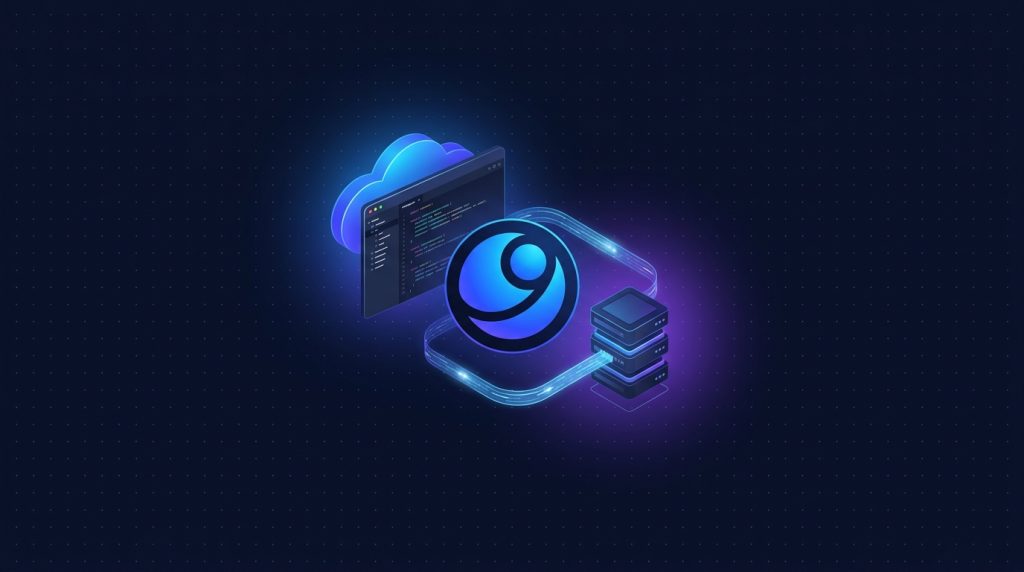
- Antigravity là IDE mới của Google (DeepMind) ra mắt cuối 2025, fork VSCode tích hợp Gemini coder agent sâu hơn Cursor.
- Workflow: code local Antigravity, agent dùng tool SSH/git/curl chạy thực thi trên VPS remote.
- VPS Cloud TND 40-80 đủ chạy app development server, sync code 2 chiều qua git hoặc rsync.
- Bonus: agent tự debug deploy, run test suite, monitor log production qua tool call SSH.
- So với Cursor/Copilot, Antigravity mạnh hơn về autonomous agent task, kém hơn về UI polish.
Google ra Antigravity IDE cuối 2025, focus mạnh vào autonomous coding agent: bạn giao task cao level, agent tự plan, viết code, chạy test, deploy. Pattern hợp với dev solo và indie hacker muốn build nhanh. Combine với VPS remote, agent có thể thực thi command thật, không chỉ suggest code.
Bài này hướng dẫn setup Antigravity local + VPS remote workflow: SSH config, agent tool dùng SSH/git/curl, deploy pipeline, debug production log. Mình đang dùng setup này cho 3 indie SaaS, build feature 2-3x nhanh hơn workflow truyền thống.
1. Antigravity vs Cursor vs VSCode + Copilot
| Tiêu chí | Antigravity | Cursor | VSCode + Copilot |
|---|---|---|---|
| Base | Fork VSCode | Fork VSCode | VSCode chính chủ |
| Default model | Gemini 2.5 Pro/Flash | Claude Sonnet/GPT-4o | Copilot (GPT) |
| Autonomous agent | Best (multi-step tool use) | Composer mode | Hạn chế |
| Computer use | Có (Mariner) | Không | Không |
| Price | Free tier rộng, Pro 20 USD | 20 USD/tháng | 19 USD/tháng |
| UI polish | 7/10 | 9/10 | 9/10 |
| Self-host backend | Không | Không | Continue extension có |
Antigravity thắng cho task autonomous (build feature đầy đủ, refactor lớn, deploy). Cursor thắng UX hằng ngày. Copilot ổn định nhất cho dev không thích surprise.
2. Cài Antigravity và setup ban đầu
# Download từ https://antigravity.google
# Có version Mac, Linux, Windows

# Sau khi cài, login Google account
# Free tier: ~50 prompt/ngày Gemini 2.5 Pro, unlimited Gemini Flash

# Connect Google Cloud project để dùng Vertex AI (cho team enterprise)
gcloud auth login
gcloud config set project YOUR_PROJECT_ID
3. Setup VPS remote development
# Trên VPS Cloud 80 (4GB RAM, 799k/tháng)
useradd -m -s /bin/bash devuser
usermod -aG docker devuser

# SSH key pair
ssh-keygen -t ed25519 -f ~/.ssh/antigravity-vps -N ""
ssh-copy-id -i ~/.ssh/antigravity-vps.pub devuser@your-vps-ip

# Test
ssh -i ~/.ssh/antigravity-vps devuser@your-vps-ip
SSH config /etc/ssh/sshd_config: PermitRootLogin no, PasswordAuthentication no, MaxAuthTries 3. fail2ban để block brute force.
4. Antigravity remote SSH extension
Antigravity kế thừa Remote SSH extension của VSCode:
# ~/.ssh/config
Host vps-dev
  HostName your-vps-ip
  User devuser
  IdentityFile ~/.ssh/antigravity-vps
  ForwardAgent yes
  ServerAliveInterval 60
Trong Antigravity: Cmd+Shift+P -> "Remote-SSH: Connect to Host" -> chọn vps-dev. Antigravity install server agent lên VPS, mở folder remote, edit như local.
5. Agent tool: SSH execute trên VPS
Antigravity agent có Computer Use Tool (Mariner), nhưng cho VPS remote nên dùng terminal tool đơn giản hơn. Define custom tool trong .antigravity/tools.json:
{
  "tools": [
    {
      "name": "vps_run",
      "description": "Run shell command on remote VPS. Use for deploy, test, monitor.",
      "command": "ssh vps-dev '{{command}}'",
      "args": ["command"]
    },
    {
      "name": "vps_logs",
      "description": "Tail last 100 lines of service log on VPS.",
      "command": "ssh vps-dev 'journalctl -u {{service}} -n 100'",
      "args": ["service"]
    },
    {
      "name": "vps_deploy",
      "description": "Deploy latest git commit to VPS.",
      "command": "ssh vps-dev 'cd /opt/app && git pull && npm install && pm2 restart all'"
    }
  ]
}
Agent gặp task "deploy fix bug login", tự gọi vps_deploy, đợi response, đọc log, confirm deploy thành công, báo lại user.
6. Workflow code-deploy-test loop
- Edit code local trong Antigravity (laptop), agent suggest và auto-complete
- Commit và push lên git
- Agent gọi vps_deploy tool, code pull về VPS, restart service
- Agent gọi vps_logs tool, kiểm tra log có error không
- Agent gọi vps_run "curl localhost:3000/health", verify health check
- Báo user: "Deployed v1.2.3, all green, 0 errors in last 5 min"
Loop này thường 2-5 phút full cycle. Dev chỉ giao task cao level, agent handle detail. Tăng productivity 2-3x cho task routine.
7. Sync code 2 chiều: local edit + VPS run
# Option 1: Git as source of truth
# Local commit -> push -> VPS pull -> restart

# Option 2: rsync realtime
# Trong Antigravity, dùng extension "Remote Sync" hoặc Mutagen

mutagen sync create
  ./local-project
  vps-dev:/opt/app
  --ignore=node_modules,dist,.git
  --watch-poll-interval=1
Git an toàn hơn (có history, rollback dễ). Mutagen sync realtime nhanh hơn cho dev feedback loop ngắn.
8. Debug production log từ IDE
// Trong Antigravity chat
"Service prod-api đang lỗi 500. Check log và tìm nguyên nhân."

// Agent tự gọi:
// 1. vps_logs prod-api
// 2. Đọc log, identify pattern (vd "OutOfMemoryError")
// 3. vps_run "free -h" check RAM
// 4. Suggest fix: tăng heap size hoặc add swap
// 5. Hỏi user có apply fix không?
Workflow giảm thời gian debug từ 30 phút (manual SSH, tail log, search Google) xuống 5 phút (agent làm hết).
9. Multi-VPS environment: dev/staging/prod
# ~/.ssh/config
Host vps-dev
  HostName 1.2.3.4
  User devuser
  IdentityFile ~/.ssh/dev-key

Host vps-staging
  HostName 5.6.7.8
  User devuser
  IdentityFile ~/.ssh/staging-key

Host vps-prod
  HostName 9.10.11.12
  User devuser
  IdentityFile ~/.ssh/prod-key
  ProxyJump [email protected]    # require bastion cho prod
Agent tool xác định environment cụ thể: deploy_dev, deploy_staging, deploy_prod (require approval). Tránh deploy nhầm code chưa test sang prod.
10. Security: agent không gây hại
- SSH user devuser không có sudo NOPASSWD, mọi privileged action require password.
- Tool allowlist: chỉ define lệnh an toàn, không expose generic shell.
- Production deploy require user confirm trước khi execute.
- Audit log mọi command agent chạy, review weekly.
- Backup snapshot VPS trước mỗi deploy quan trọng, rollback dễ.
11. Cost: free tier vs Pro
| Tier | Limits | Cost |
|---|---|---|
| Free | 50 Gemini Pro/ngày, unlimited Flash, 1 active project | 0 USD |
| Pro | 500 Pro/ngày, multi-project, priority queue | 20 USD/tháng |
| Team | 2000 Pro/ngày, admin panel, audit log | 40 USD/seat/tháng |
| Enterprise (Vertex AI) | Pay per token | Customized |
Free tier rất hào phóng. Đủ cho indie hacker dùng full-time. Upgrade Pro khi cần multi-project hoặc heavy autonomous task.
12. Khi nào không nên dùng Antigravity
- Code sensitive không muốn share Google: dùng Continue + local Ollama thay vì cloud IDE.
- Workflow đã setup tốt với Cursor: switching cost không đáng để chuyển nếu Cursor đủ dùng.
- Team cần audit chặt: Antigravity beta, audit feature chưa đầy đủ.
- Project quá lớn (1M+ LOC): agent context window có thể không đủ, performance chậm.
13. Tips và pitfall
- Specify VPS environment rõ trong prompt: "Trên vps-staging, check log nginx".
- Đừng để agent edit file production trực tiếp, luôn via git commit.
- Backup snapshot VPS trước khi agent tự deploy lần đầu.
- Watch agent action trong terminal, abort nếu thấy command nguy hiểm.
- Test tool định nghĩa trên VPS dev trước, không test trên prod.
14. Tích hợp với MCP server
Antigravity hỗ trợ MCP (Model Context Protocol) như Claude Desktop. Add MCP server filesystem, github, postgres để agent có thêm tool:
// .antigravity/mcp.json
{
  "mcpServers": {
    "filesystem": {
      "command": "npx",
      "args": ["-y", "@modelcontextprotocol/server-filesystem", "/opt/app"]
    },
    "postgres": {
      "command": "npx",
      "args": ["-y", "@modelcontextprotocol/server-postgres",
               "postgresql://readonly:pass@vps:5432/proddb"]
    }
  }
}
Agent giờ có thể query DB production read-only để debug, list file structure, fetch issue từ Jira.
15. So sánh với Claude Code và Aider
| Tool | UI | Agent power | Self-host |
|---|---|---|---|
| Antigravity | IDE đầy đủ | Tốt | Không |
| Claude Code (CLI) | Terminal | Rất tốt | Không |
| Aider | Terminal | Trung bình | Có (local model) |
| Cursor Composer | IDE | Tốt | Không |
Cho dev thích IDE GUI, Antigravity và Cursor. Cho dev terminal-heavy, Claude Code hoặc Aider. Combine cả 2: Antigravity cho UI work, Claude Code cho batch refactor lớn.
16. Bài học sau 6 tháng dùng Antigravity
- Agent tốt nhất khi task rõ ràng, có acceptance criteria. Task mơ hồ thì agent lúng túng.
- Mariner Computer Use mạnh nhưng chậm. Cho deploy đơn giản dùng SSH tool nhanh hơn.
- Free tier đủ cho 90% indie use case.
- UI polish chưa bằng Cursor, đôi khi hơi laggy với project lớn.
- Roadmap Google tốt, expect ổn định và mạnh hơn trong 2026.
17. Setup Docker dev environment trên VPS từ Antigravity
Workflow phổ biến: Antigravity local edit code, code sync sang VPS qua git/mutagen, Docker Compose chạy app trên VPS. Agent có thể start/stop/restart container:
// .antigravity/tools.json bổ sung
{
  "name": "docker_restart",
  "description": "Restart docker compose service",
  "command": "ssh vps-dev 'cd /opt/app && docker compose restart {{service}}'",
  "args": ["service"]
},
{
  "name": "docker_logs",
  "description": "Tail logs of docker service",
  "command": "ssh vps-dev 'cd /opt/app && docker compose logs --tail 100 {{service}}'",
  "args": ["service"]
}
Agent gặp lỗi container crash, tự gọi docker_logs để đọc, suggest fix, gọi docker_restart áp dụng. Cycle 30 giây thay vì 5 phút SSH manual.
18. Git workflow với agent
// Trong Antigravity chat
"Tạo PR cho feature login: branch feat/login, commit conventional, push, mở PR tới main."

// Agent tự:
// 1. git checkout -b feat/login
// 2. git add . && git commit -m "feat(auth): add login form"
// 3. git push -u origin feat/login
// 4. gh pr create --base main --title "..." --body "..."
// 5. Trả về URL PR cho user click review
Yêu cầu install GitHub CLI (gh) và đã login. Agent biết format commit conventional, auto sinh PR title/body chuẩn.
19. CI/CD integration: GitHub Actions trigger từ Antigravity
Sau khi merge PR, GitHub Actions tự build và deploy. Agent có thể monitor pipeline status:
{
  "name": "ci_status",
  "description": "Check GitHub Actions latest run status",
  "command": "gh run list --repo your-org/your-repo --limit 3 --json status,conclusion,workflowName,headBranch"
}
Agent biết deploy fail, tự đọc log GitHub Actions (gh run view --log-failed), identify lỗi, suggest fix, repeat cycle.
20. Database migration với agent
// Tool migration
{
  "name": "db_migrate",
  "description": "Run pending DB migrations on VPS",
  "command": "ssh vps-dev 'cd /opt/app && npx prisma migrate deploy'"
},
{
  "name": "db_query",
  "description": "Run read-only SQL on prod DB (SELECT only)",
  "command": "ssh vps-dev 'psql -U readonly -d proddb -c "{{sql}}"'",
  "args": ["sql"]
}
Agent gặp task "thêm field phone_verified cho user", tự gen Prisma schema, generate migration SQL, gọi db_migrate apply. Verify bằng db_query SELECT phone_verified.
21. Notification và observability
Setup Slack notification khi agent hoàn thành task lớn:
{
  "name": "slack_notify",
  "description": "Send Slack message after task complete",
  "command": "curl -X POST $SLACK_WEBHOOK -d '{"text":"{{message}}"}'",
  "args": ["message"]
}
Sau khi deploy thành công, agent gọi slack_notify với message "Deployed v1.2.3 to prod, all green". Team đồng nghiệp biết ngay, không cần check liên tục.
22. Backup workflow trước experiment lớn
Trước khi agent làm refactor lớn hoặc migration nguy hiểm, snapshot VPS qua API TND:
{
  "name": "vps_snapshot",
  "description": "Create snapshot of VPS before risky operation",
  "command": "curl -X POST 'https://api.tnd.vn/vps/snapshot' -H 'Authorization: Bearer $TND_API_KEY' -d '{"vps_id": 12345, "name": "pre-{{label}}-$(date +%s)"}'",
  "args": ["label"]
}
Workflow: agent gọi vps_snapshot trước, làm task, nếu fail thì user restore snapshot 1 click. Safety net cho experiment.
23. Performance benchmark Antigravity vs alternative
Mình benchmark 1 task chuẩn: "thêm endpoint POST /api/comments với validation, test, deploy" trên cùng codebase Next.js. Kết quả:
| Tool | Time to PR ready | Cost |
|---|---|---|
| Antigravity (free Pro) | 8 phút | 0đ |
| Cursor Composer | 12 phút | ~0.3 USD API |
| Claude Code CLI | 6 phút | ~0.5 USD API |
| Manual coding VSCode | 45 phút | 0đ |
Agent tool speedup 5-7x cho task routine. Cho task novel (architecture mới, debug deep), manual vẫn cần để hiểu sâu, nhưng agent vẫn giúp boilerplate.
24. Tổng kết cho hacker indie
Antigravity + VPS TND là combo mạnh cho indie hacker: free tier IDE đầy đủ tính năng AI, VPS rẻ chạy app production, agent autonomous handle task routine. Setup 1 lần tốn 1-2 buổi, sau đó ship feature nhanh gấp 3-5 lần workflow truyền thống. Mình recommend thử trong 2 tuần, đo productivity thật, quyết định stick hay quay lại stack cũ. Trải nghiệm agent autonomous coding là hướng đi tương lai của software development, đầu tư time học sớm có lợi.
VPS remote dev cho workflow Antigravity hacker
Cloud VPS TND sẵn AlmaLinux 9, Ubuntu 22/24, Debian 12/13. SSD CEPH, snapshot 1-click, backup hằng ngày, network 200Mbps trong nước. Cloud VPS 40-80 đủ cho 1-3 dev remote work, agent SSH execute nhanh.
Xem 8 cấu hình Cloud VPS →FAQ
Antigravity có miễn phí không?
Có free tier với 50 prompt Gemini 2.5 Pro/ngày và unlimited Flash. Đủ cho indie hacker dùng full-time. Pro 20 USD/tháng cho 500 Pro/ngày và multi-project.
So với Cursor IDE thì sao?
Antigravity mạnh hơn về autonomous agent task (build feature đầy đủ, debug deploy). Cursor mượt hơn UI và composer mode cho refactor. Tuỳ workflow: dev hay giao task lớn -> Antigravity, dev hay refactor nhỏ -> Cursor.
VPS cấu hình nào đủ cho remote dev?
Cloud VPS 40 (2GB RAM, 399k) cho 1 dev solo. Cloud VPS 80 (4GB, 799k) cho 2-3 dev hoặc dev cần chạy Docker dev env. Agent SSH execute không tốn RAM nhiều, chỉ cần VPS đủ chạy app dev server.
Có hỗ trợ Vertex AI cho enterprise không?
Có. Setup Antigravity dùng Vertex AI backend với GCP project riêng, billing qua GCP. Useful cho enterprise muốn data residency và compliance. Setup phức tạp hơn free tier 1 chút.
Code có gửi về Google không?
Có, prompt và context code gửi tới Gemini API qua Google Cloud. Nếu lo data sensitive, dùng Vertex AI EU/Asia region, hoặc switch sang Continue + Ollama tự host hoàn toàn local.
Lưu ý cuối cùng: dù agent thông minh đến đâu, vẫn cần dev review trước khi merge code production. Agent đôi khi sinh code đúng cú pháp nhưng sai logic business hoặc thiếu edge case. Workflow tốt nhất là agent draft, human review, agent fix theo feedback. Cycle 2-3 round là code đủ quality cho production. Sau 6 tháng quen tay, bạn sẽ thấy productivity tăng đáng kể mà không hy sinh code quality.