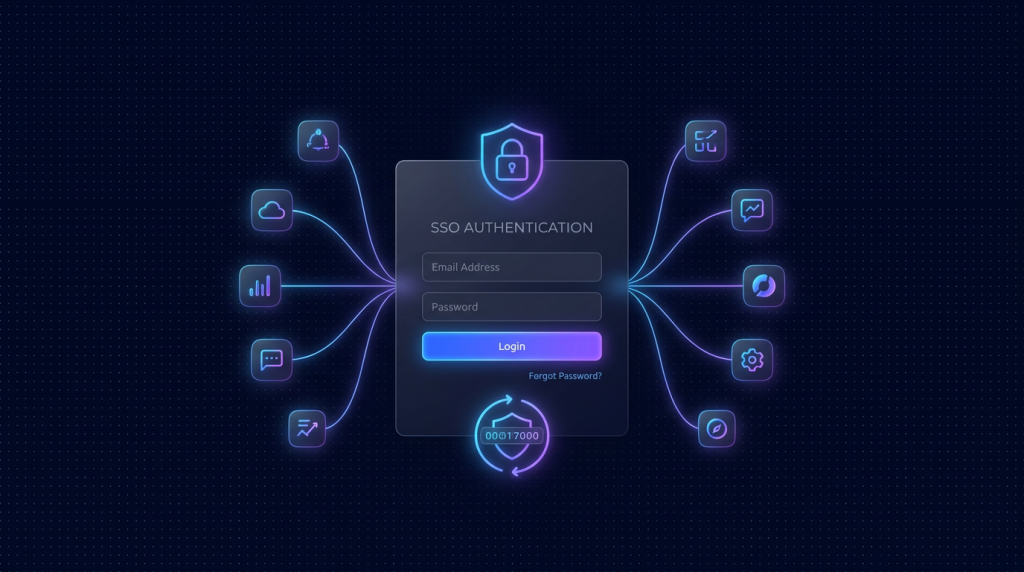
- Authelia là SSO + 2FA mã nguồn mở, self-host được trên 1 VPS nhỏ, miễn phí.
- Đứng trước Nginx/Caddy/Traefik làm forward-auth, bảo vệ tất cả app nội bộ chỉ với 1 lần đăng nhập.
- Hỗ trợ TOTP, WebAuthn (passkey), push Duo, recovery code. Đủ chuẩn 2FA cho team 5-100 người.
- Backend user có thể là file YAML đơn giản, hoặc LDAP/LLDAP/Active Directory khi đã có quy mô.
- Cấu hình production cần Redis hoặc PostgreSQL cho session, không dùng SQLite ở môi trường real.
Startup 10 người, đang xài 8 SaaS nội bộ tự host: Gitea, Plane.so, NocoDB, n8n, Grafana, Penpot, Vaultwarden, Bitwarden Send. Mỗi đứa dev có 8 username, 8 password, vài đứa đặt password trùng nhau cho tiện. Khi 1 nhân viên nghỉ việc, admin phải vào từng app để vô hiệu hoá tài khoản. Khi sếp yêu cầu bật 2FA cho toàn bộ hệ thống, 8 app = 8 lần cấu hình 2FA khác nhau. Câu trả lời: cần SSO.
Lựa chọn SaaS: Okta, Auth0, Microsoft Entra ID. Tốt nhưng đắt, mỗi user vài USD/tháng. Với startup nhỏ, self-host SSO là phương án ngon: 1 VPS chạy Authelia, đặt trước reverse proxy, mọi truy cập vào subdomain nội bộ đều bị chặn lại đăng nhập 1 lần, sau đó truy cập tất cả app khác trong 1 session. Bài này hướng dẫn deploy Authelia thực tế từ con số 0 đến production-ready, kèm cấu hình mẫu cho Nginx và Caddy.
Authelia là gì và nó hoạt động thế nào?
Authelia là một authentication server viết bằng Go, không tự render web app mà ngồi sau reverse proxy. Khi request đến git.your-domain.com, proxy hỏi Authelia: "user này đã đăng nhập chưa, có quyền truy cập app này không?" Nếu chưa, proxy redirect user sang Authelia portal để login, sau đó set cookie session, rồi mới cho qua. Mô hình này gọi là forward-auth hoặc auth-request.
Ưu điểm: app nội bộ không cần biết gì về Authelia, chỉ cần proxy front-end. Authelia trao request đã pass kèm header Remote-User, Remote-Email, Remote-Groups để app có thể tự nhận diện. Với app hỗ trợ OIDC như Grafana hoặc Nextcloud, Authelia còn đóng vai trò OpenID Provider, không cần forward-auth.
Chuẩn bị VPS và DNS
Bạn cần 1 VPS nhỏ (2 vCPU, 2-4GB RAM là đủ cho team dưới 100 user) và 1 domain. Khuyến nghị tách subdomain riêng cho Authelia, ví dụ auth.your-domain.com. Mỗi app nội bộ là 1 subdomain khác: git.your-domain.com, plane.your-domain.com, n8n.your-domain.com. Tất cả trỏ về cùng IP của reverse proxy.
| Hostname | Type | Value | Mục đích |
|---|---|---|---|
| auth.your-domain.com | A | 1.2.3.4 | Authelia portal |
| git.your-domain.com | A | 1.2.3.4 | Gitea, có forward-auth |
| plane.your-domain.com | A | 1.2.3.4 | Plane.so |
| n8n.your-domain.com | A | 1.2.3.4 | n8n |
| *.your-domain.com (wildcard) | CNAME | your-domain.com | Nhanh hơn add từng record |
Cấu hình firewall mở port 80 (HTTP), 443 (HTTPS), 22 (SSH). Không expose Authelia trực tiếp ra port 9091, luôn để Nginx/Caddy đứng trước. Cài Docker + Docker Compose để chạy Authelia kèm Redis cho session storage.
Docker Compose cho Authelia + Redis + Postgres
Tạo thư mục /srv/authelia/ và 2 file: docker-compose.yml + config/configuration.yml. Mở file compose:
services:
  authelia:
    image: authelia/authelia:4.38
    container_name: authelia
    restart: unless-stopped
    volumes:
      - ./config:/config
    networks:
      - auth
    expose:
      - 9091
    depends_on:
      - redis
      - postgres
    environment:
      TZ: Asia/Ho_Chi_Minh

  redis:
    image: redis:7-alpine
    container_name: authelia-redis
    restart: unless-stopped
    volumes:
      - ./redis:/data
    networks:
      - auth

  postgres:
    image: postgres:16-alpine
    container_name: authelia-postgres
    restart: unless-stopped
    environment:
      POSTGRES_DB: authelia
      POSTGRES_USER: authelia
      POSTGRES_PASSWORD: change-me-strong-password
    volumes:
      - ./postgres:/var/lib/postgresql/data
    networks:
      - auth

networks:
  auth:
    name: auth
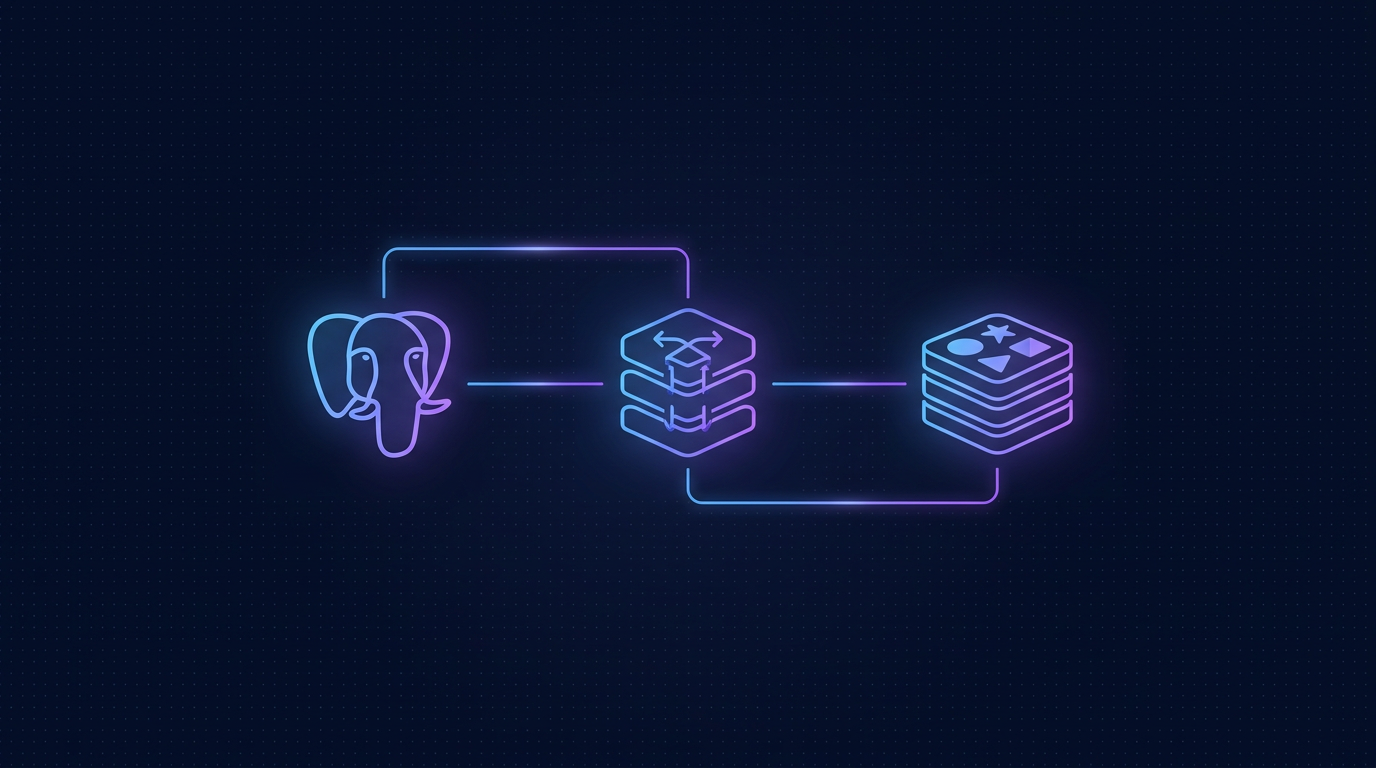
Tách Postgres ra (không dùng SQLite mặc định) là quyết định quan trọng cho production. SQLite OK lúc test nhưng không scale khi nhiều session đồng thời. Redis lưu session, Postgres lưu user pref, 2FA device, audit log.
Cấu hình Authelia chính (configuration.yml)
File này là trái tim của Authelia. Mở config/configuration.yml:
server:
  address: tcp://:9091
  endpoints:
    authz:
      forward-auth:
        implementation: ForwardAuth

theme: dark
log:
  level: info

identity_validation:
  reset_password:
    jwt_secret: PLEASE-GENERATE-RANDOM-64-CHAR

authentication_backend:
  password_reset:
    disable: false
  file:
    path: /config/users_database.yml
    password:
      algorithm: argon2

access_control:
  default_policy: deny
  rules:
    - domain: "auth.your-domain.com"
      policy: bypass
    - domain: ["git.your-domain.com", "plane.your-domain.com"]
      policy: one_factor
      subject: ["group:devs"]
    - domain: ["n8n.your-domain.com", "grafana.your-domain.com"]
      policy: two_factor
      subject: ["group:admins"]

session:
  name: authelia_session
  secret: PLEASE-GENERATE-RANDOM-64-CHAR
  expiration: 1h
  inactivity: 15m
  remember_me: 1M
  cookies:
    - domain: your-domain.com
      authelia_url: https://auth.your-domain.com
      default_redirection_url: https://git.your-domain.com
  redis:
    host: redis
    port: 6379

regulation:
  max_retries: 3
  find_time: 2m
  ban_time: 5m

storage:
  encryption_key: PLEASE-GENERATE-RANDOM-64-CHAR
  postgres:
    address: tcp://postgres:5432
    database: authelia
    username: authelia
    password: change-me-strong-password

notifier:
  smtp:
    address: smtp://smtp.your-domain.com:587
    username: [email protected]
    password: YOUR_SMTP_PASSWORD
    sender: "Authelia <[email protected]>"
Tạo 3 secret bằng openssl rand -hex 32 rồi paste vào jwt_secret, session.secret, storage.encryption_key. Không xài lại key giữa các môi trường dev/prod.
Tạo user và mật khẩu băm argon2
Tạo file config/users_database.yml chứa user. Hash mật khẩu bằng CLI Authelia trước rồi paste vào:
docker run --rm authelia/authelia:4.38
  authelia crypto hash generate argon2 --password 'MatKhauManhCuaBan'
Lệnh trả về chuỗi dạng $argon2id$v=19$m=65536,t=3,p=4$.... Paste vào file users:
users:
  founder:
    displayname: "Anh Founder"
    email: [email protected]
    password: "$argon2id$v=19$m=65536,t=3,p=4$..."
    groups: [admins]
  duy:
    displayname: "Duy Dev"
    email: [email protected]
    password: "$argon2id$v=19$m=65536,t=3,p=4$..."
    groups: [devs]
  ha:
    displayname: "Ha PM"
    email: [email protected]
    password: "$argon2id$v=19$m=65536,t=3,p=4$..."
    groups: [pms, devs]
Quy ước group: admins mới được vào n8n/Grafana, devs được vào Gitea/Plane, pms chỉ thấy Plane. Khi nhân viên nghỉ, xóa user khỏi file là xong, không cần đăng nhập từng app để revoke.
Cấu hình Nginx làm reverse proxy với forward-auth
Đặt 2 file: auth.conf cho Authelia portal, và snippets/authelia.conf để include vào mỗi app cần bảo vệ. Trong sites-enabled:
server {
  listen 443 ssl http2;
  server_name auth.your-domain.com;
  ssl_certificate /etc/letsencrypt/live/your-domain.com/fullchain.pem;
  ssl_certificate_key /etc/letsencrypt/live/your-domain.com/privkey.pem;

  location / {
    proxy_pass http://127.0.0.1:9091;
    proxy_set_header Host $host;
    proxy_set_header X-Real-IP $remote_addr;
    proxy_set_header X-Forwarded-For $remote_addr;
    proxy_set_header X-Forwarded-Proto $scheme;
  }
}
File snippet /etc/nginx/snippets/authelia.conf:
auth_request /internal/authelia/authz;
auth_request_set $target_url $scheme://$http_host$request_uri;
auth_request_set $user $upstream_http_remote_user;
auth_request_set $groups $upstream_http_remote_groups;
auth_request_set $email $upstream_http_remote_email;
proxy_set_header Remote-User $user;
proxy_set_header Remote-Groups $groups;
proxy_set_header Remote-Email $email;

error_page 401 =302 https://auth.your-domain.com/?rd=$target_url;

location = /internal/authelia/authz {
  internal;
  proxy_pass http://127.0.0.1:9091/api/authz/forward-auth;
  proxy_set_header X-Forwarded-Method $request_method;
  proxy_set_header X-Forwarded-Proto $scheme;
  proxy_set_header X-Forwarded-Host $http_host;
  proxy_set_header X-Forwarded-Uri $request_uri;
  proxy_set_header X-Forwarded-For $remote_addr;
}
Trong server block của mỗi app (ví dụ Gitea), thêm 1 dòng include /etc/nginx/snippets/authelia.conf; trước proxy_pass. Reload Nginx, từ giờ vào git.your-domain.com sẽ redirect sang portal Authelia. Đăng nhập 1 lần, cookie session set theo domain cha (your-domain.com), tất cả subdomain khác auto pass.
Bật 2FA: TOTP và Passkey
Theo cấu hình access_control, app n8n.your-domain.com yêu cầu two_factor. Lần đầu user vào, sau khi nhập password, Authelia ép họ đăng ký 1 phương thức 2FA. Bạn enable cả 2:
totp:
  issuer: your-domain.com
  algorithm: SHA1
  digits: 6
  period: 30

webauthn:
  disable: false
  display_name: your-domain.com SSO
  attestation_conveyance_preference: indirect
  user_verification: preferred
  timeout: 60s
TOTP cho user xài Google Authenticator, Authy, 1Password OTP. WebAuthn cho user xài passkey iCloud / Windows Hello / YubiKey. Passkey UX tốt hơn TOTP (1 chạm Touch ID là xong), khuyến khích team chuyển sang passkey.
Tích hợp OIDC cho Grafana, Nextcloud
Với app hỗ trợ OIDC, không cần forward-auth, dùng Authelia làm OpenID Provider luôn. Thêm vào configuration.yml:
identity_providers:
  oidc:
    hmac_secret: PLEASE-GENERATE-RANDOM
    jwks:
      - key: |
          -----BEGIN RSA PRIVATE KEY-----
          ... openssl genrsa 4096 ...
          -----END RSA PRIVATE KEY-----
    clients:
      - client_id: grafana
        client_name: Grafana
        client_secret: '$pbkdf2-sha512$...'
        public: false
        authorization_policy: two_factor
        redirect_uris:
          - https://grafana.your-domain.com/login/generic_oauth
        scopes: [openid, profile, email, groups]
        userinfo_signed_response_alg: none
Bên Grafana, vào grafana.ini cấu hình auth.generic_oauth với 3 endpoint của Authelia: auth_url, token_url, api_url. Từ đó user click "Sign in with your-domain.com" trên Grafana, redirect qua Authelia, login xong quay về với role được map từ group.
Khi nào nên chuyển từ file users sang LDAP?
File YAML đủ dùng đến khoảng 30-50 user. Sau đó nên chuyển sang LDAP để quản lý tập trung, đồng bộ với HRM, hoặc dùng cho onboarding tự động. Lựa chọn:
- LLDAP: Light LDAP, viết bằng Rust, web UI đẹp, đủ dùng cho startup, deploy 1 container. Khuyến nghị cho team 30-200 người.
- OpenLDAP: Veteran, cấu hình phức tạp, schema mạnh, dùng khi cần custom field nhiều.
- Microsoft Active Directory: Khi đã có Windows domain controller, Authelia kết nối qua AD LDAP.
- FreeIPA: Tích hợp Kerberos + LDAP + DNS + CA, dành cho team có sysadmin chuyên trách.
Khi chuyển backend, chỉ đổi block authentication_backend trong configuration.yml, restart container. User cũ trong file vẫn login được nếu bạn để cả 2 backend (file là fallback). Tốt hơn nên migrate sạch và xóa file users.
Backup, monitoring, audit log
Authelia lưu rất nhiều dữ liệu nhạy cảm: 2FA device, session, recovery code. Backup hằng ngày là bắt buộc:
- Snapshot VPS (1-click trên dashboard TND) mỗi tuần, lưu 4 snapshot xoay vòng.
- Dump Postgres hằng đêm:
docker exec authelia-postgres pg_dump -U authelia authelia > /backup/authelia-$(date +%F).sql. - Sync backup ra cloud storage thứ 2 (Backblaze B2, R2, Wasabi) qua rclone hoặc restic.
- Bật log level info hoặc debug khi cần điều tra, ship log qua Loki hoặc ELK.
- Tích hợp Uptime Kuma ping
/api/healthmỗi phút, alert qua Telegram nếu down.
Authelia có audit log built-in (table authentication_logs trong Postgres) ghi mọi attempt login, useful cho compliance. Có thể query để báo cáo cho khách hàng enterprise hoặc ISO 27001 audit.
Bẫy thường gặp khi deploy lần đầu
| Lỗi | Nguyên nhân | Cách fix |
|---|---|---|
| Redirect loop khi login | Cookie domain sai (đặt subdomain thay vì domain cha) | Sửa session.cookies.domain về your-domain.com |
| "Unable to validate identity" | jwt_secret bị thay khi container restart | Set secret vào file, không inject runtime |
| 2FA setup mail không tới | SMTP block port 587 của VPS | Đổi sang STARTTLS port 465 hoặc dùng API như Resend |
| Nginx báo 500 trên forward-auth | Thiếu header X-Forwarded-Uri | Copy chính xác snippet trong bài, không bỏ dòng nào |
| OIDC client_secret invalid | Authelia yêu cầu hash pbkdf2, không phải plain text | Dùng lệnh authelia crypto hash generate pbkdf2 |
So sánh nhanh Authelia với alternatives
| Tool | Forward-auth | OIDC | UI | Resource | Hợp với |
|---|---|---|---|---|---|
| Authelia | Có | Có (beta) | Đơn giản, dark theme | 200MB RAM | Startup 5-100 user |
| Authentik | Có | Đầy đủ | Đẹp, kéo flow | 800MB RAM | Team 50-500, cần workflow |
| Keycloak | Không native | Enterprise grade | Phức tạp | 1.5GB RAM | Doanh nghiệp 200+, multi-realm |
| Pocket-ID | Không | Chỉ passkey OIDC | Tối giản | 50MB RAM | Team thuần passkey, modern stack |
Authelia là điểm cân bằng hợp lý cho startup nội bộ: nhẹ, đủ feature, doc tốt, cộng đồng active, không cần Java như Keycloak. Khi quy mô vượt 100 user và cần custom flow phức tạp, hãy migrate sang Authentik.
VPS đủ chỗ chạy Authelia + Postgres + Redis + 8 app nội bộ
Cloud VPS TND sẵn AlmaLinux 9, Ubuntu 22/24, Debian 12/13. SSD CEPH, snapshot 1-click, backup hằng ngày, network 200Mbps trong nước. Gói 4GB RAM đủ chạy Authelia + LLDAP + reverse proxy cho team 50 người dùng.
Xem 8 cấu hình Cloud VPS →FAQ
Authelia có miễn phí và mã nguồn mở không?
Có. Authelia dùng license Apache 2.0, miễn phí cho cả commercial use. Không có tier paid, không có giới hạn user, không telemetry. Bạn chỉ trả tiền cho VPS chạy nó.
Có thể dùng Authelia làm SSO cho app SaaS bên ngoài (Slack, Notion) không?
Có, nếu SaaS hỗ trợ SAML hoặc OIDC. Authelia 4.38 trở đi đã hỗ trợ OIDC server đủ tốt. Tuy nhiên SAML chưa hỗ trợ native, cần wrapper như SimpleSAMLphp. Với Slack/Notion paid plan có SSO, bạn add Authelia là IdP qua SAML hoặc Google Workspace SSO bridge.
Khi VPS Authelia chết, có bị khoá khỏi tất cả app không?
Có, đó là rủi ro cố hữu của centralized SSO. Mitigation: dùng VPS có snapshot 1-click + auto restart, đặt monitor uptime, và quan trọng nhất là giữ 1 đường backup. Mỗi app nên có 1 admin local account emergency (chỉ admin biết) để truy cập khi Authelia down. Đừng disable hoàn toàn local login.
Khác biệt giữa Authelia và Authentik là gì?
Authentik là SSO viết bằng Python/Django, có UI rất đẹp, hỗ trợ flow designer kéo thả, OIDC + SAML + LDAP đầy đủ. Nặng hơn Authelia (cần 1GB RAM tối thiểu) và phức tạp hơn. Authelia thì gọn, file config YAML, học nhanh, đủ cho 80% case startup. Chọn Authentik khi cần workflow phức tạp (lockout, approval, MFA conditional) hoặc multi-tenant.
Passkey trên iOS/Android có hoạt động với Authelia không?
Có. Authelia 4.38 hỗ trợ WebAuthn full spec, bao gồm passkey iCloud Keychain (iOS 17+) và Google Password Manager (Android 14+). User vào portal qua Safari/Chrome, bấm "Đăng ký Passkey", chạm Touch ID hoặc Face ID là xong. Lần sau login chỉ cần 1 chạm. Passkey sync giữa các thiết bị qua cloud của Apple/Google, không cần lưu thêm gì ở Authelia.