
Quản trị Google Workspace: cấu hình bảo mật + DLP + Vault best practice 2026
Hướng dẫn admin IT cấu hình Google Workspace theo best practice - 2SV bắt buộc, Context-Aware Access, DLP rules, Vault retention, audit log, MDM endpoint. Walkthrough chi tiết Admin Console + GAM CLI cho doanh nghiệp 50-500 user.
TL;DR
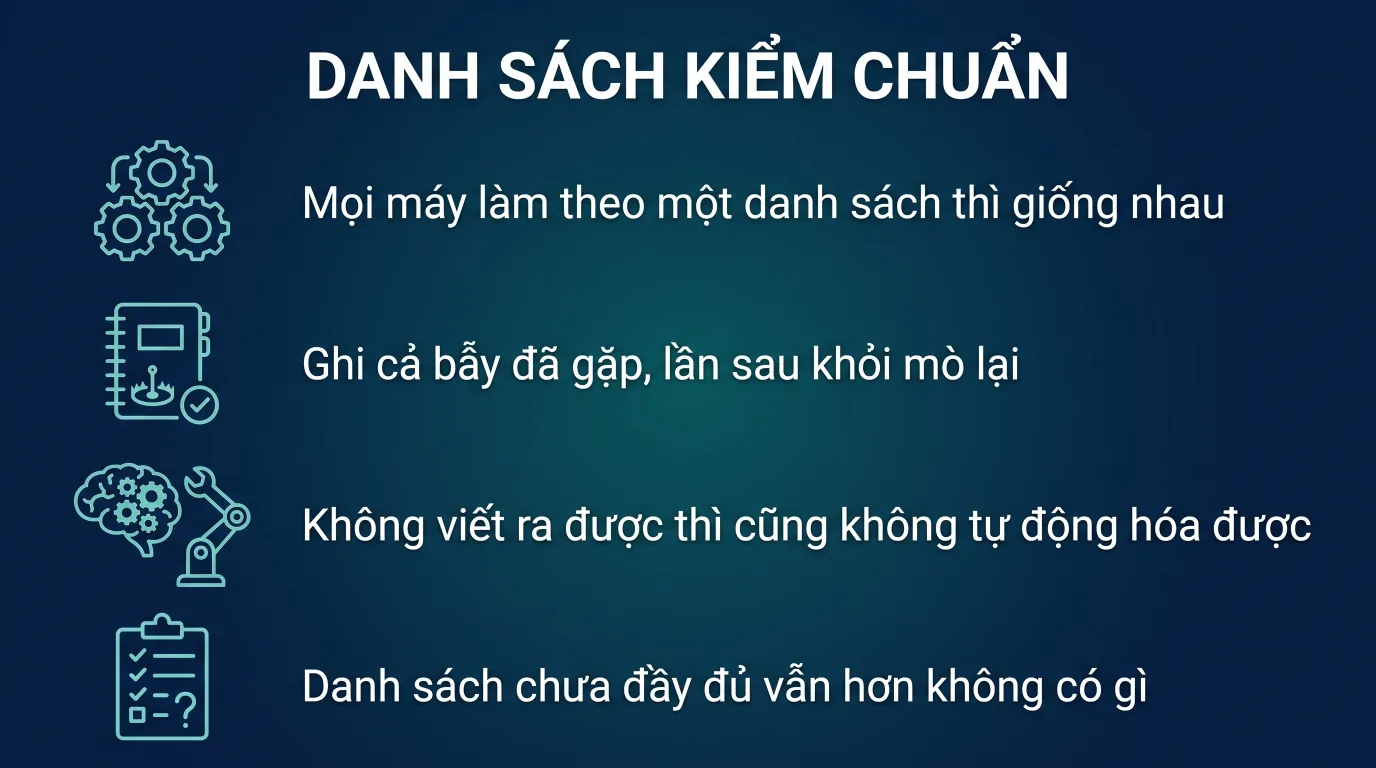
Checklist 12 bước cho admin GW: bật 2SV bắt buộc → setup OU theo phòng ban → DKIM/DMARC → Context-Aware policy → DLP rules → Vault retention → MDM endpoint → audit log export → review hàng quý. Yêu cầu tối thiểu Business Plus, lý tưởng Enterprise Standard.
1. Vì sao cần best practice quản trị?
Google Workspace là nền tảng đầy đủ feature nhưng "secure by default" chỉ ở mức cơ bản. Admin IT phải chủ động cấu hình thêm để đáp ứng các yêu cầu:
- Tuân thủ Luật An ninh mạng + Luật 91/2025/QH15 bảo vệ dữ liệu cá nhân.
- Đáp ứng audit ISO 27001 / SOC 2 / HIPAA khi khách enterprise yêu cầu.
- Bảo vệ trước phishing, BEC (Business Email Compromise) - top threat 2024-2026.
- Giảm rủi ro insider threat (nhân viên nghỉ việc copy data).
- Đáp ứng yêu cầu lưu trữ dài hạn cho ngành luật, tài chính, healthcare.
Bài này là checklist 12 bước được TND áp dụng khi onboard khách hàng GW Plus/Enterprise. Mỗi bước có hướng dẫn cụ thể qua Admin Console + tham khảo GAM CLI cho admin power user.
2. Bước 1: Bật 2SV (Two-Step Verification) bắt buộc
2.1. Vì sao quan trọng?
87% account takeover bắt nguồn từ password leak (data breach trên web khác, phishing, brute force). 2SV ngăn 99% các vụ này.
2.2. Cấu hình
- Admin Console → Security → Authentication → 2-Step Verification.
- Enforcement: chọn "On (with grace period 14 days)" cho first rollout.
- Sau 14 ngày, chuyển sang "On (no grace period)".
- Cho phép methods: Google Prompt, Security Key, Authenticator app. Tránh SMS (sim swap risk).
- Exception: chỉ admin super có thể bypass - yêu cầu hardware security key (FIDO2).
# GAM CLI: enforce 2SV cho toàn tenant
gam update org "/" enforce_two_factor on
gam update org "/" two_factor_method any_except_verification_codes_via_text
3. Bước 2: Thiết kế OU (Organizational Unit)
3.1. Cấu trúc khuyến nghị
/ (root)
├── Executive/
│   ├── CEO
│   └── C-Level
├── Engineering/
│   ├── Backend
│   ├── Frontend
│   └── DevOps
├── Finance/
│   ├── Accounting
│   └── Treasury
├── Sales/
├── Marketing/
├── HR/
├── Operations/
└── External/
    ├── Contractors
    └── Interns
3.2. Vì sao OU quan trọng?
Policy (DLP, Context-Aware, Vault retention, app restriction) áp dụng theo OU. Cấu trúc OU tốt cho phép policy granular: ví dụ "Finance" cấm share Drive ra ngoài, "Sales" cho phép.
# GAM: tạo OU
gam create org "Finance" description "Finance team"
gam create org "Finance/Accounting" description "Accounting subteam"

# Move user vào OU
gam update user [email protected] org "Finance/Accounting"
4. Bước 3: SPF + DKIM + DMARC
4.1. SPF
; SPF
@ IN TXT "v=spf1 include:_spf.google.com ~all"
4.2. DKIM
- Admin Console → Apps → Google Workspace → Gmail → Authenticate email.
- Generate new record (chọn 2048-bit key).
- Add TXT record vào DNS:
google._domainkey IN TXT "v=DKIM1; k=rsa; p=..." - Wait 48h → click Start authentication.
4.3. DMARC
Bắt đầu với policy none để monitor, sau 30 ngày chuyển sang quarantine, sau 60 ngày chuyển reject.
; Phase 1 (monitor)
_dmarc IN TXT "v=DMARC1; p=none; rua=mailto:[email protected]; pct=100"

; Phase 2 (enforce quarantine)
_dmarc IN TXT "v=DMARC1; p=quarantine; rua=mailto:[email protected]; pct=100; aspf=s; adkim=s"

; Phase 3 (full enforce)
_dmarc IN TXT "v=DMARC1; p=reject; rua=mailto:[email protected]; pct=100"
5. Bước 4: Context-Aware Access
5.1. Tạo Access Level
Admin Console → Security → Context-Aware Access → Create access level.
Name: VN_TrustedDevice_BusinessHours
Conditions:
  - device.os = "Mac OS" OR "Windows" OR "iOS" OR "Android"
  - device.is_admin_approved_device = true
  - device.is_encrypted = true
  - origin.country_code IN ["VN", "SG"]
  - request.time IN "07:00-22:00" (Asia/Bangkok)
  - device.os_version >= "..."
Result: ALLOW
5.2. Assign level cho service
- Apply level cho Gmail (OU=/Executive, /Finance).
- Drive: apply level cho /Engineering (sensitive code).
- Admin Console access: chỉ admin OU với US/VN + security key.
5.3. Monitor + adjust
Sau 2 tuần, review Audit log → tìm legitimate denied requests → relax rule nếu cần. Common: nhân viên đi công tác Singapore không thuộc VN whitelist → mở rộng country code list.
6. Bước 5: DLP rules
6.1. DLP cho Drive
- Admin Console → Security → Data Protection → Add rule.
- Apply to: All users OR specific OU.
- Trigger: Drive sharing.
- Detector: predefined (Vietnam CCCD, credit card, IBAN) hoặc custom regex.
- Action: WARN_USER hoặc BLOCK hoặc QUARANTINE.
6.2. DLP cho Gmail
Rule: Block_Outbound_CCCD
Trigger: Email outbound
Detector: vietnam_cccd_12digit
Condition: recipient_domain NOT IN ["congty.com", "partner1.com"]
Action: BLOCK + notify admin@
6.3. DLP cho Chat
Chat (Google Chat) cũng hỗ trợ DLP từ 2024. Detect và block sharing CCCD/credit card trong chat realtime.
6.4. Custom detector cho mã nội bộ
Custom detector: Internal_Contract_Code
Regex: bCT-d{8}b
Likelihood: VERY_LIKELY
Min matching: 1
DLP chỉ có ở Enterprise Standard trở lên. Doanh nghiệp Business Plus cần upgrade Enterprise. Xem chi tiết: khi nào lên Enterprise.
7. Bước 6: Vault retention + hold
7.1. Retention rules
| Loại data | Retention | OU áp dụng |
|---|---|---|
| Gmail Executive | 10 năm | /Executive |
| Gmail Finance | 10 năm (theo Luật Kế toán) | /Finance |
| Gmail General | 5 năm | / (root, exclude Executive + Finance) |
| Drive Project Documents | 10 năm | Shared Drive "Legal-Contracts" |
| Chat | 3 năm | All |
| Meet recording | 1 năm | All |
7.2. Hold cho vụ việc cụ thể
Khi có vụ kiện hoặc audit, tạo hold theo user/email/date range. User không xoá được data trong hold cho đến khi release.
7.3. eDiscovery export
Search xuyên Gmail + Drive + Chat → export EML/PST/MBOX. Phù hợp khi cần submit cho luật sư hoặc cơ quan điều tra.
Vault chỉ có ở Business Plus, Enterprise Standard, Enterprise Plus. Đọc thêm: compliance cho luật tài chính.
8. Bước 7: Endpoint management (MDM)
8.1. Bật advanced management
- Admin Console → Devices → Mobile & endpoints → Settings → Universal settings → bật Advanced.
- Apply theo OU.
8.2. Policy khuyến nghị
- Password: min 8 ký tự, mixed case + number, change every 90 ngày.
- Encryption: bắt buộc bật trên device.
- Auto-lock: 5 phút idle.
- Jailbreak/root: block.
- OS version: tối thiểu iOS 17+ / Android 13+.
- App management: chỉ cài app từ allowlist.
- Work profile: bật cho Android (tách data công ty/cá nhân).
- Wipe remote: enable cho admin trigger từ Console.
8.3. Off-boarding flow
- HR notify IT: nhân viên nghỉ ngày X.
- IT suspend account (giữ data 30 ngày).
- IT trigger wipe device - tất cả data GW xoá khỏi điện thoại trong 10 phút.
- IT transfer Drive ownership sang manager.
- IT export email qua Vault.
- Sau 30 ngày, xoá account hoàn toàn.
9. Bước 8: Audit log + export sang SIEM
9.1. Loại log
- Login activity (success/fail, IP, geo, user-agent).
- Admin activity (cấu hình change).
- Drive activity (upload, download, share, delete, view).
- Gmail activity (gửi external, forward, filter create).
- Calendar, Chat, Meet, Groups.
- DLP triggers, Context-Aware denials.
9.2. Export sang BigQuery
Enterprise hỗ trợ Cloud Audit Logs export realtime sang BigQuery - từ đó stream sang Splunk, ELK, Microsoft Sentinel, Datadog.
# Setup BigQuery export
gam config csv_output_header_filter "*" >
gam update workspace audit log_export_target bigquery_project=PROJECT_ID dataset=workspace_audit_logs
9.3. Alert quan trọng
- Login từ country không trong whitelist.
- Mass download Drive (> 100 files trong 1 giờ).
- Admin change critical setting (2SV disable, DLP rule modify).
- Suspicious filter create (auto-forward to external).
- Account access from new device → require re-verification.
10. Bước 9: External sharing controls
10.1. Drive sharing
- Admin Console → Apps → Drive & Docs → Sharing settings.
- Apply theo OU:
- /Finance: chỉ share trong domain.
- /Sales: cho phép share external với warning.
- /External: không cho phép tạo shared link.
- Default access for new files: Restricted (recommend).
- Block download/copy/print cho file label CONFIDENTIAL.
10.2. Calendar sharing
- Free/busy only cho external - không share event detail.
- Block secondary calendar share with public.
10.3. Gmail forwarding
- Disable automatic email forwarding cho non-admin user.
- Allow forwarding chỉ trong domain hoặc allowlist domain.
11. Bước 10: App access control + OAuth review
11.1. Block risky OAuth apps
User thường grant OAuth cho random app trên web (online tool đọc Gmail/Drive). Rủi ro: app malicious đọc toàn bộ data.
- Admin Console → Security → API controls → Manage Third Party App Access.
- Set default: "Restricted" → user chỉ grant app trong allowlist admin approve.
- Review app list quarterly, revoke unused.
11.2. Google Marketplace allowlist
Chỉ cho phép cài app từ Marketplace official + đã pass security review.
12. Bước 11: Email security - anti-phishing + advanced
12.1. Advanced phishing protection
- Admin Console → Apps → Gmail → Safety.
- Bật: Identify and protect against spoofing of employee names.
- Bật: Protect against domain spoofing based on similar domain names.
- Bật: Protect against unauthenticated emails.
- Action: Move to spam hoặc quarantine for admin review.
12.2. Attachment scanning
- Bật: Scan attachments for malware (default).
- Bật: Sandbox suspicious attachments before delivery (Enterprise).
12.3. Banner cho external email
Hiển thị banner "External sender" trên mọi email từ ngoài domain - giúp user nhận biết phishing attempt.
13. Bước 12: Review + audit định kỳ
13.1. Quarterly review
- User list: xoá account nhân viên đã nghỉ.
- OAuth app: revoke unused.
- Shared Drive permission: review external users.
- DLP triggers: tinh chỉnh false positive.
- Context-Aware denials: relax rule nếu legitimate.
- Audit log anomaly: report exec.
13.2. Annual security audit
- Penetration test với firm bên ngoài.
- ISO 27001 / SOC 2 compliance audit (nếu cần).
- Re-train toàn bộ nhân viên về security awareness.
"Sau khi follow checklist này từ TND, công ty 120 user của chúng tôi pass audit ISO 27001 lần đầu tiên. Quan trọng nhất là DLP block 23 vụ rò rỉ CCCD trong 6 tháng đầu - đáng tiền đầu tư Enterprise Standard. Hoá đơn VAT điện tử TT 78 đầy đủ."
14. Yêu cầu gói GW cho mỗi tính năng
| Tính năng | Gói tối thiểu |
|---|---|
| 2SV bắt buộc | Tất cả gói (kể cả Starter) |
| OU + admin console | Tất cả |
| SPF/DKIM/DMARC | Tất cả |
| Context-Aware Access | Enterprise Standard |
| DLP cho Drive + Gmail | Enterprise Standard |
| Vault | Business Plus |
| Advanced endpoint MDM | Business Plus |
| S/MIME | Enterprise Standard |
| Audit log export BigQuery | Enterprise Standard |
| Advanced phishing/sandbox | Enterprise Standard |
Doanh nghiệp 100+ user cần security đầy đủ → Enterprise Standard tối thiểu. Đọc thêm: khi nào lên Enterprise.
15. Dịch vụ quản trị của TND
- Gói Setup Pro: TND triển khai 12 bước checklist + đào tạo IT 1 ngày + handover doc. 1 lần.
- Gói Managed Service: TND quản trị hộ - user lifecycle, policy update, monthly audit report. Theo subscription.
- Gói Audit + Compliance: TND audit hiện trạng + recommend fix + hỗ trợ pass ISO 27001 / SOC 2.
Tất cả gói đều kèm hoá đơn VAT điện tử TT 78 đầy đủ cho phần dịch vụ.
16. Câu hỏi thường gặp
16.1. Admin console có hỗ trợ multi-admin không?
Có. Tạo các vai trò: Super Admin, User Management Admin, Help Desk Admin, Service Admin với quyền granular.
16.2. GAM CLI có an toàn không?
GAM là third-party tool open-source, được Google community trust. Tạo OAuth riêng cho GAM, store credential local an toàn. Sử dụng cho automation script và bulk operations.
16.3. Có template policy mẫu không?
Có. TND cung cấp template cho khách hàng: DLP rules theo ngành (luật, tài chính, healthcare), Context-Aware policy mẫu, Vault retention chuẩn Việt Nam.
16.4. Hoá đơn cho dịch vụ quản trị?
Hoá đơn VAT điện tử TT 78 đầy đủ cho cả license year và phí dịch vụ quản trị/audit/đào tạo. MST TND: 0200994870.
16.5. Cross-link tới blog GW khác?
Đọc thêm: khi nào lên Enterprise, compliance cho luật tài chính, migration Gmail/Yahoo lên GW, GW vs M365. Mua đi kèm: business hosting + cloudphone.
Cần TND triển khai checklist bảo mật 12 bước?
TND là nhà cung cấp Google Workspace chính hãng tại Việt Nam - đặt license + setup tenant + migration trong 24h. Hoá đơn VAT điện tử TT 78 đầy đủ cho doanh nghiệp.