
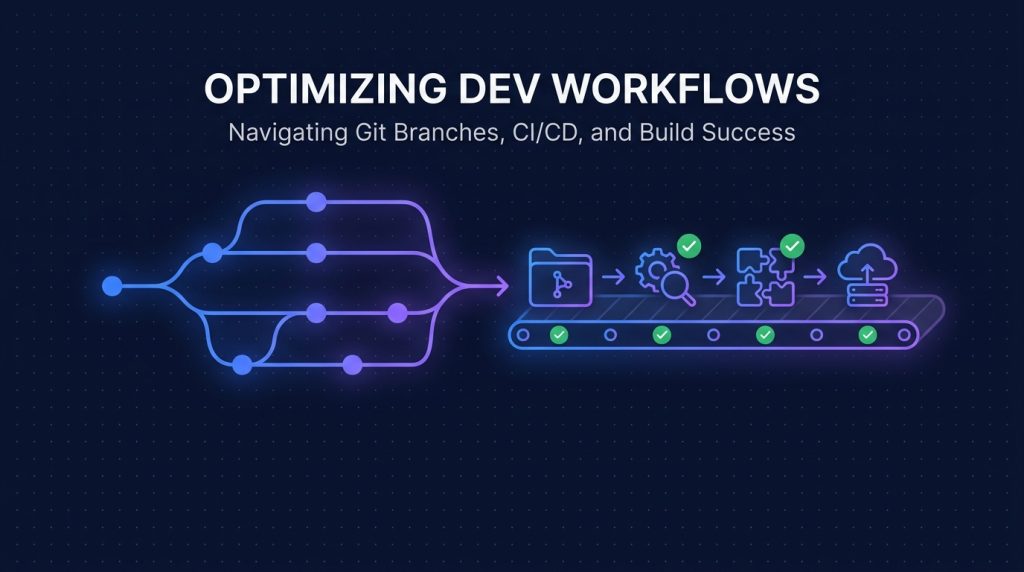
Startup 10 dev, repo private trên Github. Đang xài Github Actions free tier nhưng giờ vượt 3000 phút build/tháng phải trả tiền, plus cảm thấy code và secret nằm trên server bên thứ 3 không an tâm. Khách hàng B2B vừa yêu cầu compliance: code phải on-prem hoặc on-shore. Đáp án: tự host Gitea (Git server) + Drone (CI/CD) trên 1 VPS, dev quy trình giống Github y nguyên, nhưng data trong tầm tay.
Bài này hướng dẫn deploy full stack Gitea + Drone với docker compose, cấu hình OAuth giữa 2 service, runner cài Docker, viết pipeline mẫu, kèm benchmark performance và best practice cho team 10-30 dev.
Vì sao chọn Gitea + Drone?
- Gitea: viết bằng Go, single binary 100 MB RAM, fast, UI gần như Github, hỗ trợ Action workflow tương thích Actions syntax.
- Drone CI: pipeline native Docker từ đầu, mỗi step là 1 image, mỗi build có sandbox sạch. YAML cú pháp đơn giản hơn Jenkinsfile.
- Cả 2 open source MIT/Apache, miễn phí thương mại.
- Resource nhẹ: stack 2 binary + Postgres + 2 runner = 2-4 GB RAM.
- Integration tự nhiên qua OAuth: 1 lần config, dev login 1 lần thấy cả 2.
Alternative: Gitlab CE (full feature nhưng nặng 4-8 GB RAM, phức tạp), Forgejo (fork Gitea cộng đồng), Woodpecker (fork Drone open governance).
Yêu cầu VPS
| Quy mô | RAM | vCPU | SSD |
|---|---|---|---|
| Solo dev / 1-3 dev | 2 GB | 2 vCPU | 40 GB |
| Team 5-15 dev | 4 GB | 2-4 vCPU | 80 GB |
| Team 15-50 dev, nhiều build/giờ | 8 GB | 4-6 vCPU | 160 GB |
| 50+ dev, build heavy (Docker image) | 16 GB | 8 vCPU | 320 GB |
Build CPU-intensive (compile Rust, build Docker image): runner cần CPU mạnh. Có thể tách runner ra VPS riêng để không ảnh hưởng Gitea response time.
Docker Compose cho Gitea + Drone + Postgres
services: gitea: image: gitea/gitea:1.22 container_name: gitea restart: unless-stopped environment: USER_UID: 1000 USER_GID: 1000 GITEA__database__DB_TYPE: postgres GITEA__database__HOST: postgres:5432 GITEA__database__NAME: gitea GITEA__database__USER: gitea GITEA__database__PASSWD: strong-gitea-pw GITEA__server__DOMAIN: git.your-domain.com GITEA__server__ROOT_URL: https://git.your-domain.com/ GITEA__server__SSH_DOMAIN: git.your-domain.com GITEA__server__SSH_PORT: 222 GITEA__service__DISABLE_REGISTRATION: "true" volumes: - ./gitea/data:/data ports: - "127.0.0.1:3000:3000" - "0.0.0.0:222:22" depends_on: [postgres] networks: [ci] drone: image: drone/drone:2 container_name: drone restart: unless-stopped environment: DRONE_GITEA_SERVER: https://git.your-domain.com DRONE_GITEA_CLIENT_ID: from-step-2 DRONE_GITEA_CLIENT_SECRET: from-step-2 DRONE_RPC_SECRET: long-random-shared-secret DRONE_SERVER_HOST: drone.your-domain.com DRONE_SERVER_PROTO: https DRONE_USER_CREATE: "username:admin-username,admin:true" DRONE_DATABASE_DRIVER: postgres DRONE_DATABASE_DATASOURCE: postgres://drone:strong-drone-pw@postgres:5432/drone?sslmode=disable volumes: - ./drone/data:/data ports: - "127.0.0.1:8081:80" depends_on: [postgres, gitea] networks: [ci] drone-runner: image: drone/drone-runner-docker:1 container_name: drone-runner restart: unless-stopped environment: DRONE_RPC_HOST: drone:80 DRONE_RPC_PROTO: http DRONE_RPC_SECRET: long-random-shared-secret DRONE_RUNNER_NAME: runner-1 DRONE_RUNNER_CAPACITY: 4 volumes: - /var/run/docker.sock:/var/run/docker.sock depends_on: [drone] networks: [ci] postgres: image: postgres:16-alpine container_name: gitea-postgres restart: unless-stopped environment: POSTGRES_USER: gitea POSTGRES_PASSWORD: strong-gitea-pw POSTGRES_DB: gitea volumes: - ./postgres:/var/lib/postgresql/data - ./init.sql:/docker-entrypoint-initdb.d/init.sql networks: [ci] networks: ci: name: ciFile init.sql tạo DB drone song song:
CREATE USER drone WITH PASSWORD 'strong-drone-pw';CREATE DATABASE drone OWNER drone;Bước 1: start Gitea trước, tạo admin
cd /srv/cisudo docker compose up -d postgres gitea # Đợi 30s, Gitea init schema# Truy cập http://your-vps-ip:3000 hoặc qua reverse proxyVào install wizard, confirm các setting đã env-inject sẵn. Bấm Install. Đăng ký admin đầu tiên (sẽ tự thành site admin). Vào Site Administration -> Users tạo thêm user cho team.
Bước 2: tạo OAuth app cho Drone trong Gitea
- Login Gitea admin.
- Site Administration -> Integrations -> Applications -> Create New OAuth2 Application.
- Application Name: "Drone CI".
- Redirect URI:
https://drone.your-domain.com/login - Confidential Client: enabled.
- Sau khi tạo, copy Client ID và Client Secret, paste vào compose.yml ở 2 biến DRONE_GITEA_CLIENT_ID và DRONE_GITEA_CLIENT_SECRET.
Bước 3: start Drone
sudo docker compose up -d drone drone-runner # Đặt Caddy/Nginx trước với 2 vhost# git.your-domain.com -> 127.0.0.1:3000# drone.your-domain.com -> 127.0.0.1:8081File Caddyfile mẫu:
git.your-domain.com { reverse_proxy 127.0.0.1:3000 encode gzip request_body { max_size 200MB }} drone.your-domain.com { reverse_proxy 127.0.0.1:8081 encode gzip}Vào drone.your-domain.com, click Login, browser redirect sang Gitea, authorize, quay về Drone đã login. Tab "Active" hiện list repo. Click "Activate" 1 repo để Drone bắt đầu lắng nghe webhook push.
Bước 4: viết .drone.yml đầu tiên
Trong repo của bạn, tạo file .drone.yml:
kind: pipelinetype: dockername: default steps: - name: test image: node:22-alpine commands: - npm ci - npm run lint - npm test - name: build image: node:22-alpine commands: - npm ci - npm run build depends_on: [test] - name: docker-publish image: plugins/docker settings: registry: registry.your-domain.com repo: registry.your-domain.com/myapp tags: - latest - "${DRONE_COMMIT_SHA:0:8}" username: from_secret: registry_user password: from_secret: registry_pass depends_on: [build] when: branch: [main] - name: deploy image: appleboy/drone-ssh settings: host: prod.your-domain.com username: deploy key: from_secret: ssh_key script: - cd /srv/myapp - docker compose pull - docker compose up -d depends_on: [docker-publish] when: branch: [main] trigger: branch: - main - develop event: - push - pull_requestPush lên Gitea, Drone tự trigger build. Vào drone.your-domain.com/your-org/myapp xem log realtime của từng step. Output từng container đẹp + có time stamp.
Quản lý secret an toàn
Không hardcode SSH key, registry password vào .drone.yml. Vào Drone repo settings -> Secrets -> thêm:
- registry_user / registry_pass: credentials registry private.
- ssh_key: private key đẩy lên server prod.
- NPM_TOKEN, AWS_KEY: các secret khác cần thiết.
Secret encrypt at rest, chỉ unwrap khi inject vào container. Có flag "Pull Requests" tắt mặc định cho secret nhạy cảm để PR từ fork không leak secret.
Scale: thêm runner
1 runner capacity 4 = 4 build song song. Khi team có 30 dev push nhiều build/giờ, scale bằng cách thêm runner container trên cùng VPS hoặc VPS khác:
services: drone-runner-2: image: drone/drone-runner-docker:1 container_name: drone-runner-2 restart: unless-stopped environment: DRONE_RPC_HOST: drone.your-domain.com:443 DRONE_RPC_PROTO: https DRONE_RPC_SECRET: long-random-shared-secret DRONE_RUNNER_NAME: runner-2-vps-b DRONE_RUNNER_CAPACITY: 8 volumes: - /var/run/docker.sock:/var/run/docker.sockDrone server tự load balance, runner ít load nhất nhận job tiếp theo. Có thể tag runner theo OS, architecture (Mac M1, Windows) để route đúng pipeline.
Backup
- Postgres dump hằng đêm: cả DB gitea và drone.
- Folder chứa bare repo, backup hằng ngày.
- Folder và
lfsnếu có Git LFS. - Sync sang B2/R2 qua restic hoặc rclone (xem bài backup restic).
- Test restore hằng quý: spin VPS staging, restore, verify clone repo OK.
So sánh với Github Actions
| Khía cạnh | Github Actions | Gitea + Drone self-host |
|---|---|---|
| Setup | 0 phút | 2-4 giờ |
| Cost cho team 10 dev private | Free 3000 phút/tháng, sau ~0.008 USD/phút | ~500k VND/tháng VPS |
| Data sovereignty | Github (Microsoft) | VPS riêng |
| Build performance | Standard 2-core | Tùy CPU VPS, có thể mạnh hơn |
| Marketplace action | 50k+ | Plugin Drone ~200, image Docker bất kỳ |
| UI/UX | Polish | Đủ dùng |
| Vendor lock-in | Cao | Thấp |
Github Actions OK cho open source và team mới. Self-host OK khi private repo nhiều, compliance, hoặc build minutes vượt free tier đáng kể.
Bẫy thường gặp
| Triệu chứng | Cách fix |
|---|---|
| OAuth callback lỗi | Set ROOT_URL HTTPS đúng, không lẫn http/https |
| Pipeline không trigger | Repo chưa activate trong Drone, hoặc .drone.yml syntax sai |
| Runner báo no jobs | RPC_SECRET không match, hoặc network giữa runner và server bị block |
| SSH push qua port 22 fail | SSH gitea expose port 222, dùng URL ssh://[email protected]:222/... |
| Build chậm bất ngờ | Volume cache .npm/.cargo, dùng Drone volume plugin |
FAQ
Có thể migrate từ Github sang Gitea không?
Có, Gitea có chức năng Migration trong New Repository. Nhập URL Github + personal access token, Gitea clone repo, issues, PR, wiki, label. Migrate 1 repo 100 MB mất 30 giây. Tốt cho 90% case, chỉ thiếu GitHub Actions logs và Discussion (chưa migrate được).
Gitea có hỗ trợ Pull Request review giống Github không?
Có. Comment trên dòng diff, request changes, approve, merge button. Hỗ trợ branch protection rule (require 2 approval, must pass CI, no force push). Hỗ trợ codeowner file để auto-assign reviewer. Đủ dùng cho team dev pro.
Có thể tích hợp Slack notification khi build fail không?
Có. Thêm step plugin trong .drone.yml: image: plugins/slack với webhook URL. Drone gửi message khi step fail hoặc khi pipeline complete. Tương tự có plugin cho Telegram, Discord, email, Microsoft Teams.
Có hỗ trợ matrix build không?
Có. .drone.yml có field -> versions: [18, 20, 22]. Drone tạo 3 pipeline song song, mỗi cái dùng 1 version Node. Tương tự cho test trên nhiều OS (cần runner trên các OS đó), nhiều browser (cần plugin Selenium).
Khi nào nên dùng Gitea Actions thay Drone?
Gitea từ phiên bản 1.19 có built-in Actions tương thích Github Actions syntax. Nếu team đã quen Actions và workflow file đã viết, dùng Gitea Actions để migrate dễ. Drone vẫn mạnh hơn về performance + simplicity của Docker-native pipeline. Có thể chạy cả 2 song song trên cùng Gitea.