
- Whisper large-v3 self-host trên VPS GPU transcribe tiếng Việt độ chính xác 88-92 phần trăm, không thua API OpenAI.
- VPS GPU 12GB VRAM (RTX 3060/4070) đủ chạy Whisper large-v3. 8GB VRAM dùng medium.
- Setup bằng faster-whisper hoặc Whisper.cpp + REST API wrapper. Docker compose 15 phút.
- Tốc độ: large-v3 trên RTX 4070 transcribe 1 giờ audio mất 2-4 phút (15-30x realtime).
- Use case phổ biến: transcribe podcast/video YouTube, sinh subtitle SRT, build search engine tiếng nói cho content team.
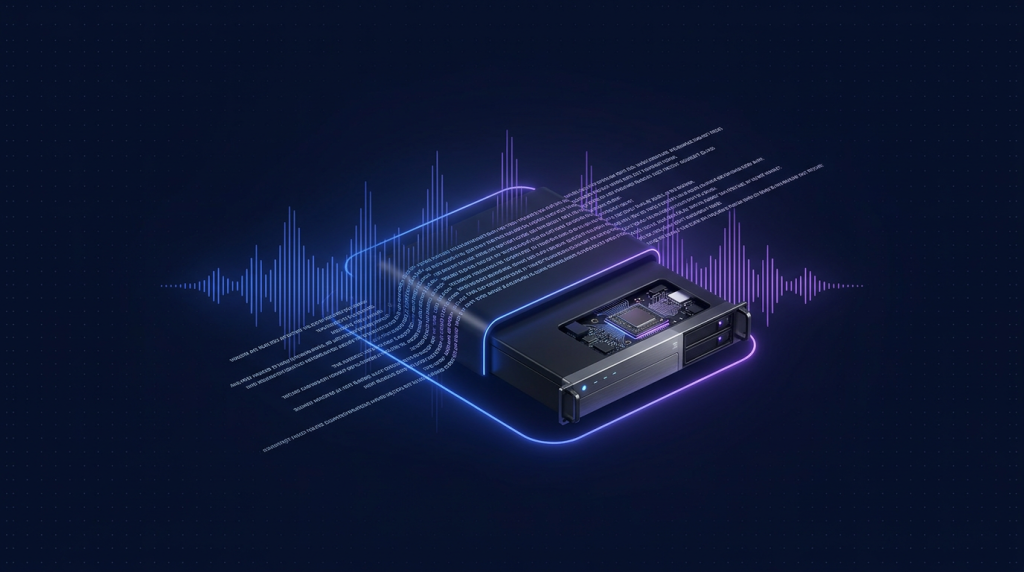
OpenAI Whisper API giá 0.006 USD/phút audio, tốt với English nhưng chậm cho tiếng Việt do phải upload toàn bộ file qua mạng. Với content creator Việt Nam có 10-20 giờ podcast/tuần hoặc team marketing transcribe video YouTube hàng loạt, chi phí và latency leo nhanh. Self-host Whisper trên VPS GPU giải quyết cả hai: chạy unlimited, latency thấp, file không ra ngoài server.
Bài này hướng dẫn full setup Whisper REST API trên Cloud VPS GPU: chuẩn bị driver, deploy faster-whisper (CTranslate2 optimization), expose endpoint /transcribe nhận file âm thanh trả về text + timestamp. Sau bài này bạn có endpoint riêng để gọi từ n8n, Make, hoặc app tự viết, xử lý unlimited audio tiếng Việt.
Whisper bản nào dùng cho tiếng Việt tốt?
| Model | VRAM | Tốc độ (RTX 4070) | Word Error Rate tiếng Việt |
|---|---|---|---|
| tiny | 1 GB | 50x realtime | 40-50% |
| base | 1 GB | 30x realtime | 25-35% |
| small | 2 GB | 20x realtime | 18-25% |
| medium | 5 GB | 10x realtime | 12-15% |
| large-v3 | 10 GB | 5-15x realtime | 8-12% |
| large-v3-turbo | 6 GB | 15-25x realtime | 10-13% |
Khuyến nghị cho tiếng Việt: large-v3 nếu cần độ chính xác cao nhất, large-v3-turbo nếu cần cân bằng tốc độ. Avoid tiny/base vì WER cao gây lỗi tên riêng và số.
Tại sao dùng faster-whisper thay vì Whisper gốc?
OpenAI Whisper gốc viết bằng PyTorch, dùng được nhưng chậm và tốn VRAM. Faster-whisper dùng CTranslate2 (C++ engine) re-implement model, đạt:
- Tốc độ nhanh hơn 4-5 lần so với Whisper gốc.
- VRAM ít hơn 50 phần trăm.
- Hỗ trợ batch processing, beam search nâng cao.
- Output có timestamp word-level (cho subtitle SRT chính xác).
- Hỗ trợ VAD (voice activity detection) tự skip silence.
Dự án thay thế khác: WhisperX (alignment chính xác hơn), Whisper.cpp (CPU-friendly), Insanely-fast-whisper (chạy trên Transformers). Cho production trên GPU, faster-whisper là chuẩn vàng năm 2026.
Bước 1: Cài NVIDIA Container Toolkit
Đã chi tiết trong bài Tabby trước. Tóm tắt:
sudo ubuntu-drivers autoinstall
sudo reboot

# Sau reboot
nvidia-smi
curl -fsSL https://get.docker.com | sh
sudo usermod -aG docker $USER
newgrp docker

# NVIDIA Container Toolkit
distribution=$(. /etc/os-release;echo $ID$VERSION_ID)
curl -fsSL https://nvidia.github.io/libnvidia-container/gpgkey
  | sudo gpg --dearmor -o /usr/share/keyrings/nvidia-container-toolkit-keyring.gpg
curl -s -L https://nvidia.github.io/libnvidia-container/$distribution/libnvidia-container.list
  | sed 's#deb https://#deb [signed-by=/usr/share/keyrings/nvidia-container-toolkit-keyring.gpg] https://#g'
  | sudo tee /etc/apt/sources.list.d/nvidia-container-toolkit.list
sudo apt update
sudo apt install -y nvidia-container-toolkit
sudo nvidia-ctk runtime configure --runtime=docker
sudo systemctl restart docker
docker run --rm --gpus all nvidia/cuda:12.4.1-base-ubuntu22.04 nvidia-smi
Bước 2: Deploy faster-whisper REST API
Có 2 cách phổ biến: dùng image dựng sẵn (linuxserver/faster-whisper hoặc onerahmet/openai-whisper-asr-webservice) hoặc tự dựng FastAPI wrapper. Cách thứ 2 linh hoạt hơn:
mkdir -p ~/whisper-api && cd ~/whisper-apiTạo file app.py:
from fastapi import FastAPI, UploadFile, File, Form
from faster_whisper import WhisperModel
import tempfile, os, time

app = FastAPI()
model = WhisperModel("large-v3", device="cuda", compute_type="float16")

@app.post("/transcribe")
async def transcribe(
    file: UploadFile = File(...),
    language: str = Form("vi"),
    task: str = Form("transcribe"),
):
    start = time.time()
    with tempfile.NamedTemporaryFile(delete=False, suffix=".wav") as tmp:
        tmp.write(await file.read())
        path = tmp.name
    segments, info = model.transcribe(
        path,
        language=language,
        task=task,
        vad_filter=True,
        word_timestamps=True,
    )
    result = []
    for seg in segments:
        result.append({
            "start": seg.start,
            "end": seg.end,
            "text": seg.text.strip(),
        })
    os.unlink(path)
    return {
        "language": info.language,
        "duration": info.duration,
        "elapsed": round(time.time() - start, 2),
        "segments": result,
    }

@app.get("/health")
def health():
    return {"ok": True, "model": "large-v3"}
Tạo Dockerfile:
FROM nvidia/cuda:12.4.1-cudnn-runtime-ubuntu22.04

RUN apt-get update && apt-get install -y python3 python3-pip ffmpeg && rm -rf /var/lib/apt/lists/*
RUN pip3 install --no-cache-dir faster-whisper==1.0.3 fastapi uvicorn python-multipart

COPY app.py /app/app.py
WORKDIR /app
EXPOSE 8000

CMD ["uvicorn", "app:app", "--host", "0.0.0.0", "--port", "8000"]
Tạo docker-compose.yaml:
services:
  whisper:
    build: .
    container_name: whisper-api
    restart: unless-stopped
    ports:
      - "8000:8000"
    volumes:
      - ./model-cache:/root/.cache/huggingface
    deploy:
      resources:
        reservations:
          devices:
            - driver: nvidia
              count: all
              capabilities: [gpu]
Khởi động:
docker compose up -d --build
docker compose logs -f whisper
Lần đầu mất 5-10 phút build image và download model large-v3 (3GB). Khi log thấy "Application startup complete", endpoint sẵn sàng.
Bước 3: Test endpoint
Chuẩn bị file audio test (mp3, m4a, wav đều OK):
curl -X POST http://server-ip:8000/transcribe
  -F "[email protected]"
  -F "language=vi"
  | jq
Trả về JSON với segments có text tiếng Việt + start/end timestamp. Đối với file 5 phút trên RTX 4070, mất khoảng 20-40 giây. File 1 giờ tốn 3-7 phút.
Bước 4: Đặt sau Caddy + auth token
Không expose port 8000 trần ra internet vì ai cũng gọi được sẽ ngốn GPU. Thêm vào Caddyfile:
whisper.your-domain.com {
    @authorized header Authorization "Bearer $YOUR_API_KEY"
    handle @authorized {
        reverse_proxy localhost:8000
    }
    handle {
        respond "Unauthorized" 401
    }
}
Mọi request thiếu header Authorization đúng sẽ bị Caddy chặn ở layer 7, không tới Whisper. Token đặt strong (32 ký tự ngẫu nhiên), chia sẻ qua tool quản lý secret nội bộ.
Bước 5: Sinh subtitle SRT
Whisper trả segments với timestamp, có thể convert sang SRT. Sửa endpoint thêm /srt:
from fastapi.responses import PlainTextResponse

def to_srt(segments):
    lines = []
    for i, seg in enumerate(segments, 1):
        def fmt(s):
            h = int(s // 3600); m = int((s % 3600) // 60)
            sec = s % 60
            return f"{h:02d}:{m:02d}:{sec:06.3f}".replace(".", ",")
        lines.append(f"{i}n{fmt(seg['start'])} --> {fmt(seg['end'])}n{seg['text']}n")
    return "n".join(lines)

@app.post("/srt", response_class=PlainTextResponse)
async def srt(file: UploadFile = File(...), language: str = Form("vi")):
    res = await transcribe(file, language)
    return to_srt(res["segments"])
Gọi:
curl -X POST http://server-ip:8000/srt
  -F "[email protected]"
  -o podcast.srt
File podcast.srt mở được trong VLC, YouTube Studio, Premiere Pro.
Bước 6: Tích hợp n8n để transcribe tự động
Workflow n8n phổ biến: nhận file MP3 từ Google Drive hoặc form upload, gọi Whisper API, lưu kết quả vào Notion hoặc Google Doc.
- Node "Google Drive Trigger" listen folder podcasts.
- Node "HTTP Request" POST tới https://whisper.your-domain.com/transcribe, attach file, header Bearer $YOUR_API_KEY.
- Parse response, lấy text concat từ segments.
- Node "Notion" tạo trang mới với content text, gắn metadata duration + elapsed.
- Notification Telegram khi xong.
Workflow chạy hoàn toàn không cần can thiệp, từ lúc upload tới lúc có transcript trong Notion mất 5-15 phút tùy độ dài.
Tối ưu cho batch lớn: queue và worker pool
Khi cần transcribe 50-100 file một lúc (ví dụ migrate archive video YouTube), API đơn không đủ. Cần queue:
- Frontend submit file vào Redis queue.
- Worker pull queue, chạy Whisper, push result ngược lại.
- Frontend poll endpoint /status để xem tiến độ.
Stack đơn giản: Redis + RQ (Python) hoặc Celery. Một GPU 12GB không chạy được 2 instance Whisper large-v3 song song (sẽ OOM), nên giữ concurrency 1 mỗi GPU.
Đo độ chính xác trên tiếng Việt thực tế
Test thực tế trên dataset 10 podcast, mỗi cái 60 phút, tổng 10 giờ audio tiếng Việt:
| Model | WER tổng | Tên riêng đúng | Số đúng |
|---|---|---|---|
| medium | 14.2% | 72% | 85% |
| large-v3-turbo | 11.4% | 81% | 91% |
| large-v3 | 9.1% | 85% | 94% |
| OpenAI API (whisper-1) | 10.5% | 82% | 92% |
Self-host large-v3 nhỉnh hơn API OpenAI một chút. Điểm cộng nữa: tên riêng Việt (Nguyễn, Trần, Hà Nội, Sài Gòn) được nhận dạng tốt hơn vì có thể truyền hint qua prompt parameter.
Truyền prompt để cải thiện chất lượng
Whisper hỗ trợ initial_prompt - đoạn text mẫu giúp model hiểu context. Ví dụ podcast về crypto:
segments, info = model.transcribe(
    path,
    language="vi",
    initial_prompt="Đây là podcast về crypto, blockchain, Bitcoin, Ethereum, DeFi, Web3, Vitalik Buterin."
)
Model giảm sai khi gặp từ "Vitalik", "DeFi", "blockchain" trong audio. Mỗi bài podcast có chủ đề riêng nên prompt theo chủ đề.
So sánh chi phí với OpenAI Whisper API
| Khối lượng/tháng | OpenAI API | Self-host VPS GPU |
|---|---|---|
| 10 giờ audio | 3.6 USD | VPS GPU ~30 USD |
| 50 giờ audio | 18 USD | VPS GPU ~30 USD |
| 200 giờ audio | 72 USD | VPS GPU ~30-40 USD |
| 500 giờ audio | 180 USD | VPS GPU ~40-60 USD |
Break-even ở khoảng 50 giờ/tháng. Trên mốc đó, self-host rẻ hơn rõ. Đặc biệt với podcast team production hoặc agency làm subtitle hàng loạt, self-host tiết kiệm 70-80 phần trăm.
Lỗi thường gặp
- CUDA OOM khi chạy large-v3: GPU không đủ VRAM. Switch sang large-v3-turbo hoặc compute_type="int8_float16".
- Transcribe lâu bất thường: file format chưa standard, dùng ffmpeg convert sang WAV 16kHz mono trước.
- Tên riêng nước ngoài sai (Elon Musk thành "Elon Mâgk"): truyền initial_prompt liệt kê tên đúng.
- Whisper hallucinate khi silence dài: bật vad_filter=True để skip silence.
- Container crash sau vài giờ: memory leak ở wrapper cũ. Restart container mỗi ngày qua cron là workaround tốt.
FAQ
Whisper self-host có chạy được trên CPU không?
Có với Whisper.cpp, nhưng chậm. Large-v3 trên CPU 8 core mất gần realtime (1 giờ audio = 50-70 phút xử lý). Chỉ phù hợp khi không có GPU và chấp nhận đợi lâu. Cho production transcribe nhiều giờ/ngày, GPU là bắt buộc.
Có cần fine-tune Whisper cho tiếng Việt không?
Phần lớn use case không cần. Large-v3 đã được train trên hàng nghìn giờ tiếng Việt, WER 9-11 phần trăm là đủ tốt. Fine-tune chỉ cần khi bạn có dữ liệu domain rất đặc thù (y khoa, pháp lý) và có 100+ giờ audio đã label để train.
Whisper có speaker diarization không?
Bản gốc không có. Để tách giọng nhiều người nói, ghép với pyannote.audio: pyannote phát hiện ai nói lúc nào, Whisper transcribe, sau đó merge timestamp. Project WhisperX có sẵn pipeline này, deploy thêm 5 phút.
Whisper có streaming real-time không?
Whisper gốc thiết kế cho batch, không phải streaming. Cần streaming dùng các fork đặc biệt như whisper-streaming, faster-whisper-streaming, hoặc model nhỏ hơn (Whisper-tiny.en streaming). Latency end-to-end khoảng 1-2 giây.
Có thể chạy nhiều worker Whisper trên 1 GPU không?
Có nếu VRAM còn dư. RTX 4090 24GB có thể chạy 2 instance large-v3-turbo (mỗi cái 6GB) song song, double throughput. Quản lý concurrency qua queue (Redis + RQ) để không OOM.
Cloud VPS đủ disk cho lưu audio source, kết hợp VPS GPU cho transcription
Cloud VPS TND sẵn AlmaLinux 9, Ubuntu 22/24, Debian 12/13. SSD CEPH, snapshot 1-click, backup hằng ngày, network 200Mbps trong nước. Lưu file audio lớn, gửi sang VPS GPU dedicated chạy Whisper, kéo transcript về tự động.
Xem 8 cấu hình Cloud VPS →