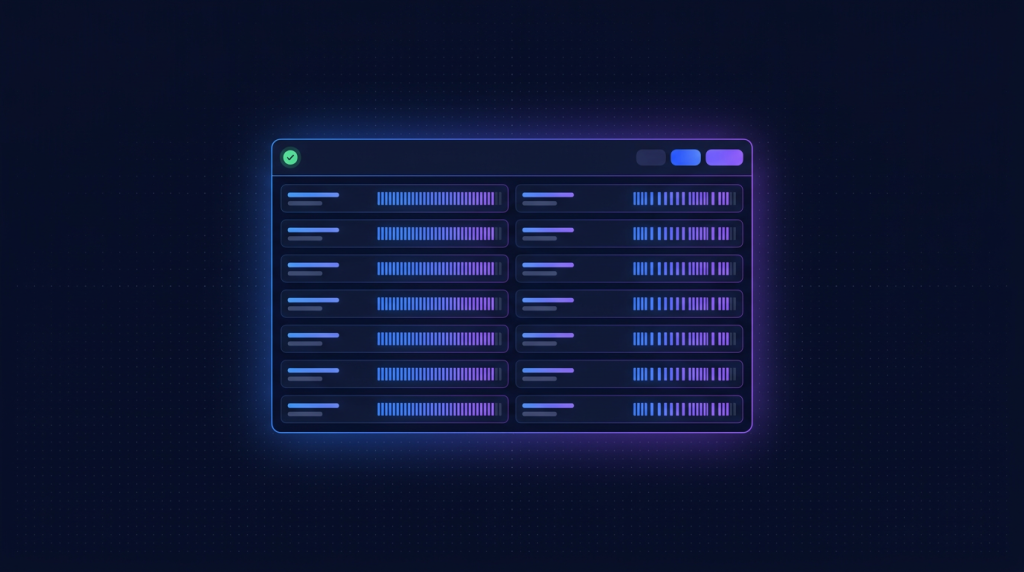
- Uptime Kuma là self-hosted monitoring tool, UI đẹp như UptimeRobot Pro, hoàn toàn free, 65k+ star GitHub.
- Monitor unlimited endpoint: HTTP, HTTPS, TCP, DNS, Ping, Docker container, Push (heartbeat), Steam game server, MQTT broker.
- Notification 90+ kênh: Slack, Telegram, Discord, Email, SMS Twilio, Webhook, Microsoft Teams, Apprise.
- Public status page với custom domain, embed iframe vào website, history 90 ngày.
- Chạy trên Cloud VPS 20 (199k/tháng) đủ cho 50+ endpoint với interval 30s.
UptimeRobot free chỉ 50 monitor và interval tối thiểu 5 phút (paid 10 USD/tháng cho 10 monitor 60 giây). Pingdom đắt khủng khiếp 15+ USD/tháng. Datadog Synthetics tốn 5 USD/monitor/tháng. Uptime Kuma giải bài này: self-host trên VPS riêng, unlimited monitor, interval thấp tới 20s, notification 90+ kênh, hoàn toàn miễn phí.
Mình đang chạy Uptime Kuma cho 8 dự án production: monitor 200+ endpoint (website client, API internal, database, cron health), notification Slack/Telegram, status page public cho mỗi client xem uptime. Total chi phí: 199k/tháng VPS. Bài này hướng dẫn setup từ A đến Z, customize, và integrate vào workflow team.
1. Uptime Kuma vs UptimeRobot vs Better Stack vs Pingdom
| Tiêu chí | Uptime Kuma | UptimeRobot | Better Stack | Pingdom |
|---|---|---|---|---|
| Free monitor | Unlimited | 50 | 10 | 1 |
| Interval min | 20s | 5 phút (free) | 3 phút (free) | 1 phút (paid) |
| Status page | Unlimited custom | 1 free | 1 free | Paid |
| Notification kênh | 90+ | 10+ | 20+ | 10+ |
| Self-host | Có | Không | Không | Không |
| Chi phí 50 monitor 1m | ~199k VPS | ~10 USD/tháng | ~22 USD/tháng | ~30 USD/tháng |
| UI/UX | 9/10 | 7/10 | 9/10 | 8/10 |
Uptime Kuma win về tỷ lệ giá/tính năng. UX modern, không thua SaaS đắt tiền.
2. Cài đặt Docker Compose
mkdir -p /opt/uptime-kuma && cd /opt/uptime-kuma# docker-compose.yml
services:
uptime-kuma:
image: louislam/uptime-kuma:1
container_name: uptime-kuma
restart: unless-stopped
ports:
- "127.0.0.1:3001:3001"
volumes:
- ./data:/app/data
- /var/run/docker.sock:/var/run/docker.sock:ro
environment:
UPTIME_KUMA_DISABLE_FRAME_SAMEORIGIN: "false"docker compose up -d
docker logs -f uptime-kumaLần đầu mở web sẽ thấy wizard setup: chọn ngôn ngữ, tạo admin account, set timezone (Asia/Ho_Chi_Minh).
3. Caddy reverse proxy HTTPS
uptime.your-domain.com {
    reverse_proxy 127.0.0.1:3001 {
        flush_interval -1
        header_up X-Real-IP {remote_host}
    }
    encode gzip
}
4. Tạo 8 loại monitor cơ bản
- HTTP(s): check URL, status code 200, response time, keyword match. Use case: monitor website.
- TCP Port: check port 22 SSH, 5432 Postgres, 6379 Redis open.
- Ping: ICMP ping IP.
- DNS: query DNS record, alert khi DNS hỏng.
- Docker container: check container running, restart count.
- Push (heartbeat): cron job gọi URL Uptime Kuma mỗi N phút, không gọi = job fail.
- HTTP keyword: response chứa "OK" hoặc không chứa "ERROR".
- JSON query: GET endpoint API, parse JSON, check field value.
5. Setup notification Slack + Telegram
Settings -> Notifications -> Setup New Notification
# Slack
Type: Slack
Webhook URL: https://hooks.slack.com/services/YOUR/SLACK/WEBHOOK
Channel: #alerts
Username: Uptime Kuma

# Telegram
Type: Telegram
Bot Token: 123456:ABC...
Chat ID: -1001234567890   # group chat ID
Thread ID: optional   # nếu dùng topic
Mỗi monitor có thể assign nhiều notification. Critical service ping cả Slack + Telegram + SMS Twilio để chắc chắn nhận alert.
6. Push monitor cho cron job và background worker
Cron job không expose HTTP endpoint. Dùng Push monitor: Uptime Kuma cấp URL, cron job gọi URL sau khi chạy xong. Không gọi trong khoảng thời gian set = alert.
# Trong cron job script
#!/bin/bash
# /opt/scripts/daily-backup.sh

# Backup code
pg_dumpall > /backup/db-$(date +%F).sql

# Notify Uptime Kuma
curl -s "https://uptime.your-domain.com/api/push/abc123def456?status=up&msg=OK&ping="

# Cron entry
0 3 * * * /opt/scripts/daily-backup.sh
Set interval expectation 1440 phút (1 ngày) + grace 60 phút. Nếu cron không chạy hoặc fail (không gọi URL), Uptime Kuma alert sau 25 giờ.
7. Status page public
- Vào Status Pages -> New Status Page
- Set slug: my-saas, title, description, logo
- Chọn monitor hiển thị, group vào categories ("API", "Website", "Database")
- Domain alias: status.your-domain.com qua DNS CNAME
- Customize CSS: chỉnh màu sắc theo brand
- Public link: https://uptime.your-domain.com/status/my-saas
Embed iframe vào website chính:
<iframe src="https://status.your-domain.com" width="100%" height="600" frameborder="0"></iframe>8. Maintenance window
Trước deploy production, schedule maintenance window:
- Settings -> Maintenance -> New Maintenance
- Title: "Deploy v1.2.3", description, time start/end
- Assign monitor: chọn monitor liên quan
- Trong window thời gian này, monitor down không gửi alert
- Status page show banner "Scheduled maintenance"
9. SSL/TLS expiry monitor
HTTP monitor check tự động cert expire. Alert 14 ngày trước hết hạn:
# Monitor type: HTTP(s)
URL: https://your-domain.com
Ignore TLS Error: false   # bật check cert
Certificate Expiry Notification: 14, 7, 1   # days
Hữu ích cho client dùng cert manual không auto-renew. Caddy/Let's Encrypt auto OK nhưng vẫn nên monitor để catch issue.
10. Advanced HTTP monitor với header và body
# Monitor type: HTTP(s) - JSON Query
URL: https://api.your-domain.com/health
Method: POST
Headers:
  Authorization: Bearer YOUR_HEALTH_TOKEN
Body: {"check": "full"}
JSON Query: $.status
Expected Value: healthy
Method: HTTP/HTTPS keyword
Body contains: "all_systems_operational"
Monitor sâu hơn HTTP 200 thuần. Verify business logic, DB connection, cache available.
11. Tag và filter monitor
200+ monitor mà không group là không quản lý được. Dùng tag:
- env: prod, staging, dev
- client: client-a, client-b, internal
- service: api, web, db, cache, queue
- priority: critical, important, info
Filter dashboard theo tag, status page show từng group, notification rule khác nhau cho từng priority.
12. Backup data và disaster recovery
# Data file ở /opt/uptime-kuma/data/
# Backup hằng đêm
tar czf /backup/uptime-kuma-$(date +%F).tar.gz /opt/uptime-kuma/data/

# Sync lên S3/R2
rclone copy /backup/ r2:backup-uptime/ --include "uptime-kuma-*"

# Cron entry
0 2 * * * tar czf /backup/uptime-kuma-$(date +%F).tar.gz /opt/uptime-kuma/data/ && rclone copy /backup/uptime-kuma-$(date +%F).tar.gz r2:backup-uptime/
Restore: stop container, extract tarball vào /opt/uptime-kuma/data/, start container. Time recovery dưới 5 phút.
13. API và automation
# Uptime Kuma có Socket.io API và REST API
# Tạo API Key trong Settings -> API Keys

# Lấy danh sách monitor
curl -H "Authorization: Bearer YOUR_API_KEY"
  https://uptime.your-domain.com/api/monitors

# Tạo monitor mới qua API
curl -X POST -H "Authorization: Bearer YOUR_API_KEY"
  -H "Content-Type: application/json"
  -d '{"name": "New Service", "url": "https://newapi.your-domain.com", "type": "http", "interval": 60}'
  https://uptime.your-domain.com/api/monitors
Useful khi deploy service mới qua CI/CD: pipeline tự tạo monitor cho URL mới. Hoặc bulk import 100 monitor từ CSV.
14. Multi-region monitoring
1 VPS Hà Nội monitor có thể bị blind nếu service down ở HCM mà Hà Nội vẫn check OK. Setup 2-3 instance Uptime Kuma ở các region khác nhau:
- Cloud VPS 20 HN: monitor từ Hà Nội
- Cloud VPS 20 HCM: monitor từ HCM
- Cloud VPS 20 Singapore (DigitalOcean): monitor từ ngoài VN
Alert phải trigger từ 2/3 region để loại false positive do mạng. Mỗi VPS 199k = 600k/tháng cho monitoring 3 region.
15. Integration với incident management
Khi service down, ngoài Slack/Telegram, tạo incident trong PagerDuty/Incident.io/Statuspage.io qua webhook. Workflow chuyên nghiệp:
- Uptime Kuma detect down -> Slack alert team
- Sau 5 phút still down -> PagerDuty trigger on-call
- Sau 10 phút -> create incident page public
- Khi recovery -> auto close incident, post-mortem template
16. Bài học sau 2 năm dùng Uptime Kuma
- Multi-region quan trọng cho production. Single region miss false-positive hoặc real-positive.
- Interval phù hợp: critical service 30s, important 1m, info 5m. Đừng spam DB Uptime Kuma.
- Notification phân cấp: bot Slack cho info, mention cho important, PagerDuty cho critical.
- Status page public xây trust với client/user, đáng đầu tư 1 giờ design đẹp.
- Backup data hằng ngày. Sự cố mất data dashboard cấu hình 200 monitor là nightmare.
17. Customize giao diện và branding
Uptime Kuma dashboard và status page có thể customize CSS riêng. Vào Settings -> Appearance:
/* Custom CSS cho status page */
.shadow-box {
  background: linear-gradient(135deg, #0B1230, #1B2247);
  color: white;
}
.up { color: #00d4aa; }
.down { color: #ff4d4f; }
.heartbeat { border-radius: 4px; }

/* Logo công ty */
.status-page-header img {
  max-height: 60px;
  filter: drop-shadow(0 0 10px rgba(43, 76, 254, 0.5));
}
Status page nhìn pro với brand riêng, không bị nhầm là tool generic. Khách hàng đánh giá cao detail này.
18. Two-factor authentication và security
- Settings -> Security -> Enable 2FA TOTP. Scan QR bằng Google Authenticator/Authy.
- Whitelist IP truy cập admin dashboard qua Caddy: @admin not remote_ip 10.0.0.0/8 1.2.3.4/32.
- Rotate API key định kỳ, không hardcode trong git.
- Backup database thường xuyên, encrypt nếu lưu cloud storage.
- Update Uptime Kuma version định kỳ, theo dõi security advisory.
19. Performance khi monitor nhiều endpoint
Uptime Kuma 1 process, monitor 500+ endpoint vẫn OK trên Cloud VPS 40. Tips tối ưu:
- Interval phù hợp: critical 30s, important 1m, info 5m, audit 1h. Đừng all 30s.
- Timeout request hợp lý: 30s cho HTTP, 5s cho TCP, đừng quá nhỏ.
- Database SQLite mặc định OK đến 1000 monitor. Switch sang MariaDB nếu lớn hơn.
- Disable heartbeat history retention dài (90 ngày -> 30 ngày) để DB nhỏ.
- Pin docker image version, không dùng :latest tag (rủi ro break).
20. Integration với grafana cho dashboard tổng hợp
Uptime Kuma expose Prometheus metrics endpoint /metrics. Setup Prometheus scrape, Grafana visualize:
# prometheus.yml
scrape_configs:
  - job_name: uptime-kuma
    metrics_path: /metrics
    basic_auth:
      username: metrics
      password: your_metrics_password
    static_configs:
      - targets: ['127.0.0.1:3001']

# Metrics available:
# monitor_status{monitor_name="..."} 1|0
# monitor_response_time_seconds{monitor_name="..."}
# monitor_cert_days_remaining{monitor_name="..."}
Grafana dashboard tổng hợp uptime % theo tháng, top monitor unstable, response time trends. Quan trọng cho SLA report khách hàng.
21. Migration từ UptimeRobot
# Script Python migrate monitor từ UptimeRobot
import requests, os

UR_API_KEY = os.environ['UPTIMEROBOT_KEY']
UK_API_KEY = os.environ['UPTIMEKUMA_KEY']
UK_BASE = "https://uptime.your-domain.com"

# Lấy danh sách monitor từ UptimeRobot
ur = requests.post(
    "https://api.uptimerobot.com/v2/getMonitors",
    data={"api_key": UR_API_KEY, "format": "json"}
).json()

for m in ur['monitors']:
    # Tạo monitor trong Uptime Kuma
    requests.post(
        f"{UK_BASE}/api/monitors",
        headers={"Authorization": f"Bearer {UK_API_KEY}"},
        json={
            "name": m['friendly_name'],
            "url": m['url'],
            "type": "http",
            "interval": 60,
            "retryInterval": 30,
            "maxretries": 3
        }
    )
    print(f"Migrated: {m['friendly_name']}")
Mình migrate 80 monitor từ UptimeRobot sang Uptime Kuma trong 30 phút bằng script này.
22. Use case beyond monitoring: deadman switch
Push monitor có thể làm "deadman switch" cho process critical:
- Database backup script: nếu không chạy 25h, alert ngay (data risk).
- SSL cert renew cron: nếu không gọi push trong 60 ngày, alert (cert sẽ hết hạn).
- Log aggregator process: heartbeat mỗi phút, biết khi nào agent rớt.
- Battery backup ping: UPS plug vào nguồn, mất điện thì không ping = alert mất điện.
23. Tổng kết cho dev VN 2026
Uptime Kuma là một trong những self-hosted tool tốt nhất hiện tại về ratio chi phí và tính năng. Setup 30 phút, sau đó chạy bền vững nhiều năm, replace được mọi SaaS monitoring đắt tiền. Combine với Grafana + Prometheus + Loki thành observability stack đầy đủ cho startup không quá 200k/tháng infrastructure cost. Đây là setup mình recommend cho mọi indie hacker, agency, startup VN muốn professional grade monitoring mà không break bank.
VPS chạy Uptime Kuma monitor tự host
Cloud VPS TND sẵn AlmaLinux 9, Ubuntu 22/24, Debian 12/13. SSD CEPH, snapshot 1-click, backup hằng ngày, network 200Mbps trong nước. Cloud VPS 20 (199k/tháng) đủ chạy Uptime Kuma cho 50+ monitor interval 30s.
Xem 8 cấu hình Cloud VPS →FAQ
Uptime Kuma có chạy được trên Raspberry Pi không?
Có, Uptime Kuma chạy được trên Raspberry Pi 3/4 cho monitor cá nhân 20-30 endpoint. Mình từng host trên Pi 4 hơn 1 năm trước khi move sang VPS để có public IP và uptime tốt hơn.
VPS bao nhiêu RAM đủ cho Uptime Kuma?
512MB RAM đủ cho 50 monitor. 1GB cho 200 monitor. 2GB cho 500+ monitor với history retention 90 ngày. Cloud VPS 20 (1GB RAM, 199k) là sweet spot cho indie và small team.
Có dùng được với HTTPS không cần Caddy không?
Uptime Kuma không tự handle HTTPS, cần reverse proxy (Caddy, Nginx, Traefik). Caddy là lựa chọn đơn giản nhất, auto Let's Encrypt 3 dòng config.
Có alert qua Webex hay Zalo không?
Webex có built-in. Zalo OA dùng webhook generic, hoặc Zalo Notification Service. Apprise integration support 100+ kênh khác nhau, gần như mọi messenger phổ biến đều có.
So với Healthchecks.io thì khác gì?
Healthchecks.io focus chủ yếu vào push monitoring cho cron job (similar Uptime Kuma Push type). Uptime Kuma rộng hơn với HTTP/TCP/DNS/Container etc. Cho cron job thuần, Healthchecks.io đơn giản hơn. Cho monitoring đa dạng, Uptime Kuma tốt hơn.
24. Tips on-call ngoài giờ
Khi setup alert ngoài giờ, dễ rơi vào tình trạng alert fatigue: dev bị wake up lúc 3h sáng vì false positive, không lâu sau team mute toàn bộ alert. Workflow chuyên nghiệp: chỉ alert critical (service down, payment fail, data loss risk) ra Telegram on-call channel, alert important sang Slack thường (xem trong giờ làm), alert info chỉ log không notify. Setup quiet hours cho dev không on-call để dev ngủ ngon, on-call rotation hằng tuần luân phiên. Combine với PagerDuty/Opsgenie cho escalation tự động nếu primary không response trong 10 phút. Đầu tư on-call workflow đúng cách giúp team không burn out, system uptime vẫn cao.